Chalet management software from booking to handing over the key
Guests book their nights on your page and pay the deposit, get the door code in their portal, and at check-out you inspect the unit and settle the security deposit, with cleaning done before the next guest.
Coming soon — We are building this business's own tools now, and we do not want to hand you a dashboard that does not fit. Book a demo and we will set it up with you.
What wears an owner down every day
Bookings split between WhatsApp and the phone
One family books Thursday on WhatsApp, another by phone, and you find the clash on arrival night.
A deposit that never comes
A promised transfer never arrives, the night stays in their name, and you turn others away.
Deposits and damage on trust
A cash security deposit nobody recorded, and a dispute over a breakage or cleaning with no written inspection.
What Govia gives you
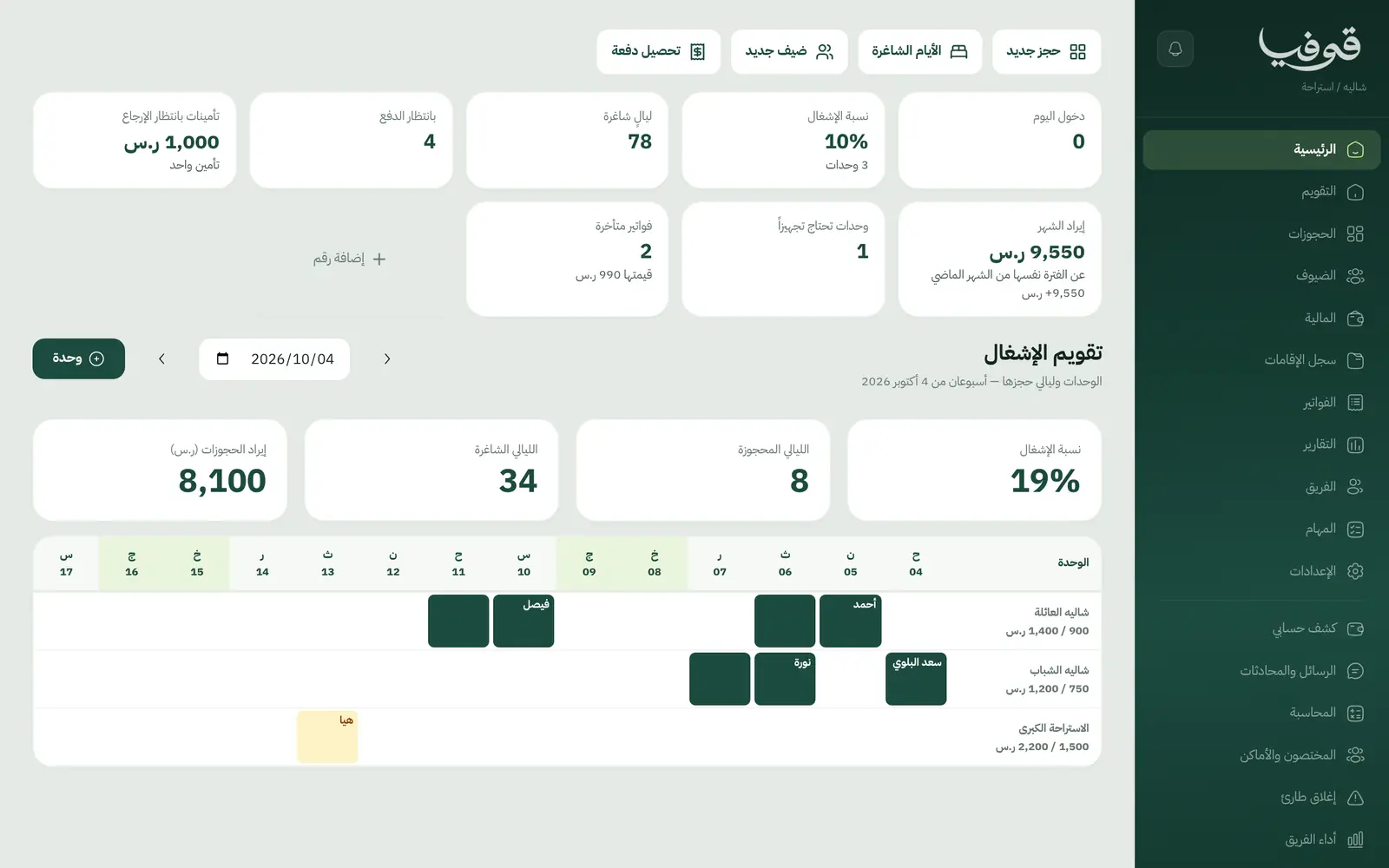
Occupancy calendar
Units against days, every booking on its nights: check-in in the afternoon, check-out at noon the next day.
Seasons and weekends
Thursday and Friday at the weekend rate, seasons and closed days, and a minimum number of nights per season applied to every booking.
Book from your page
Guests pick the unit and dates, confirm their phone with a WhatsApp code and pay the deposit from the invoice link; the balance falls due on arrival.
Door code
A six-digit code written when the booking is confirmed and shown in the guest’s portal the day before arrival.
A separate security deposit
Held at check-in and settled after the unit is inspected, with its own receipt and return, never mixed with the rent.
Inspection and cleaning
An inspection at check-out and a cleaning task due before the next arrival; checking in before it needs a manager.
Change a stay without cancelling
Extend, shorten or move a stay to other dates; it is repriced, the deposit is kept, and the family is told once.
No-shows and blocked guests
A booking past its arrival day stays on the board as a no-show, and a blocked guest is refused unless a manager overrides.
Inside the system
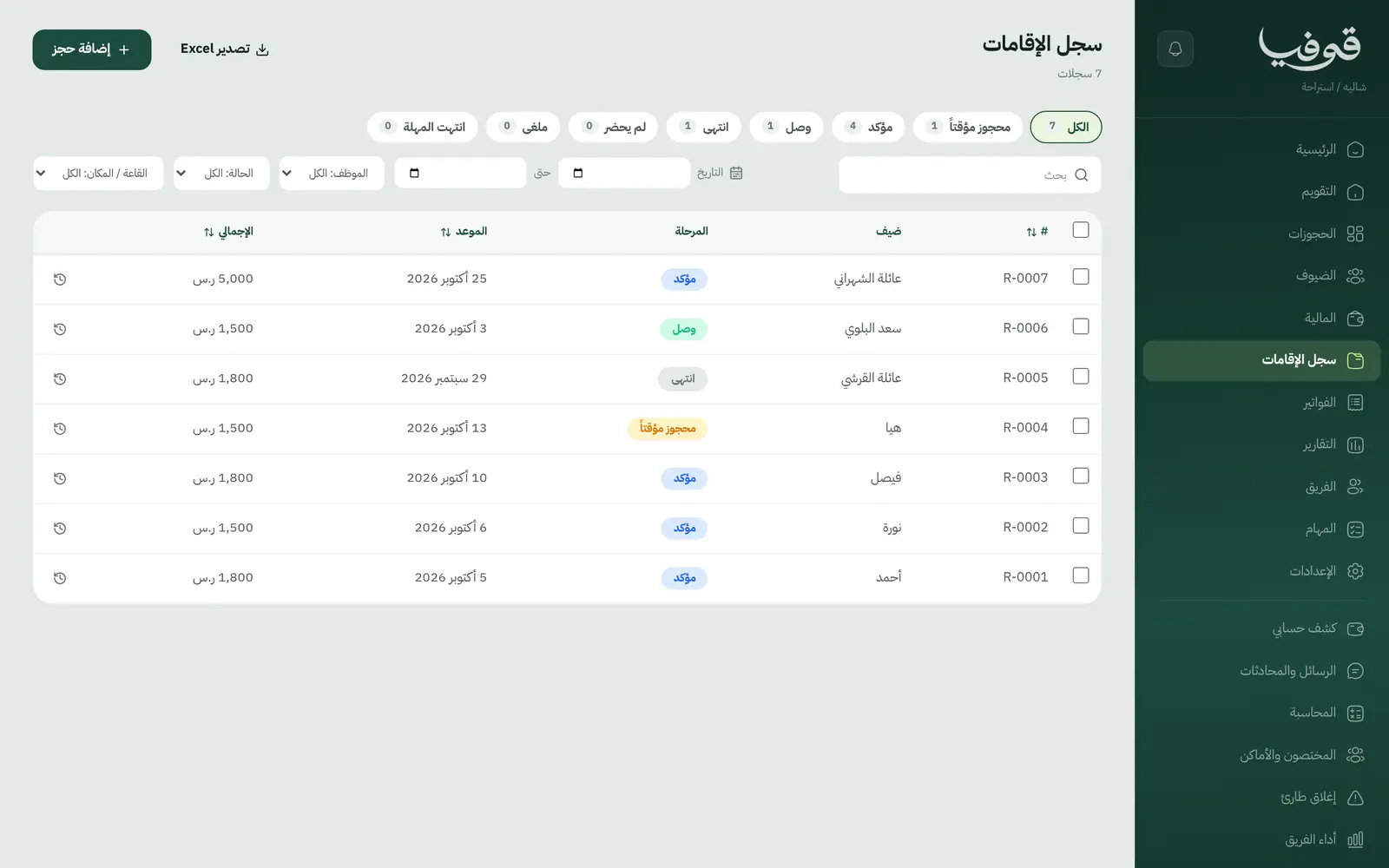
How your day runs on Govia
Booking
The guest books on your page or you book for them; the deposit confirms it and the door code is written.
Arrival day
The board shows today’s arrivals and who still owes, check-in waits for a ready unit, and the security deposit is held.
Departure day
Inspect the unit, get a warning if the guest still owes, and settle the security deposit.
Between guests
The cleaning task is due before the next arrival, and the dashboard lists units that need preparing.
Why Govia
What guests owe is visible
The board shows whether each booking owes, the amount to finance roles, and check-out warns before the guest leaves.
Bookings change, not vanish
Move a stay by a week or add a night on the same booking, repriced, without losing the deposit.
No guest in an unclean unit
Checking in before cleaning is locked to managers on the server itself, not just hidden behind a button.
Entry without a key handover
The door code reaches the guest in their portal, so you don’t wait at the chalet to hand over a key.
Arabic first, in your trade’s words
The whole system runs in Arabic, right to left, and names things the way your business does: client, patient, member or tenant.
Automatic WhatsApp messages
Booking confirmations, appointment reminders and verification codes reach your customers on WhatsApp without anyone typing them.
Local payments
Payment links with mada, Apple Pay and cards, plus instalments with Tabby and Tamara through Tap.
Tax invoices with QR
ZATCA-ready tax invoices with QR (generation phase), issued with every payment.
On Riyadh time
Appointments, reports and reminders run on Riyadh time and the Saudi working week, wherever the system is opened.
An assistant that answers and prepares
Ask it about your numbers and screens and it answers, then prepares the action for you to approve with one tap.
Questions before you start
Can I set a minimum stay for peak seasons?
Yes. Each season or period can have a minimum number of nights, and a shorter booking is refused in plain words, from your page and at the desk.
How does the security deposit work?
It is separate from the booking deposit and the rent: held at check-in, settled after the check-out inspection, with its own receipt and return.
Does it send WhatsApp reminders?
Yes, automatic WhatsApp messages: the booking confirmation, a reminder the day before arrival, and one notice if the dates change or the booking is cancelled, while the door code shows in the guest’s portal.
Do you support mada and Apple Pay?
Yes. Once online payments are switched on in settings, guests pay the deposit from their invoice link with mada, Visa, Mastercard or Apple Pay, and Tabby and Tamara are available through the Tap gateway.
Are the invoices ZATCA-compliant?
Yes. Govia issues ZATCA-ready tax invoices with QR (generation phase), and the security deposit has its own receipt outside the invoice.
How long is the trial?
You start with a free trial from the sign-up page. Choose chalet or rest house and sample units with prices are ready to edit; the current trial length is shown on the pricing page.
Try Govia on your business
Book a demo and we will show you Govia on your business, and set it up with you when it launches.