Nursery management software that keeps parents close
Take attendance, publish the day’s report with photos, track subscriptions, instalments and Qurrah, and let parents follow their child and pay from their own app. Proven in Saudi nurseries.
Start your free trial Book a demo Pricing
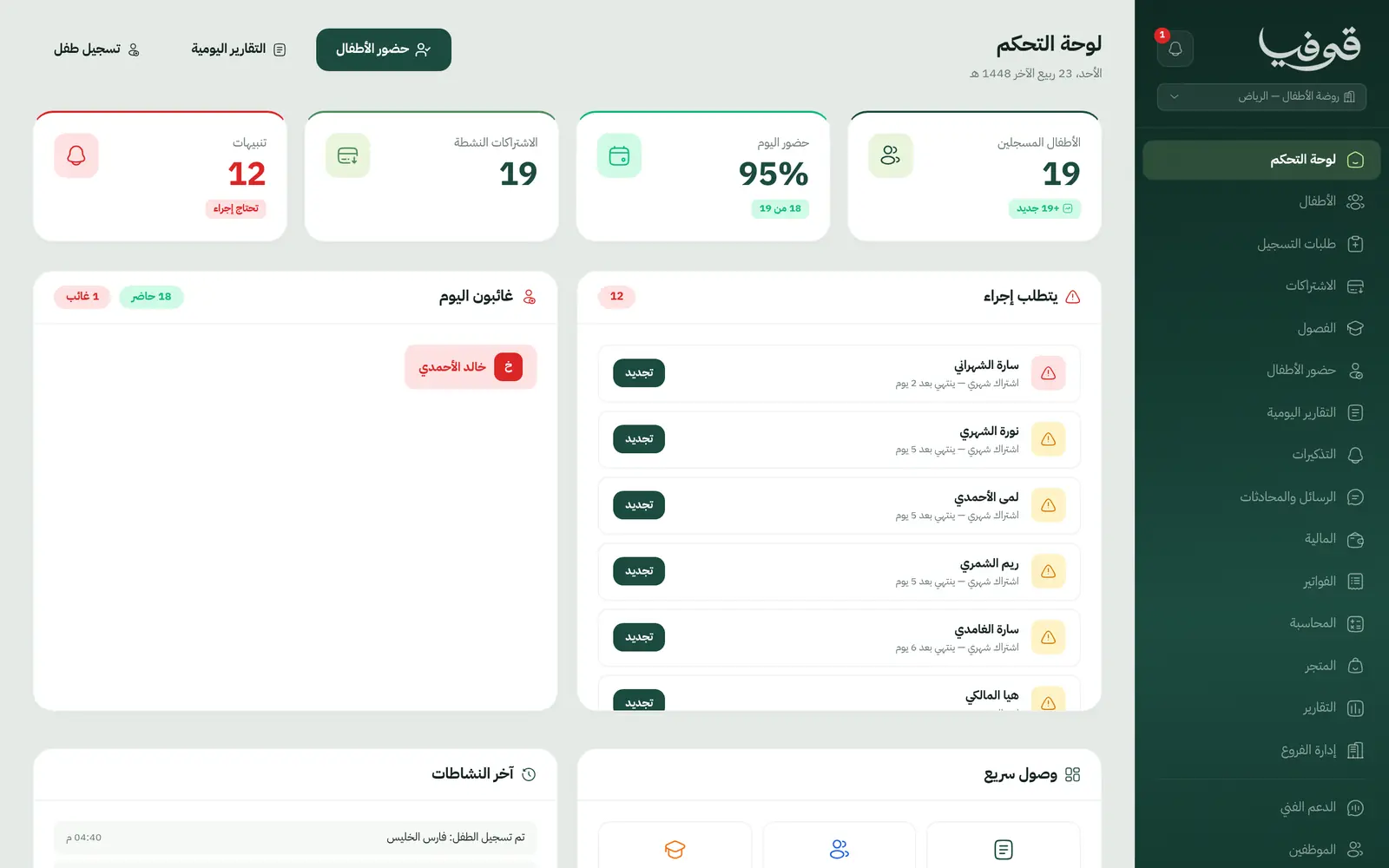
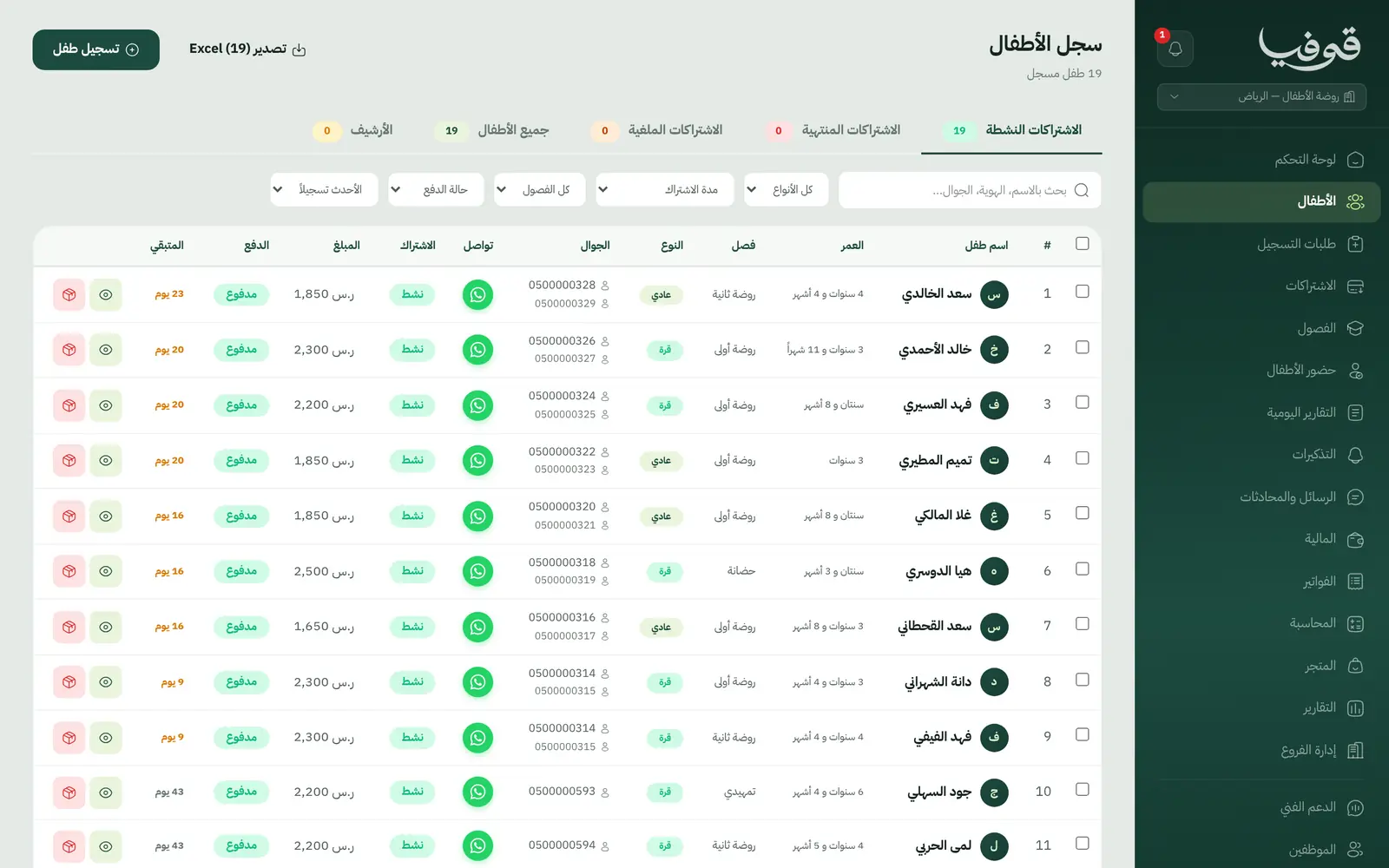
Nursery management software for nursery and kindergarten owners and managers. Govia started with nurseries, so the child’s file and guardians, classes and teachers, attendance and daily reports, subscriptions and invoices are all here, with a parent app that connects you every day.
What wears an owner down every day
Parents’ WhatsApp never stops
“Has my son arrived?” “What did he eat?” Dozens of messages a day land on the manager’s phone, and photos get lost across groups.
Subscriptions in a notebook
Who paid, who is late, who is on Qurrah and who is regular? The month-end tally takes a whole day and still doesn’t balance.
Attendance on paper
Teachers take the register on a sheet, and the office learns that a child has been absent three days in a row far too late.
What Govia gives you
The parent app
Parents sign in with their phone number, confirmed on WhatsApp, to see attendance, the daily report, messages and invoices, and pay when online payments are on. It installs from a link, no app store.
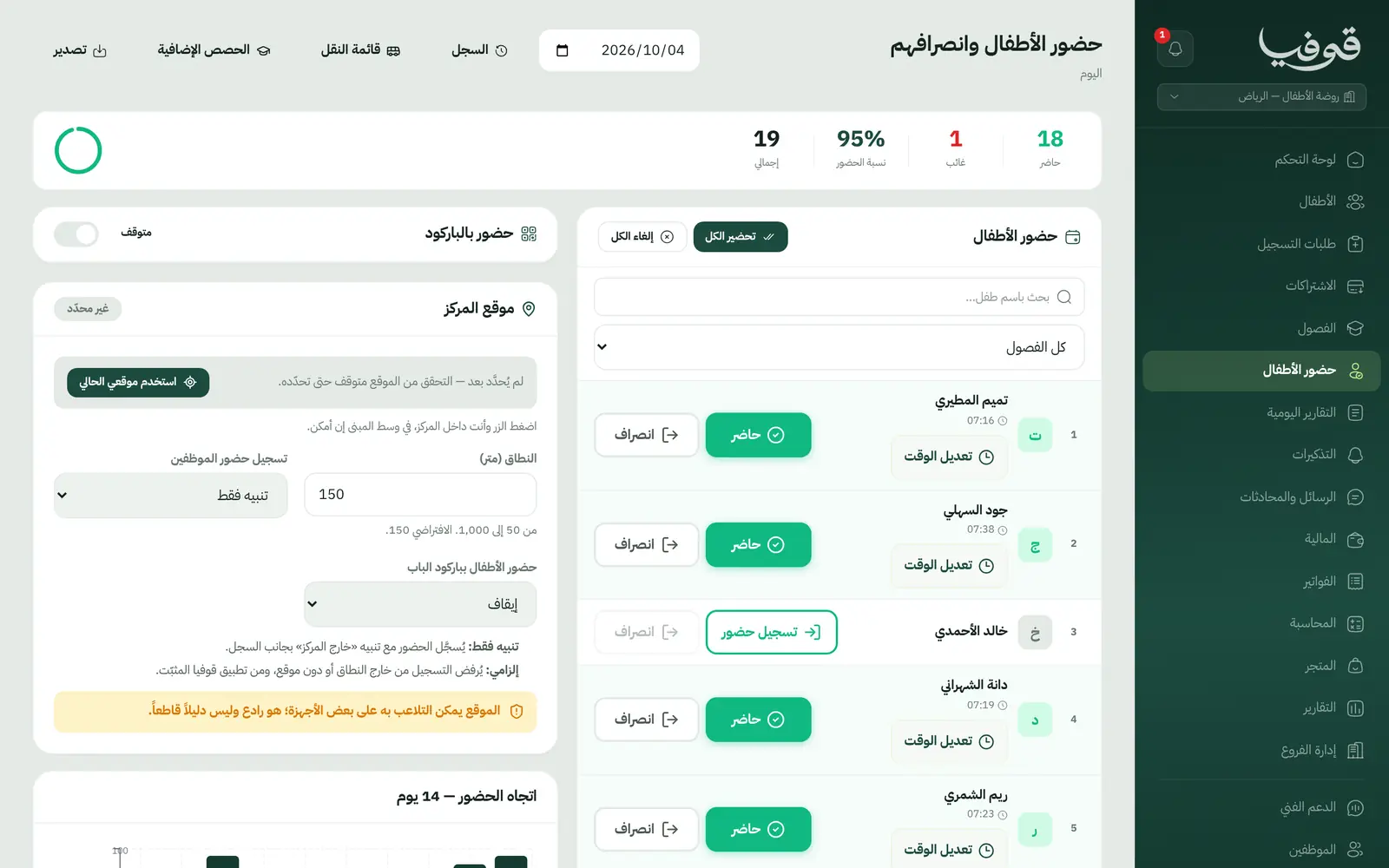
QR check-in at the door
Print a poster for the front door; parents scan it and their child is marked present or late within the window you set. It stays off until you switch it on.
Attendance
Mark the whole class present in one tap, then fix the exceptions: present, absent, late, left early. Parents are notified at arrival and departure.
Daily reports
Meals, naps, mood, activities and a health note, with photos. Save a draft, press publish, and the parent is notified and sees it under «اليوم».
The child’s album
Gathers the child’s photos from published reports and class pictures, which parents save to their phone. Photo consent is recorded on the child’s file.
Regular and Qurrah subscriptions
Each type has its own plans and prices, terms from a day to a year or custom, Qurrah recorded as the payment method, and «التذكيرات» lists what ends this week.
Instalment plans
Split what is owed into equal or custom instalments with a due date each; payments settle them in order, and families get a reminder before each one.
Registration from a public link
Share your registration link; parents fill in their child’s details and upload documents, and each request waits for your review before the file is created.
Inside the system
How your day runs on Govia
Morning at the door
The parent scans the QR poster or the teacher takes the register, and the parent is told their child has arrived.
During the day
The teacher fills in each child’s report (meals, naps, mood, activities and photos) and saves it as a draft.
Pickup time
Publishing sends the report to the parent, the departure is recorded and notified, and the photos join the child’s album.
In the office
The dashboard shows today’s attendance, subscriptions ending within 7 days, unpaid ones, and children absent 3 days running.
Why Govia
Built for nurseries from day one
Govia began as nursery software, so it speaks your language: child, class, teacher, guardian and pickup person. It is proven in Saudi nurseries.
Parents at ease all day
A notification when their child arrives and leaves, a daily report with meals, naps, mood and photos, and an album that gathers every picture.
Money you can see
Regular and Qurrah subscriptions, instalment plans with a reminder before each one, online payment from the parent app, and QR tax invoices.
One nursery or many branches
«إدارة الفروع» shows children, revenue and attendance for every branch side by side, from one group account.
Arabic first, in your trade’s words
The whole system runs in Arabic, right to left, and names things the way your business does: client, patient, member or tenant.
Automatic WhatsApp messages
Booking confirmations, appointment reminders and verification codes reach your customers on WhatsApp without anyone typing them.
Local payments
Payment links with mada, Apple Pay and cards, plus instalments with Tabby and Tamara through Tap.
Tax invoices with QR
ZATCA-ready tax invoices with QR (generation phase), issued with every payment.
On Riyadh time
Appointments, reports and reminders run on Riyadh time and the Saudi working week, wherever the system is opened.
An assistant that answers and prepares
Ask it about your numbers and screens and it answers, then prepares the action for you to approve with one tap.
Questions before you start
Do parents have to download an app from a store?
No. You send them the parent-app link from settings; they install it from the link and sign in with the phone number on their child’s file, confirmed by WhatsApp.
Does it handle Qurrah subscriptions?
Yes. Each child’s subscription is «عادي» (regular) or «قرة» (Qurrah), each type has its own plans and prices, terms run from a day to a year or a custom length, and Qurrah is recorded as the payment method.
Is QR check-in safe?
It is off until you switch it on. A scan is accepted only inside the window you set and never on a closed day, it only ever adds attendance and never overrides what a teacher recorded, and «إصدار رمز جديد» retires every printed poster at once.
Are the invoices ZATCA-compliant?
Yes. Govia issues ZATCA-ready tax invoices with QR (generation phase), alongside receipts, statements of account and instalment schedules.
Do you support mada and Apple Pay?
Yes. Once online payments are switched on in settings, parents pay from their app with mada, Visa, Mastercard or Apple Pay. Tabby, Tamara and Qurrah are recorded as payment methods on a payment.
Does it work for more than one branch?
Yes. «إدارة الفروع» gives the group manager every branch at a glance (children, revenue and attendance) with a side-by-side comparison, and switching branch is one tap at the top of the menu.
Try Govia on your business
Sign up and start with a service menu and settings prepared for your trade, or book a demo and we will show you the system on your business.