Property management software: the unit, its lease, its payments, its landlord
Every unit is tied to its lease, every lease schedules its instalments by frequency and invoices each on its date, maintenance is logged on the unit, and every landlord gets a net statement.
Start your free trial Book a demo Pricing
What wears an owner down every day
Rent schedules in a spreadsheet
Dozens of leases on different frequencies, and a late payment surfaces weeks later.
"How much did you collect?"
Every month you build each landlord's statement of rent, expenses and fees by hand.
Vacant units out of sight
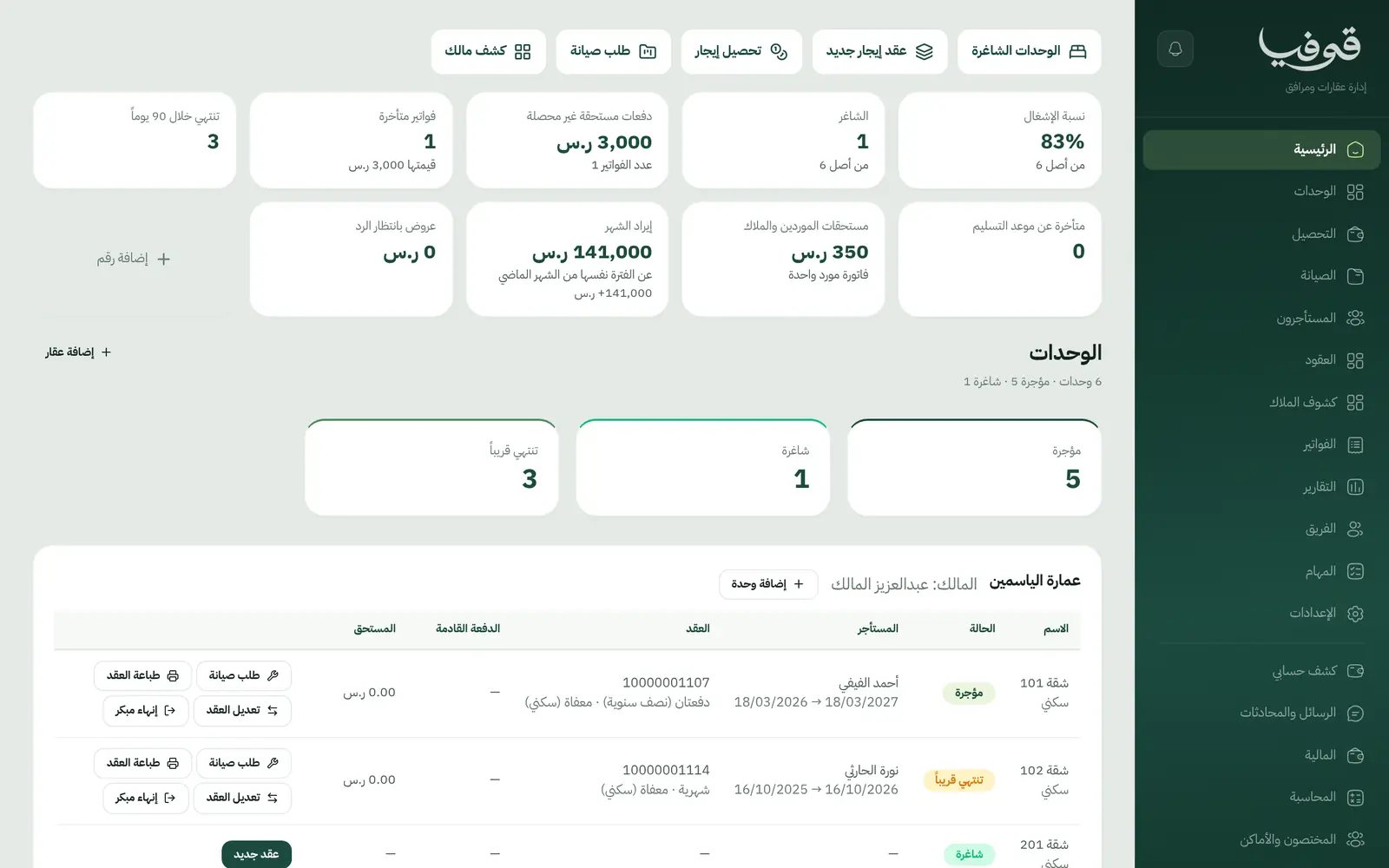
There is no single picture of what is let, what is empty and which leases end soon.
What Govia gives you
Units by property
Flats and shops under their buildings, let or vacant, and a unit can never be let twice over the same dates.
Leases
A lease with tenant, unit, term, annual rent and payment frequency: yearly, half-yearly, quarterly or monthly.
Instalments on their dates
Each instalment is scheduled on the lease and invoiced on its date; an annual lease bills once.
VAT per lease
Exempt for residential and 15% for commercial, set on the lease and carried to its invoices.
Security deposits
The deposit is held on the lease with its receipt and returned at move-out.
Maintenance
A tenant's maintenance request is logged on the unit and followed through quote, work and vendor bill.
Landlord statements
A statement per landlord: rent collected from their units less the management fee and repair costs.
Rent and renewal reminders
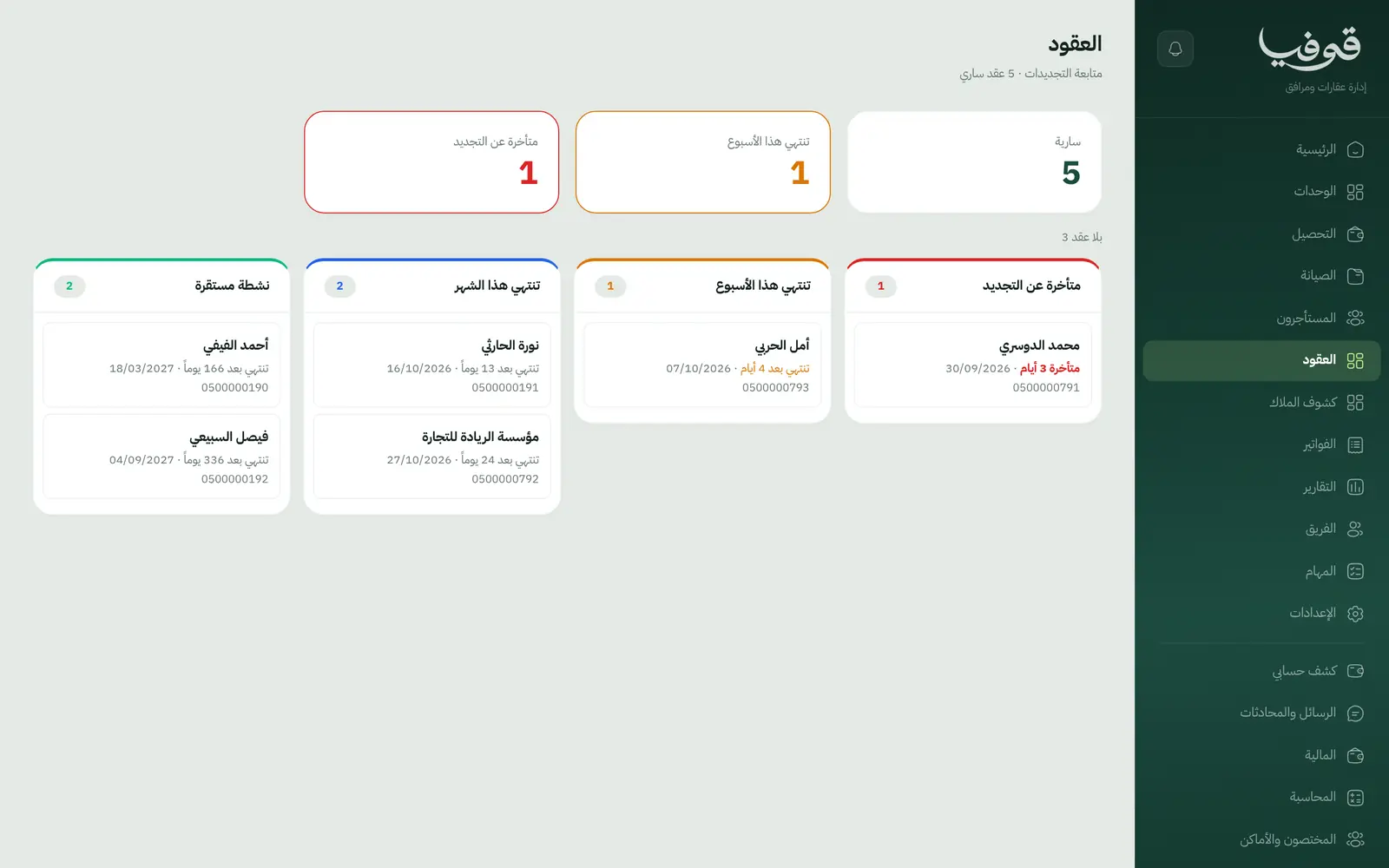
A WhatsApp message you can switch on seven days before each instalment, and a renewal notice when the lease's notice period opens.
Inside the system
How your day runs on Govia
The lease
Pick a vacant unit and tenant, set the rent, frequency, VAT and deposit.
Instalments
Instalments schedule themselves, and each invoices on its date with a payment link.
Collections and maintenance
The collections screen shows what is due and overdue, and maintenance requests are tracked on the unit.
Statements and renewal
A monthly statement for each landlord, and a renewal notice at the notice period.
Why Govia
No missed instalment
Every instalment is an invoice with a due date, and overdue ones show on the collections screen.
The right VAT
Residential and commercial leases each carry their own VAT on the lease itself.
Landlords trust you
A clear statement of what was collected and what was deducted.
Occupancy at a glance
Vacant units and leases ending within 90 days on the home screen.
Arabic first, in your trade’s words
The whole system runs in Arabic, right to left, and names things the way your business does: client, patient, member or tenant.
Automatic WhatsApp messages
Booking confirmations, appointment reminders and verification codes reach your customers on WhatsApp without anyone typing them.
Local payments
Payment links with mada, Apple Pay and cards, plus instalments with Tabby and Tamara through Tap.
Tax invoices with QR
ZATCA-ready tax invoices with QR (generation phase), issued with every payment.
On Riyadh time
Appointments, reports and reminders run on Riyadh time and the Saudi working week, wherever the system is opened.
An assistant that answers and prepares
Ask it about your numbers and screens and it answers, then prepares the action for you to approve with one tap.
Questions before you start
Is it connected to the Ejar platform?
There is no Ejar integration. You register the lease on Ejar as usual and record its number on the lease in Govia.
Does it handle residential and commercial VAT?
Yes. Each lease carries its own VAT, exempt for residential and 15% for commercial, shown on its invoices.
Does it send WhatsApp reminders to tenants?
Yes, messages you switch on: a reminder seven days before each instalment and a renewal notice at the notice period.
Are the invoices ZATCA compliant?
Govia issues ZATCA-ready electronic tax invoices with a QR code (generation phase).
Can tenants pay with mada and Apple Pay?
Yes. With the payment gateway on, tenants pay from the invoice link by mada, Apple Pay or card.
How long is the trial?
A free trial starts from the sign-up page; choose your plan afterwards on the pricing page.
Related businesses
Try Govia on your business
Sign up and start with a service menu and settings prepared for your trade, or book a demo and we will show you the system on your business.