Café software, from the order and call number to the tenth stamp
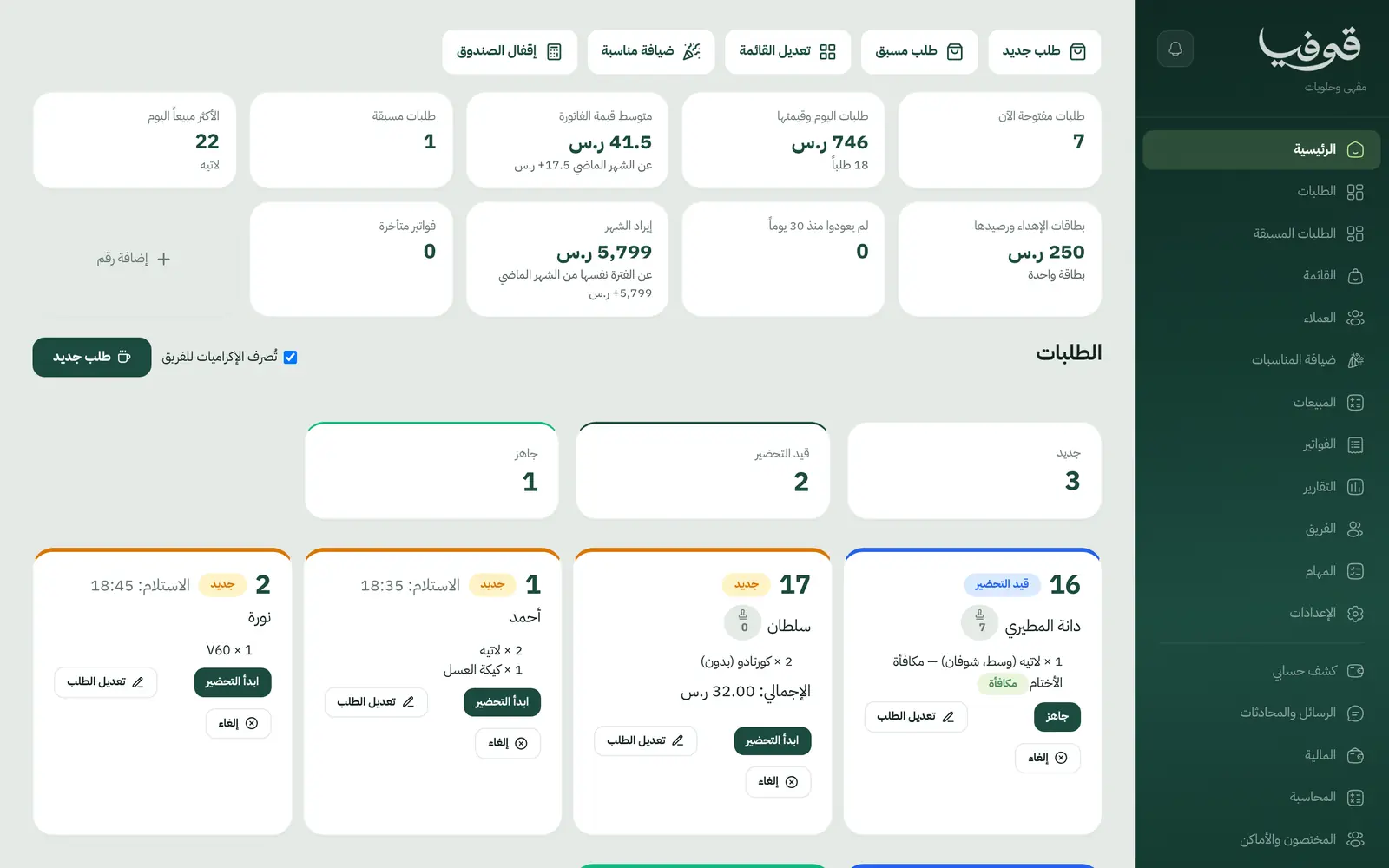
Each order carries its priced options and the day's call number, pickup orders arrive from your public menu with their invoice, every coffee stamps the customer's card, and pre-orders are secured with a deposit.
Coming soon — We are building this business's own tools now, and we do not want to hand you a dashboard that does not fit. Book a demo and we will set it up with you.
What wears an owner down every day
Orders mixed up in the rush
A medium oat-milk latte, no sugar, written on a cup and lost among ten others.
Paper stamp cards
The customer forgot the card, lost it or got it stamped twice, and you do not know who your regulars are.
Cake orders for an occasion
A pre-order over WhatsApp for two days from now, no deposit, and the customer never comes.
What Govia gives you
Orders by call number
An orders board with today's call numbers, from preparing to ready to collected.
Priced options
Size, milk, sugar and warming per item, each choice with its price difference.
Pickup orders from your menu
Customers order from the menu on your public page and pick a time; the order arrives with its invoice and is paid on collection.
Loyalty stamps
Every collected coffee stamps the customer's card and the tenth is free, with no paper card.
Pre-orders
Orders for later days with half paid now and the rest on collection.
Occasion catering
Coffee and sweets for a meeting or graduation, 30% deposit on confirmation and the rest on the day.
Cash-up
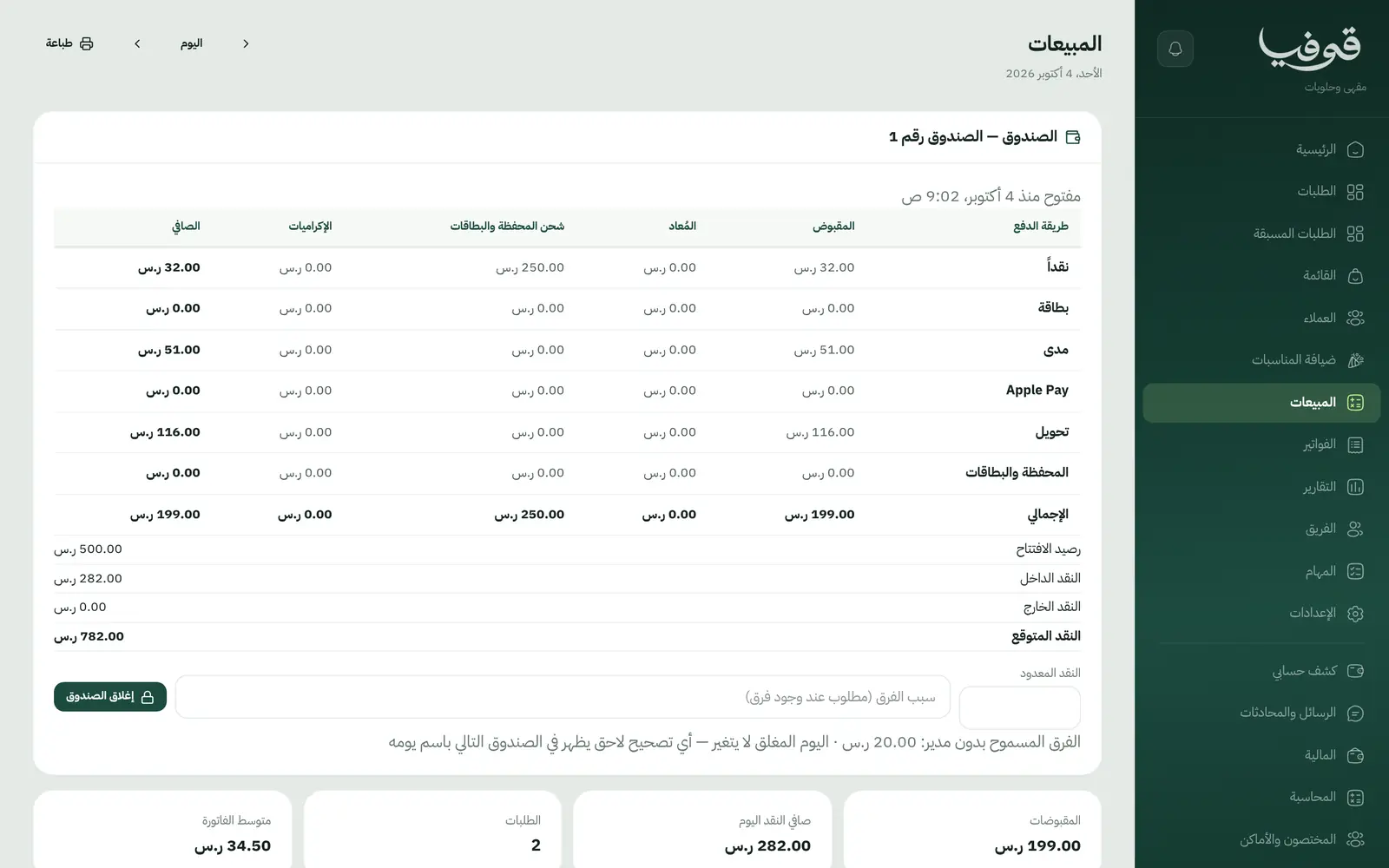
Sales and the till closed at day end, and an unpaid order is handed over only with a manager's approval.
Inside the system
How your day runs on Govia
Order
At the counter or online from your menu, with options and a call number.
Prepare
The order moves from preparing to ready, and the customer follows its status from their link.
Collect and stamp
On collection the bill is paid on a simplified invoice and a stamp is added.
Close the day
Cash-up and sales, with today's best sellers on the home screen.
Why Govia
Clear orders for the barista
Every option is written and priced on the order, not on the cup.
Loyalty without paper
Stamps live on the customer's file by phone number, so you know your regulars.
Online orders, no delivery commission
Pickup orders come from your own page, straight to you with their invoice.
Pre-orders secured
A deposit locks in cakes and catering before you prepare them.
Arabic first, in your trade’s words
The whole system runs in Arabic, right to left, and names things the way your business does: client, patient, member or tenant.
Automatic WhatsApp messages
Booking confirmations, appointment reminders and verification codes reach your customers on WhatsApp without anyone typing them.
Local payments
Payment links with mada, Apple Pay and cards, plus instalments with Tabby and Tamara through Tap.
Tax invoices with QR
ZATCA-ready tax invoices with QR (generation phase), issued with every payment.
On Riyadh time
Appointments, reports and reminders run on Riyadh time and the Saudi working week, wherever the system is opened.
An assistant that answers and prepares
Ask it about your numbers and screens and it answers, then prepares the action for you to approve with one tap.
Questions before you start
Does it take delivery orders?
No. Govia takes pickup orders from your public menu and does not connect to delivery apps.
Can customers pay for pickup orders online?
Pickup orders are paid at the counter for now; pre-order and catering deposits are paid from the invoice link.
Does it need installing?
No. It runs in the browser on a tablet or phone at the counter.
Are the invoices ZATCA compliant?
Govia issues ZATCA-ready simplified tax invoices with a QR code (generation phase), including public menu orders.
Can customers pay with mada and Apple Pay?
Yes. With the payment gateway on, invoices are paid from their link by mada, Apple Pay or card.
How long is the trial?
A free trial starts from the sign-up page; choose your plan afterwards on the pricing page.
Related businesses
Try Govia on your business
Book a demo and we will show you Govia on your business, and set it up with you when it launches.