Podcast studio booking software that follows each episode to delivery
Book the room with the sound engineer, draw the recording from the client’s package or charge it by the hour, and follow every episode from recording to editing, client review and delivery.
Coming soon — We are building this business's own tools now, and we do not want to hand you a dashboard that does not fit. Book a demo and we will set it up with you.
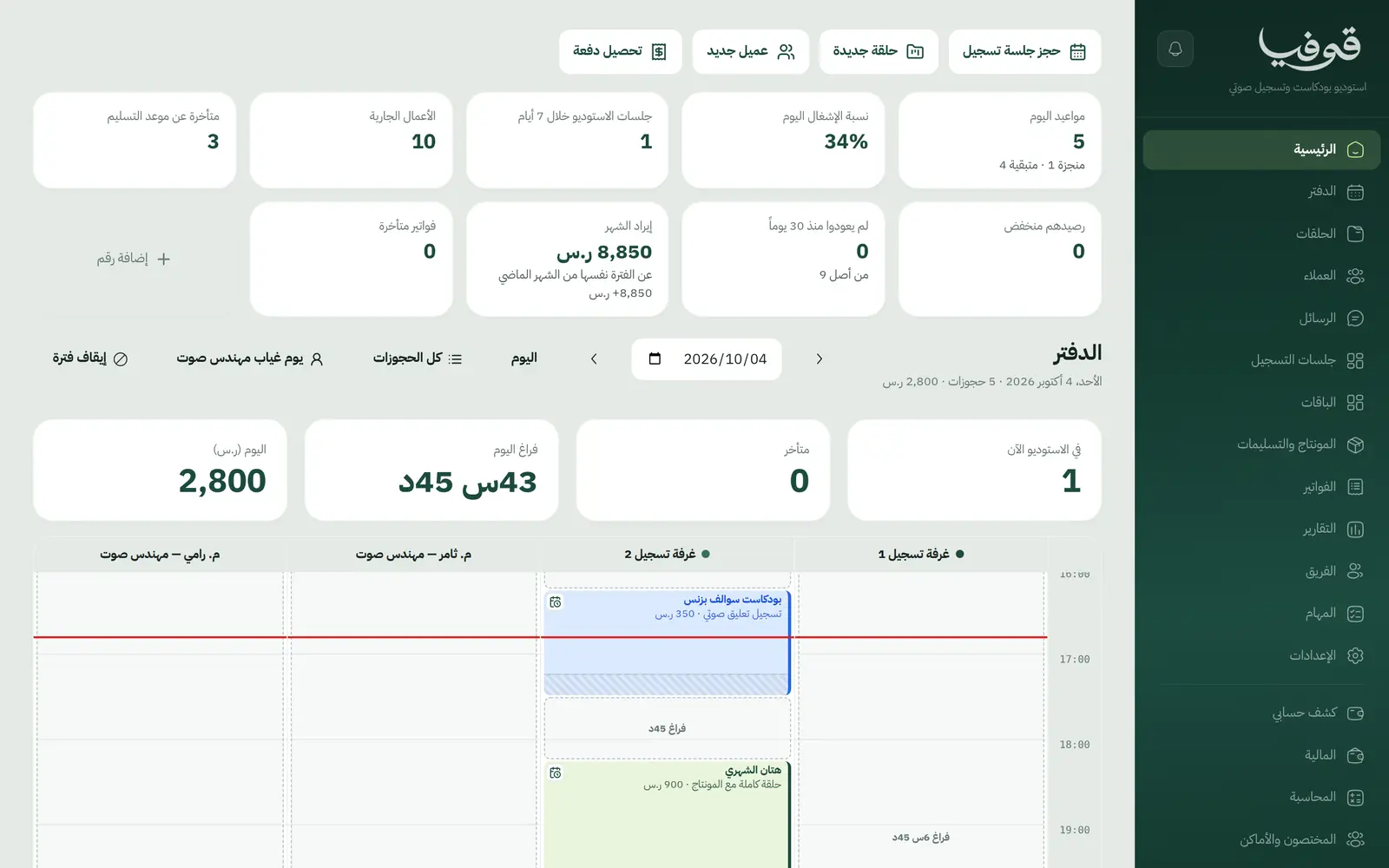
What wears an owner down every day
Episode packages in your head
A client bought four episodes a month: how many have they recorded, how many are left, and does a no-show count?
The weekly show, booked by hand
Every week you book the same slot again, and find out too late that the room is taken.
Commercial use priced as personal
A brand’s episode airs as an ad at the personal rate, because nobody worked out the difference.
What Govia gives you
A recording holds room and engineer
A recording books the room and the sound engineer together, and neither can be booked for two sessions at once.
Episode packages
A session is drawn from the client’s package while sessions remain; otherwise the hours are added as a line at your hourly rate.
Repeat weekly
A weekly show is booked in one go: each week is checked first, closures included, and a taken week is skipped and named.
Usage rights
Personal, commercial and advertising, or broadcast: the chosen right adds its percentage of the production, and is replaced if it changes.
Editing and delivery
An episodes board by editor and due date (editing, client review, delivered), late ones flagged, with a review link for the client.
No-shows and cancellations
A missed session is drawn from the package under your cancellation policy, an early cancel goes back to the balance, and the engineer is told.
One invoice per episode
Billing the open lines puts the episode’s hours and rights on one tax invoice.
Inside the system
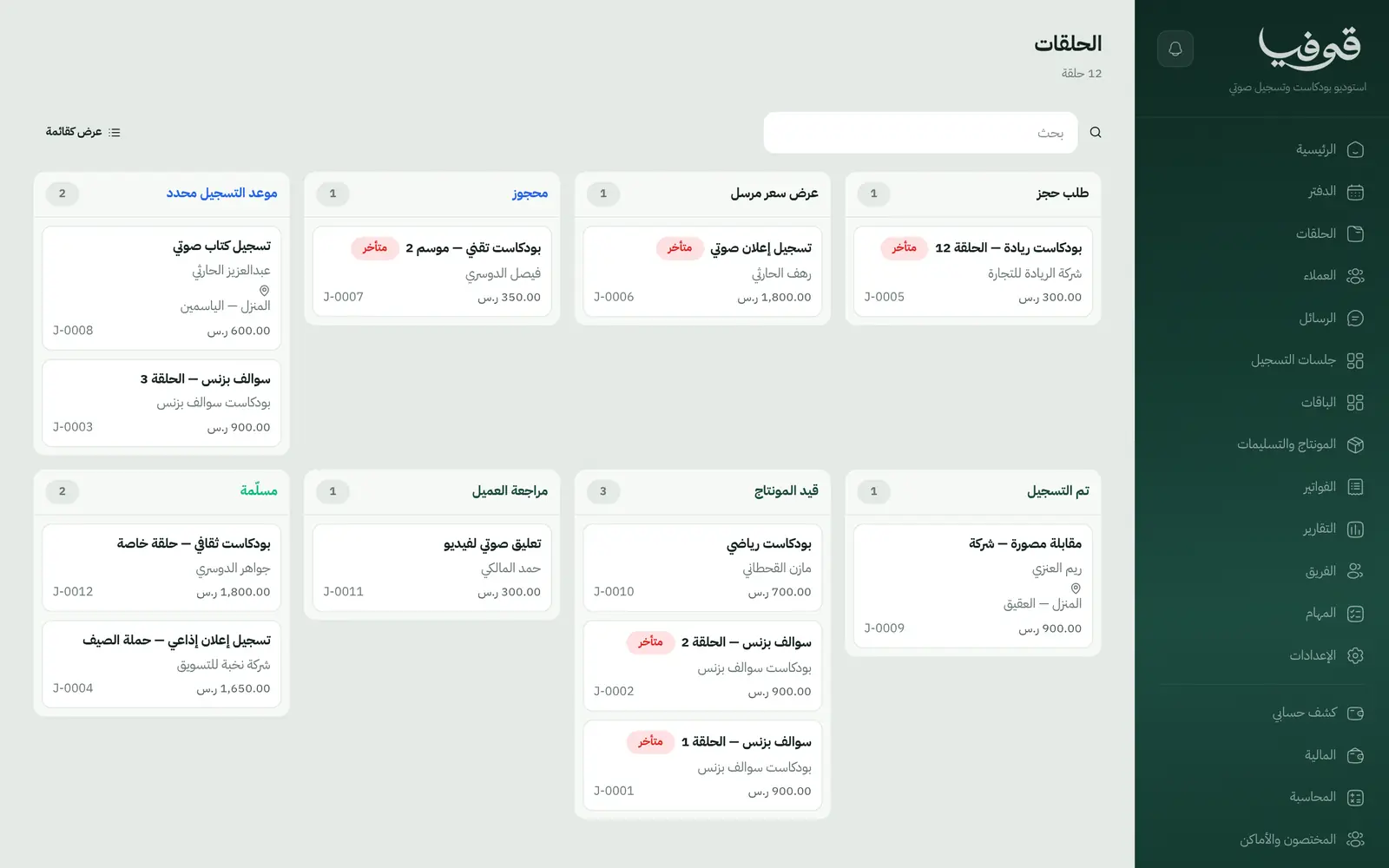
How your day runs on Govia
Booking
The client books on your page or you book for them; room and engineer are held, and a confirmation goes out.
Recording
The session comes off the package or its hours become a line, and the chosen usage right is added.
Editing
The episode goes to an editor with a due date, and the client reviews it from a link to approve or ask for changes.
Delivery and invoice
The episode is delivered and one invoice is raised for all its open lines.
Why Govia
A balance both sides trust
Every session drawn from a package carries its date, and no-shows follow a stated policy, not goodwill.
The weekly show is secured
A weekly series is booked once, and any week already taken shows up before you confirm.
Fair pricing for usage
Commercial and broadcast use add their percentage automatically, so you never sell commercial rights at a personal rate.
Engineers know their schedule
Engineers are notified of every new recording and every cancellation without a call from you.
Arabic first, in your trade’s words
The whole system runs in Arabic, right to left, and names things the way your business does: client, patient, member or tenant.
Automatic WhatsApp messages
Booking confirmations, appointment reminders and verification codes reach your customers on WhatsApp without anyone typing them.
Local payments
Payment links with mada, Apple Pay and cards, plus instalments with Tabby and Tamara through Tap.
Tax invoices with QR
ZATCA-ready tax invoices with QR (generation phase), issued with every payment.
On Riyadh time
Appointments, reports and reminders run on Riyadh time and the Saudi working week, wherever the system is opened.
An assistant that answers and prepares
Ask it about your numbers and screens and it answers, then prepares the action for you to approve with one tap.
Questions before you start
Can I sell a monthly episode package?
Yes. A package holds a number of sessions that recordings draw from, anything beyond is charged by the hour, and the client sees the balance in their portal.
How do I price commercial use?
Usage rights come ready: personal, commercial and advertising, or TV and radio broadcast, each with a percentage you can edit, added as a line on the production.
Does it send WhatsApp reminders?
Yes, automatic WhatsApp messages: a confirmation when the session is booked, a reminder the day before, and a notice if it moves or is cancelled, while the photographer or engineer is told about new work.
Do you support mada and Apple Pay?
Yes. Once online payments are switched on in settings, clients pay deposits and invoices with mada, Visa, Mastercard or Apple Pay, and Tabby and Tamara are available through the Tap gateway.
Are the invoices ZATCA-compliant?
Yes. Govia issues ZATCA-ready tax invoices with QR (generation phase), showing the client’s details and VAT number when the client is a company or a store.
How long is the trial?
You start with a free trial from the sign-up page. Pick your business type and a starter service list and rooms are ready to edit; the current trial length is shown on the pricing page.
Related businesses
Try Govia on your business
Book a demo and we will show you Govia on your business, and set it up with you when it launches.