Software for CCTV, access control and smart-home installers
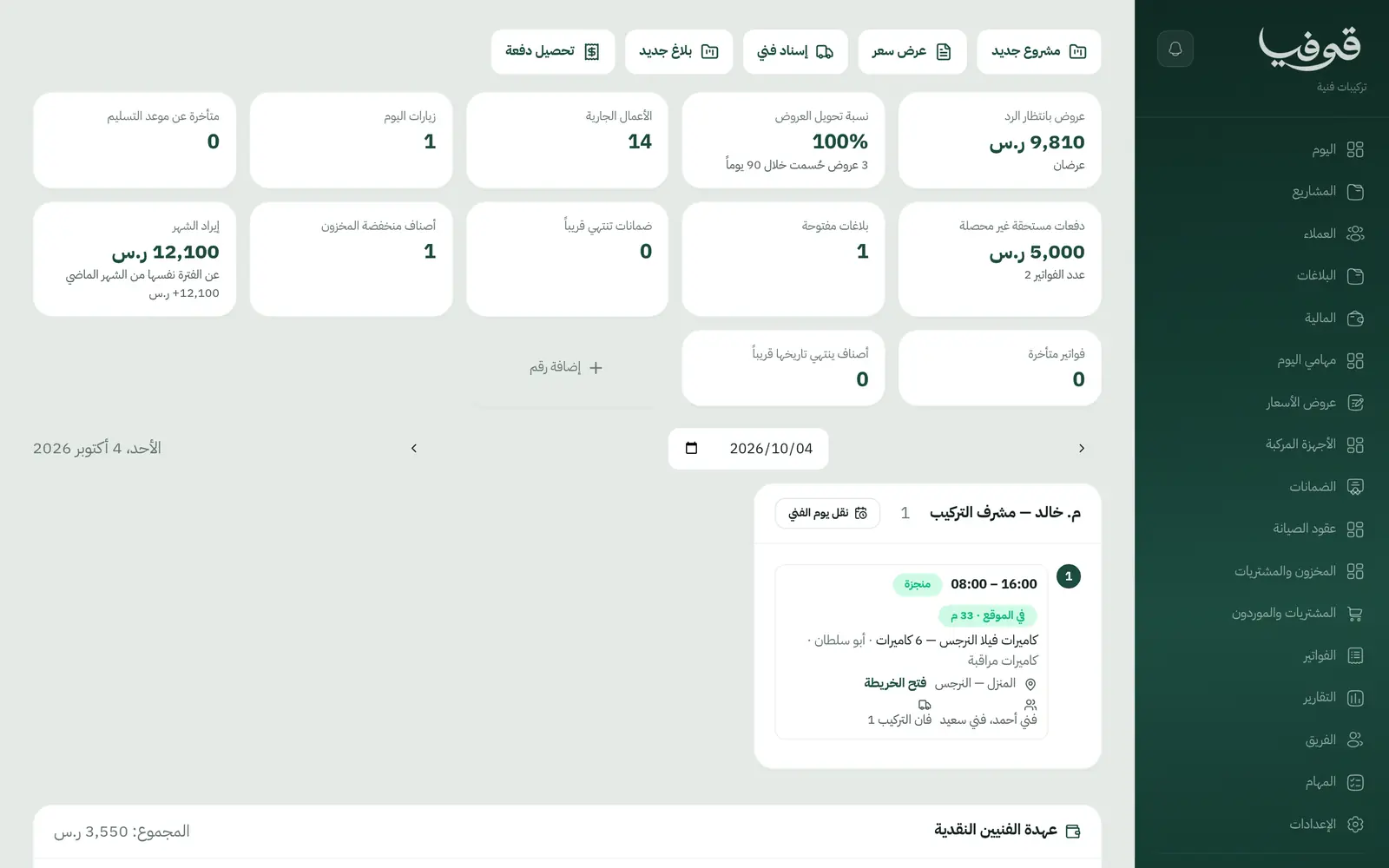
The customer approves the quote with a WhatsApp code and the deposit invoices; the crew installs and tests from their phones; the hand-over is signed with a code and the final payment and warranty follow.
Coming soon — We are building this business's own tools now, and we do not want to hand you a dashboard that does not fit. Book a demo and we will set it up with you.
What wears an owner down every day
The final payment never comes
The cameras went up a month ago and the customer keeps delaying the last payment because nothing was ever signed off.
No record of what went where
A customer calls about a faulty camera and nobody knows its serial, its install date or whether it is under warranty.
Crews arrive unprepared
The technician reaches the site without knowing where the recorder goes or the cable route, because the survey lives in one person's head.
What Govia gives you
Survey checklist
Install points with photos, cable route, rack location and on-site internet, saved on the customer's technical site.
Quotes approved on WhatsApp
The customer opens the quote link and accepts with a code sent to their phone; the project moves to approved and the deposit invoices.
50/40/10 payments
Deposit on approval, second payment at testing, final at hand-over, each its own invoice with a payment link.
Installed devices by serial
Every device is recorded by serial under its site, and testing cannot finish until devices are registered.
Testing from the phone
Recording, night vision, remote viewing and cable labelling are ticked off on site, with photos where required.
Hand-over and warranty
The hand-over record is signed with the customer's code and a warranty certificate listing the devices is issued, verifiable by link.
Callbacks and maintenance contracts
A callback under warranty is a no-charge visit linked to the project; annual maintenance contracts schedule periodic visits.
Stock and purchasing
Warehouse and van stock is consumed on the project, with purchasing and suppliers alongside.
Inside the system
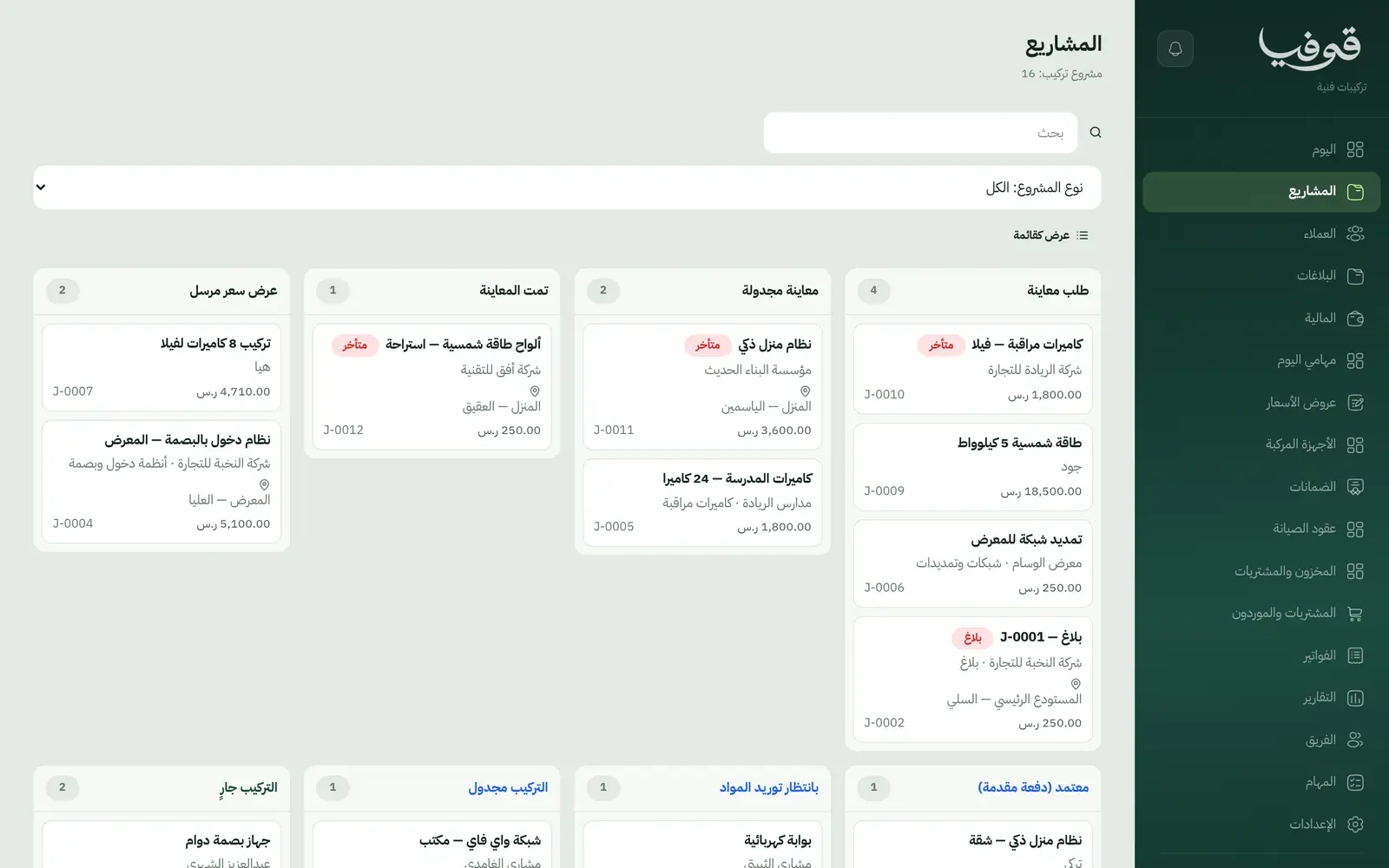
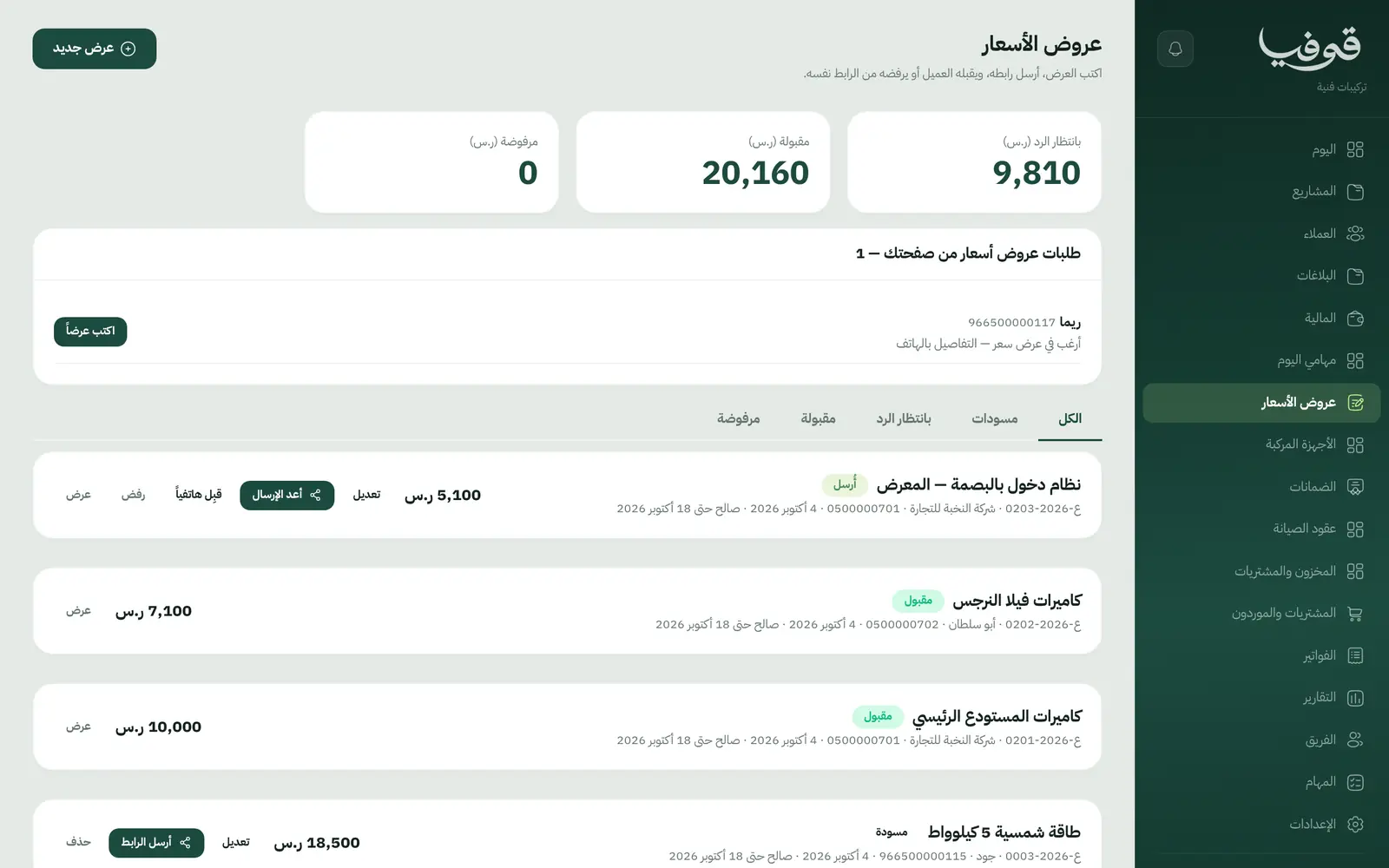
How your day runs on Govia
Survey and quote
A survey is scheduled, the technician fills in the checklist, and the quote goes out as a link.
Approval and supply
The customer accepts with a WhatsApp code, the deposit invoices and materials are ordered.
Install and test
The crew is told of the day, installs and registers devices; testing raises the second payment.
Hand-over and warranty
The customer signs with their code; the final payment and warranty certificate are issued.
Why Govia
No hand-over without a signature
A project closes only on a signed record, which ends the excuse for delaying the last payment.
Every device has a history
Who installed it, when, where, and whether it is still under warranty, all on the customer's file.
Technicians know their day
Their day screen lists visits, checklists and locations, and pressing on-the-way messages the customer.
Recurring revenue
Annual camera maintenance contracts with counted visits, and an optional renewal reminder before they end.
Arabic first, in your trade’s words
The whole system runs in Arabic, right to left, and names things the way your business does: client, patient, member or tenant.
Automatic WhatsApp messages
Booking confirmations, appointment reminders and verification codes reach your customers on WhatsApp without anyone typing them.
Local payments
Payment links with mada, Apple Pay and cards, plus instalments with Tabby and Tamara through Tap.
Tax invoices with QR
ZATCA-ready tax invoices with QR (generation phase), issued with every payment.
On Riyadh time
Appointments, reports and reminders run on Riyadh time and the Saudi working week, wherever the system is opened.
An assistant that answers and prepares
Ask it about your numbers and screens and it answers, then prepares the action for you to approve with one tap.
Questions before you start
Does it need installing?
No. It runs in the browser, and technicians use it on their phone at the site.
Can I change the payment split?
Yes. 50/40/10 is the starting point; adjust the percentages in your own copy.
Are the invoices ZATCA compliant?
Each payment is a ZATCA-ready electronic tax invoice with a QR code (generation phase).
Can customers pay with mada and Apple Pay?
Yes. With the payment gateway on, customers pay from the invoice link by mada, Apple Pay or card.
Does it send WhatsApp reminders?
Yes. A reminder the day before the visit, and an on-the-way message when the crew sets off.
How long is the trial?
A free trial starts from the sign-up page; choose your plan afterwards on the pricing page.
Try Govia on your business
Book a demo and we will show you Govia on your business, and set it up with you when it launches.