Installation business software, from site survey to warranty certificate
Every installation runs through survey, quote, supply, install, testing and hand-over. Each stage raises its payment, and every installed device is recorded by serial number under the customer's site.
Coming soon — We are building this business's own tools now, and we do not want to hand you a dashboard that does not fit. Book a demo and we will set it up with you.
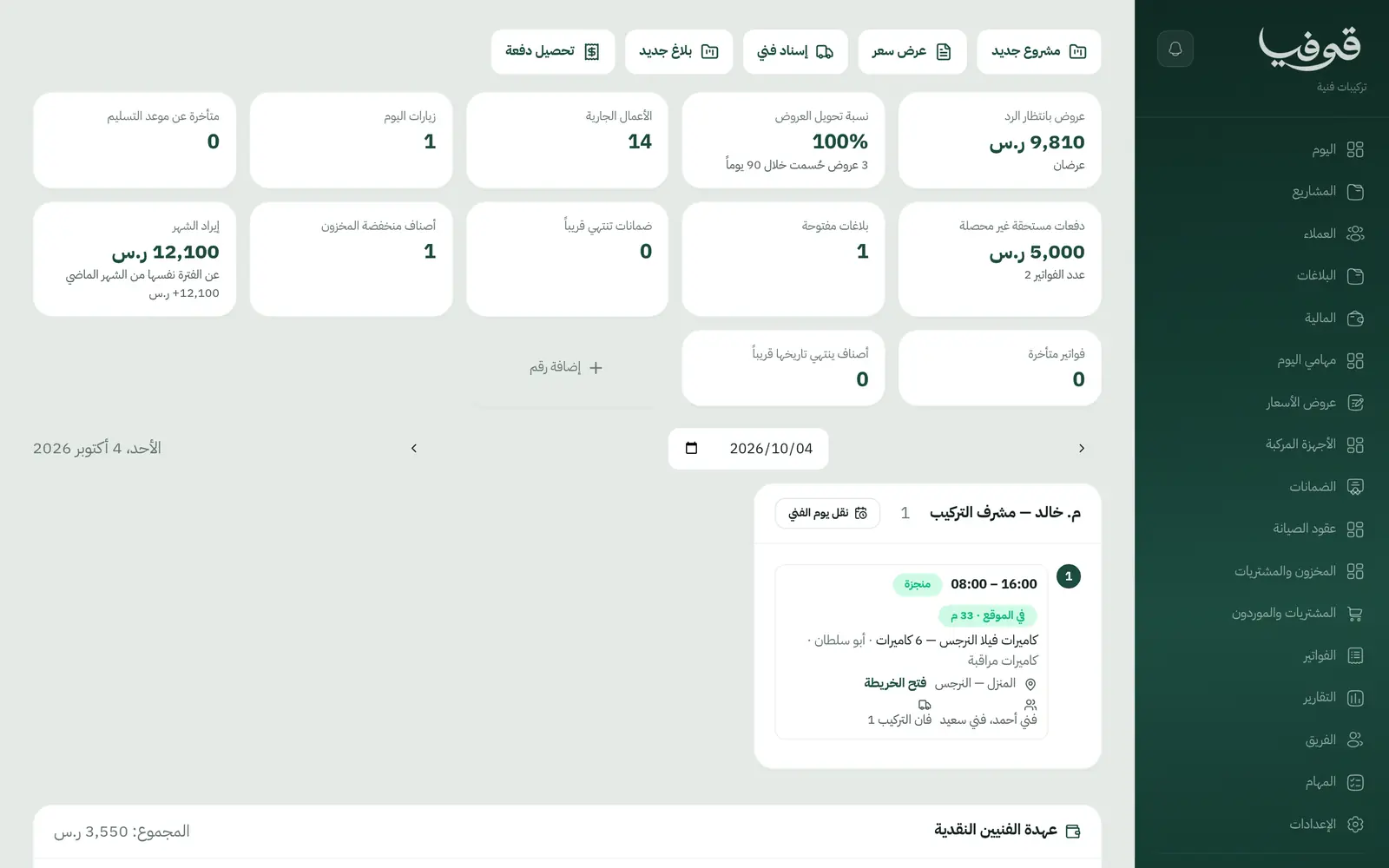
This card is for technical installation companies: security cameras, access control and fingerprint systems, smart homes, and network cabling. Govia brings the project, the crew, the stock, the warranty and after-sales callbacks into one system that speaks your trade.
Pick your business
Technical Installation
The customer approves the quote with a WhatsApp code and the deposit invoices; the crew installs and tests from their phones; the hand-over is signed with a code and the final payment and warranty follow.
Why Govia
The project drives the money
The deposit, second and final payments invoice at approval, testing and hand-over, not when someone remembers.
Customers sign with a code
Quotes are accepted and hand-over records signed with a WhatsApp code sent to the customer, so there is no dispute later.
Devices known by serial
Every camera and recorder is listed by serial under its site, and the warranty certificate names them and can be verified from its link.
After-sales in order
A callback inside the warranty opens a no-charge visit linked to the original project, and annual maintenance contracts renew on time.
Arabic first, in your trade’s words
The whole system runs in Arabic, right to left, and names things the way your business does: client, patient, member or tenant.
Automatic WhatsApp messages
Booking confirmations, appointment reminders and verification codes reach your customers on WhatsApp without anyone typing them.
Local payments
Payment links with mada, Apple Pay and cards, plus instalments with Tabby and Tamara through Tap.
Tax invoices with QR
ZATCA-ready tax invoices with QR (generation phase), issued with every payment.
On Riyadh time
Appointments, reports and reminders run on Riyadh time and the Saudi working week, wherever the system is opened.
An assistant that answers and prepares
Ask it about your numbers and screens and it answers, then prepares the action for you to approve with one tap.
Questions before you start
Does it need installing?
No. Govia runs in the browser, and technicians open their day on their phone at the site.
Are the invoices ZATCA compliant?
Each payment is a ZATCA-ready electronic tax invoice with a QR code (generation phase).
Can customers pay with mada and Apple Pay?
Yes. With the payment gateway on, customers pay each instalment from its invoice link by mada, Apple Pay or card.
Does it send WhatsApp messages?
Yes. A reminder the day before the visit, an on-the-way message when the crew sets off, and a message if the visit is moved or cancelled.
Does it work for more than one branch?
Yes. Each branch has its own account with its own team and data, and we link your branches into one group you switch between from the same login — contact us to set it up.
How long is the trial?
A free trial starts from the sign-up page; choose your plan afterwards on the pricing page.
Solutions for other businesses
- Salons & Spas
- Home Services
- Car Wash & Detailing
- Sports Clubs
- Studios
- Tourism & Trips
- Veterinary & Pet Care
- Training & Education
- Maintenance & Cleaning
- Entertainment & Events
- Consulting & Advisory
- Healthcare
- Restaurants & Cafés
- Facilities & Property Management
- Chalets & Rest Houses
- Business Spaces
- Nurseries & Kindergartens
Try Govia on your business
Book a demo and we will show you Govia on your business, and set it up with you when it launches.