Training and education center software in your own words
An institute with cohorts and lectures, a tutoring center selling minute packages, or a Quran center with halaqat and recitation: each gets its own screens, with attendance, certificates and invoices in one place.
Start your free trial Book a demo Pricing
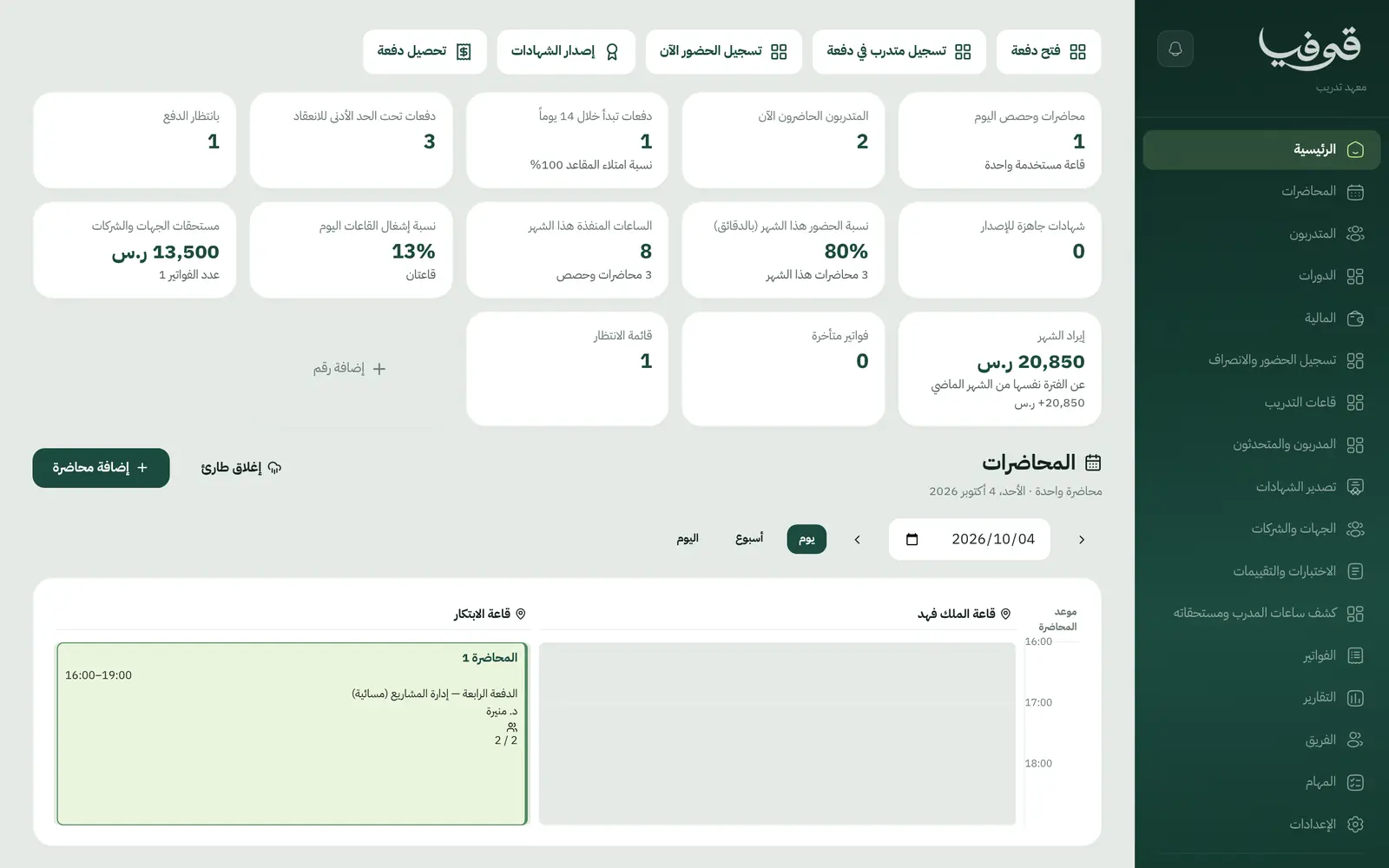
Training and education center software for people who teach and train: training institutes, tutoring centers and Quran memorization centers. Pick your type at sign-up and its words are ready: trainee and lecture, student and lesson, or halaqa and recitation.
Pick your business
Training Institute
Open a cohort, enrol trainees from your page or the front desk, let attendance count by the minute at the hall door, then issue certificates in one batch to those who earned them.
Language Institute
Book a placement test and get a suggested level, enrol the student in a men’s or women’s group, morning or evening, track roll and grades, then move the passer up a level and issue the certificate.
Tutoring Center
Sell packages in minutes, book one-to-one lessons or a whole weekly series, let every lesson draw on the balance and send its note to the parent, and have tutor pay ready at month end.
Quran Memorization Center
Record daily recitation from the Quran index, let the memorization map build itself, test a completed juz and issue its certificate at once, and track fees and sponsors without notebooks.
Why Govia
Screens for your kind of teaching
An institute sees cohorts and training halls, a tutoring center sees one-to-one lessons and balances, and a Quran center sees recitation and the memorization map.
Certificates anyone can verify
Course, juz and khatm certificates carry a QR code that anyone can check, without showing a phone number or an ID.
An absent teacher doesn’t derail the day
«بديل للفترة» hands lectures or halaqat to a cover, tells each group once, and pays whoever actually taught.
Parents and sponsors in the loop
A portal where students or parents follow lessons, reports and invoices, plus one invoice to a sponsoring employer or a monthly claim to a sponsor.
Arabic first, in your trade’s words
The whole system runs in Arabic, right to left, and names things the way your business does: client, patient, member or tenant.
Automatic WhatsApp messages
Booking confirmations, appointment reminders and verification codes reach your customers on WhatsApp without anyone typing them.
Local payments
Payment links with mada, Apple Pay and cards, plus instalments with Tabby and Tamara through Tap.
Tax invoices with QR
ZATCA-ready tax invoices with QR (generation phase), issued with every payment.
On Riyadh time
Appointments, reports and reminders run on Riyadh time and the Saudi working week, wherever the system is opened.
An assistant that answers and prepares
Ask it about your numbers and screens and it answers, then prepares the action for you to approve with one tap.
Questions before you start
Do I need to install anything?
No. Govia runs in the browser on a phone, tablet or computer, and you start the moment your account exists, with no hardware and nothing to install.
Do you support mada and Apple Pay?
Yes. Once online payments are switched on in settings, customers pay with mada, Visa, Mastercard or Apple Pay, and Tabby and Tamara are available through the Tap gateway.
Can I bring my data over from a notebook or Excel?
Yes. Enter records straight from the screens, our support team helps you move your data when you start, and any list exports to Excel whenever you want.
Does it send WhatsApp reminders?
Yes, automatic WhatsApp messages: a reminder the day before, and a notice when a time, a teacher or a place changes, each sent once and controlled from your notification settings.
Are the invoices ZATCA-compliant?
Yes. Govia issues ZATCA-ready tax invoices with QR (generation phase), with your VAT number and VAT on every invoice.
How long is the trial?
You start with a free trial from the sign-up page. Pick your business type and its screens and words are ready; the current trial length is shown on the pricing page.
Solutions for other businesses
- Salons & Spas
- Home Services
- Car Wash & Detailing
- Sports Clubs
- Studios
- Tourism & Trips
- Veterinary & Pet Care
- Maintenance & Cleaning
- Entertainment & Events
- Consulting & Advisory
- Technical Installation
- Healthcare
- Restaurants & Cafés
- Facilities & Property Management
- Chalets & Rest Houses
- Business Spaces
- Nurseries & Kindergartens
Try Govia on your business
Sign up and start with a service menu and settings prepared for your trade, or book a demo and we will show you the system on your business.