Salon and spa software that speaks your salon's language
A women's salon, a barbershop, a spa and hammam or a nail bar: a diary per specialist, a booking page that takes the deposit, and a till that issues the invoice and works out the commission.
Start your free trial Book a demo Pricing
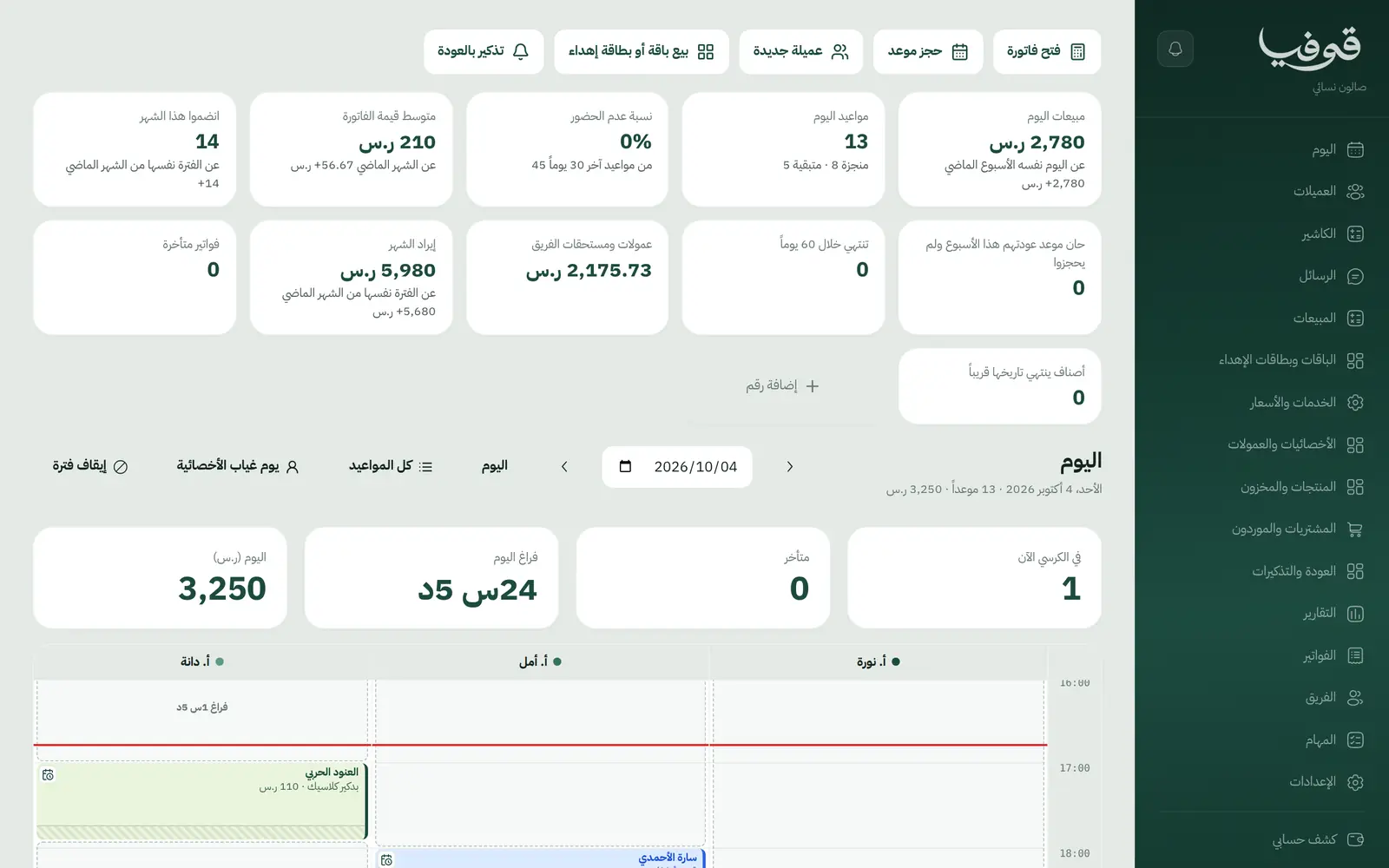
Govia is salon and spa management software for women's salons, men's barbershops, spas, massage centres, Moroccan baths and nail salons in Saudi Arabia. Each business opens on its own screens and words: the barber on his walk-in queue, the spa on its rooms and health form, the women's salon on hair profiles and patch tests, the nail bar on refills. Underneath, bookings, checkout, packages, commissions and invoices live in one place.
Pick your business
Women's Salon
Your client books from your link and pays the deposit, and the appointment confirms itself. At the salon you see her hair profile and colour formula, and the till issues one invoice with each stylist's commission.
Barbershop
Walk-ins take a number and know their wait, a free chair calls the next one, and the barber closes his own client's bill at his chair. At closing: each barber's takings, commission and the drawer.
Spa / Massage / Hammam
Clients book their session and fill in the health form before they arrive, pay the deposit and the booking confirms. Therapist and room are held together, so a room is never sold twice.
Nail Salon
Clients book from your link and pay the deposit, and get a message when a refill is due. Nail art is priced per nail, and a lifted nail is repaired under warranty, linked to its visit.
Why Govia
Screens built for each salon
A queue and call display for barbers, rooms and health forms for spas, refills and warranty repairs for nail bars, hair profiles and colour formulas for women's salons.
A deposit confirms the booking
A booking page in your name: the client picks the service and its option, adds up to four services to one visit, pays the deposit, and the appointment confirms itself.
Packages that live outside the notebook
Every balance counted; freeze, extend, transfer to someone else or upgrade, each with a preview first; and gift cards bought from your own page.
Money that adds up at closing
One invoice per visit with split payment and tips, commission per specialist on each line, a cash-up, and ZATCA-ready tax invoices with QR (generation phase).
Arabic first, in your trade’s words
The whole system runs in Arabic, right to left, and names things the way your business does: client, patient, member or tenant.
Automatic WhatsApp messages
Booking confirmations, appointment reminders and verification codes reach your customers on WhatsApp without anyone typing them.
Local payments
Payment links with mada, Apple Pay and cards, plus instalments with Tabby and Tamara through Tap.
Tax invoices with QR
ZATCA-ready tax invoices with QR (generation phase), issued with every payment.
On Riyadh time
Appointments, reports and reminders run on Riyadh time and the Saudi working week, wherever the system is opened.
An assistant that answers and prepares
Ask it about your numbers and screens and it answers, then prepares the action for you to approve with one tap.
Questions before you start
Do I need to install anything?
No. Govia runs in the browser on a phone, an iPad or a computer. Sign up, choose your business type, and you start with a ready service menu, prices and opening hours you can edit.
Do you support mada and Apple Pay?
Yes. Deposits and invoices are paid through a secure link with mada, cards and Apple Pay, depending on what the payment gateway enables; through Tap, Tabby and Tamara are available too. At the till you record cash or card, or split between them.
Does it send WhatsApp reminders?
Yes, automatic WhatsApp messages: the booking confirmation, a reminder the day before, an optional second reminder a few hours before, and a rebook reminder when a service is due again.
Are the invoices ZATCA-compliant?
Every visit closes with a ZATCA-ready tax invoice with QR (generation phase), carrying your VAT number and business name.
Can I move my data from a notebook or Excel?
You start with a service menu and prices ready for your trade, and each client is recorded by mobile number from their first online booking or from the clients screen. If you have a long list, book a demo and we will talk through the quickest way to bring it in.
How long is the trial?
The free trial starts from the sign-up page and opens straight on your trade's screens. If you would rather see it on your own salon first, book a demo.
Solutions for other businesses
- Home Services
- Car Wash & Detailing
- Sports Clubs
- Studios
- Tourism & Trips
- Veterinary & Pet Care
- Training & Education
- Maintenance & Cleaning
- Entertainment & Events
- Consulting & Advisory
- Technical Installation
- Healthcare
- Restaurants & Cafés
- Facilities & Property Management
- Chalets & Rest Houses
- Business Spaces
- Nurseries & Kindergartens
Try Govia on your business
Sign up and start with a service menu and settings prepared for your trade, or book a demo and we will show you the system on your business.