Nail salon software that keeps track of refills for you
Clients book from your link and pay the deposit, and get a message when a refill is due. Nail art is priced per nail, and a lifted nail is repaired under warranty, linked to its visit.
Start your free trial Book a demo Pricing
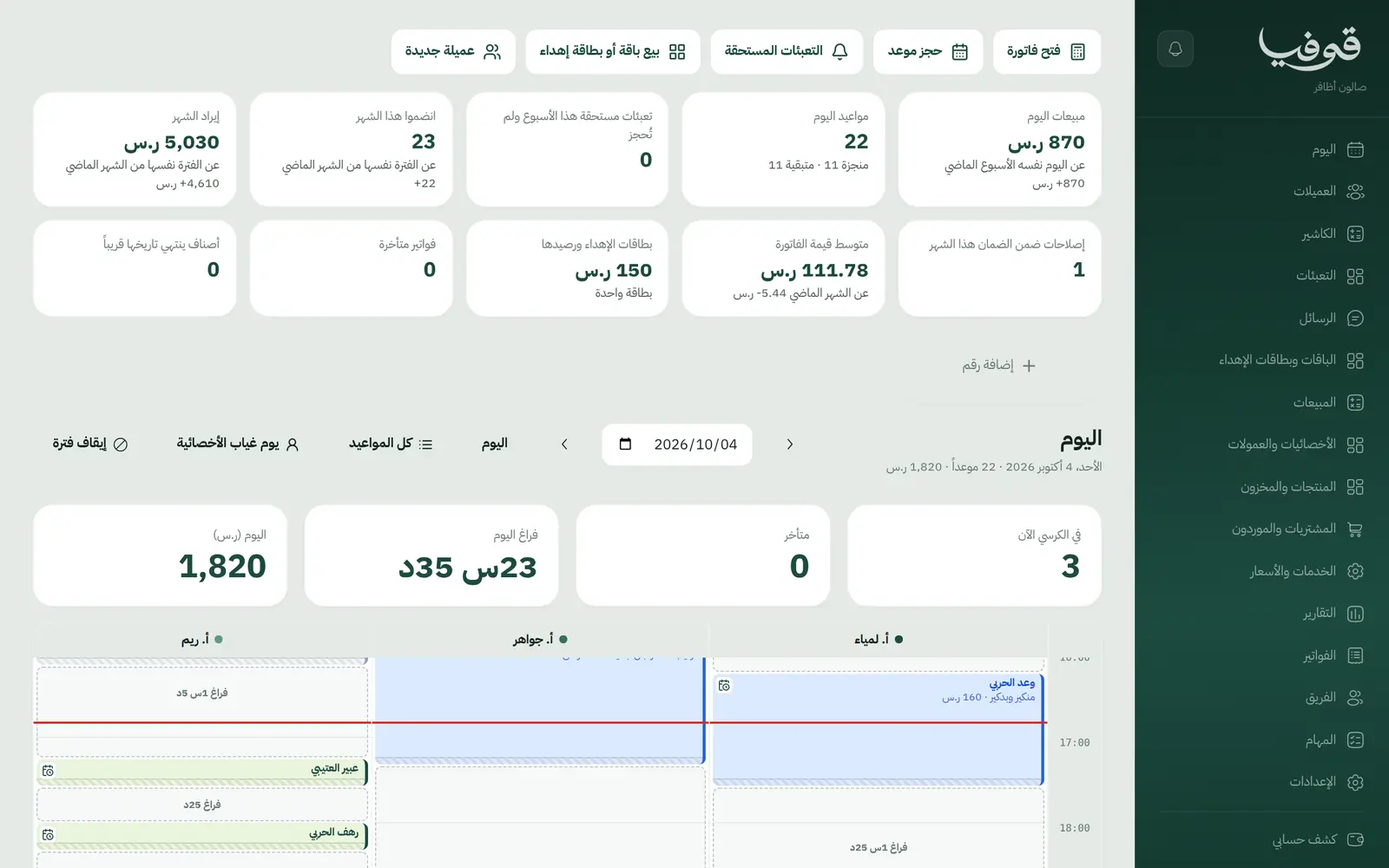
What wears an owner down every day
Missed refills
She needs a refill every three weeks, forgets, then goes to a closer salon.
Extras that never get charged
Four nails of design and two with stones, noted on a scrap of paper, and half of it never reaches the bill.
Free repairs with no record
A client returns with a lifted nail, and nobody knows when it was done, by whom, or whether it is still under warranty.
What Govia gives you
Refill reminders
Each client has her own refill cycle; the refills list shows who is due and not booked, and she gets one message with your link.
Nail art priced per nail
Designs and stones are per-nail lines on the invoice, so every nail is charged at its price.
Warranty repairs
A lifted nail is repaired free, linked to the original visit within the warranty period; after it the repair is charged, and the month's repairs are on your home screen.
The nail card
Shape, length, system, colour codes and design photos on her file, so the technician can repeat what she loved.
Deposits that confirm the booking
A deposit per service, paid from the link to confirm the appointment, with unpaid holds released on their own.
Change the service before the day
If she wants acrylic instead of gel before her day, the same booking changes with its price and time, and her deposit stays.
Packages and gift cards
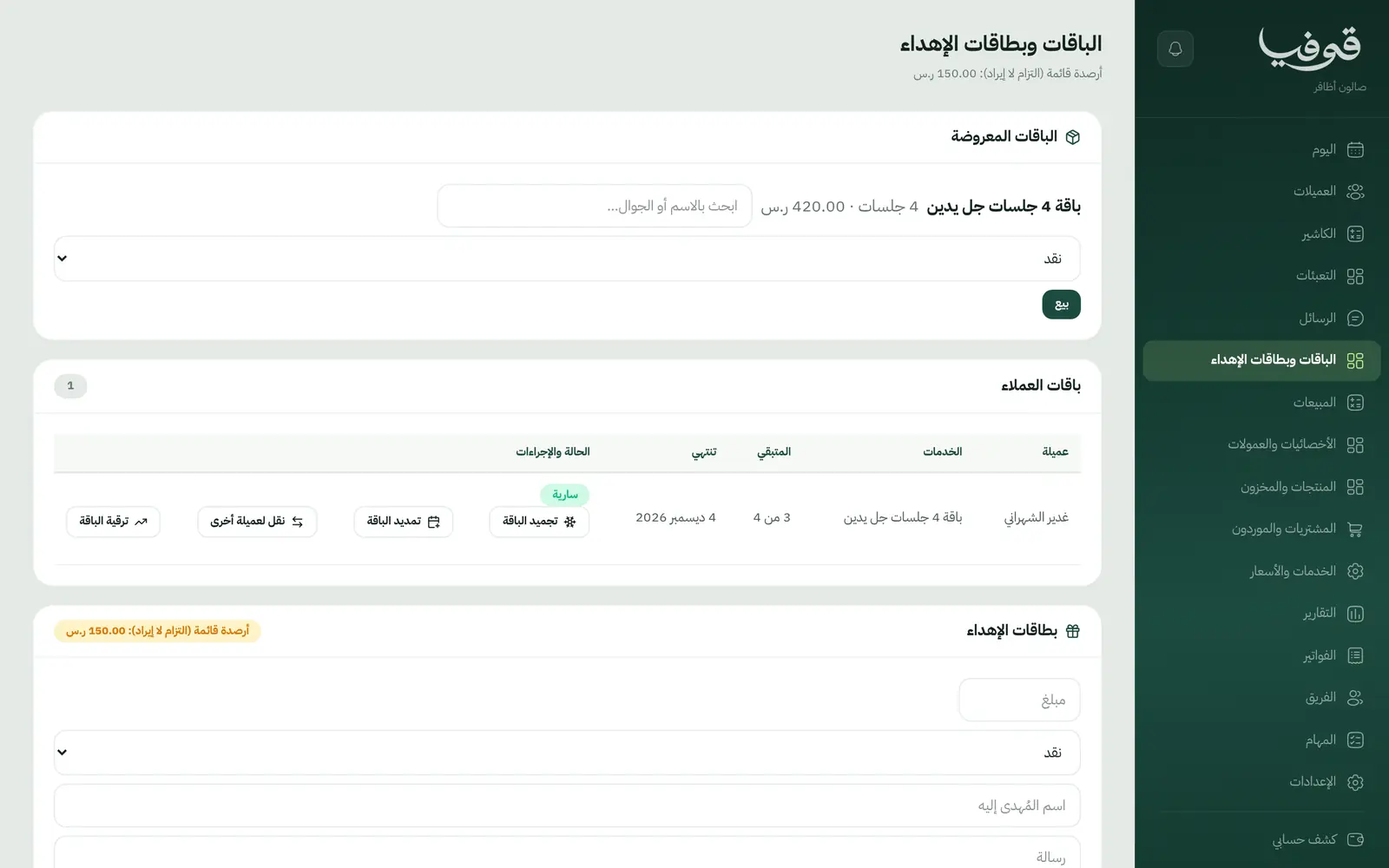
Session packages you can freeze, extend, transfer and upgrade, and gift cards bought from your page.
Checkout and commissions
One invoice with split payment and tips, commission per technician on her lines, and retail drawn from stock.
Inside the system
How your day runs on Govia
She books from your link
She picks the service and a technician or any available one, pays the deposit, and gets the confirmation and a reminder the day before.
She arrives and her card is ready
Her shape, system, past colours and design photos, and any allergy alert.
The till counts every nail
Gel, per-nail designs and products on one invoice, the deposit deducted, with the tip.
Her refill comes round on time
When her refill is due and nothing is booked she gets a message, and a lifted nail is repaired under warranty.
Why Govia
Made for nail salons
Refills, warranty, per-nail designs and the nail card: your salon's words and screens.
A ready menu on day one
Care, gel and refill, design and massage sections with starting services, prices and warranty days to edit.
Loyalty on her own cycle
The reminder follows her own refill cycle, not one fixed date for everyone.
A client portal
She sees her next appointment and changes or cancels it under your policy, and checks packages, gift card balance and invoices.
Arabic first, in your trade’s words
The whole system runs in Arabic, right to left, and names things the way your business does: client, patient, member or tenant.
Automatic WhatsApp messages
Booking confirmations, appointment reminders and verification codes reach your customers on WhatsApp without anyone typing them.
Local payments
Payment links with mada, Apple Pay and cards, plus instalments with Tabby and Tamara through Tap.
Tax invoices with QR
ZATCA-ready tax invoices with QR (generation phase), issued with every payment.
On Riyadh time
Appointments, reports and reminders run on Riyadh time and the Saudi working week, wherever the system is opened.
An assistant that answers and prepares
Ask it about your numbers and screens and it answers, then prepares the action for you to approve with one tap.
Questions before you start
Do I need to install anything?
No. It runs in the browser on a phone, an iPad or a computer. Choose Nail Salon and your services, technicians and hours are set up.
Does it remind clients about refills?
Yes. Each client has a refill cycle, and when it comes due with nothing booked she gets one WhatsApp message with your link.
Do you support mada and Apple Pay?
Yes. Deposits and invoices are paid through a secure link with mada, cards and Apple Pay depending on what the payment gateway enables; with Tap, Tabby and Tamara are available too. At the salon: cash, card and split payment.
Are the invoices ZATCA-compliant?
Every visit closes with a ZATCA-ready tax invoice with QR (generation phase).
How does the warranty work?
You set a warranty period per service; if she comes back within it, a free repair opens linked to her original visit and technician.
Can I move my data from a notebook or Excel?
You start with a ready menu, and each client is recorded by her mobile number from her first online booking or from the new client button. If your list is long, book a demo and we will talk through the quickest way to bring it in.
Related businesses
Try Govia on your business
Sign up and start with a service menu and settings prepared for your trade, or book a demo and we will show you the system on your business.