Women's salon software from booking to invoice
Your client books from your link and pays the deposit, and the appointment confirms itself. At the salon you see her hair profile and colour formula, and the till issues one invoice with each stylist's commission.
Start your free trial Book a demo Pricing
What wears an owner down every day
Bookings lost in WhatsApp
Booking requests scattered across your phone, every client confirmed by hand, and the same stylist booked twice at the same hour.
No-shows and an empty chair
She books before Eid and never comes, and no deposit covers the slot you turned someone else away from.
Packages and commissions in a notebook
How many hammam sessions are left on her package? What does each stylist earn this month? A hand count at month end and an argument over every number.
What Govia gives you
A diary per stylist
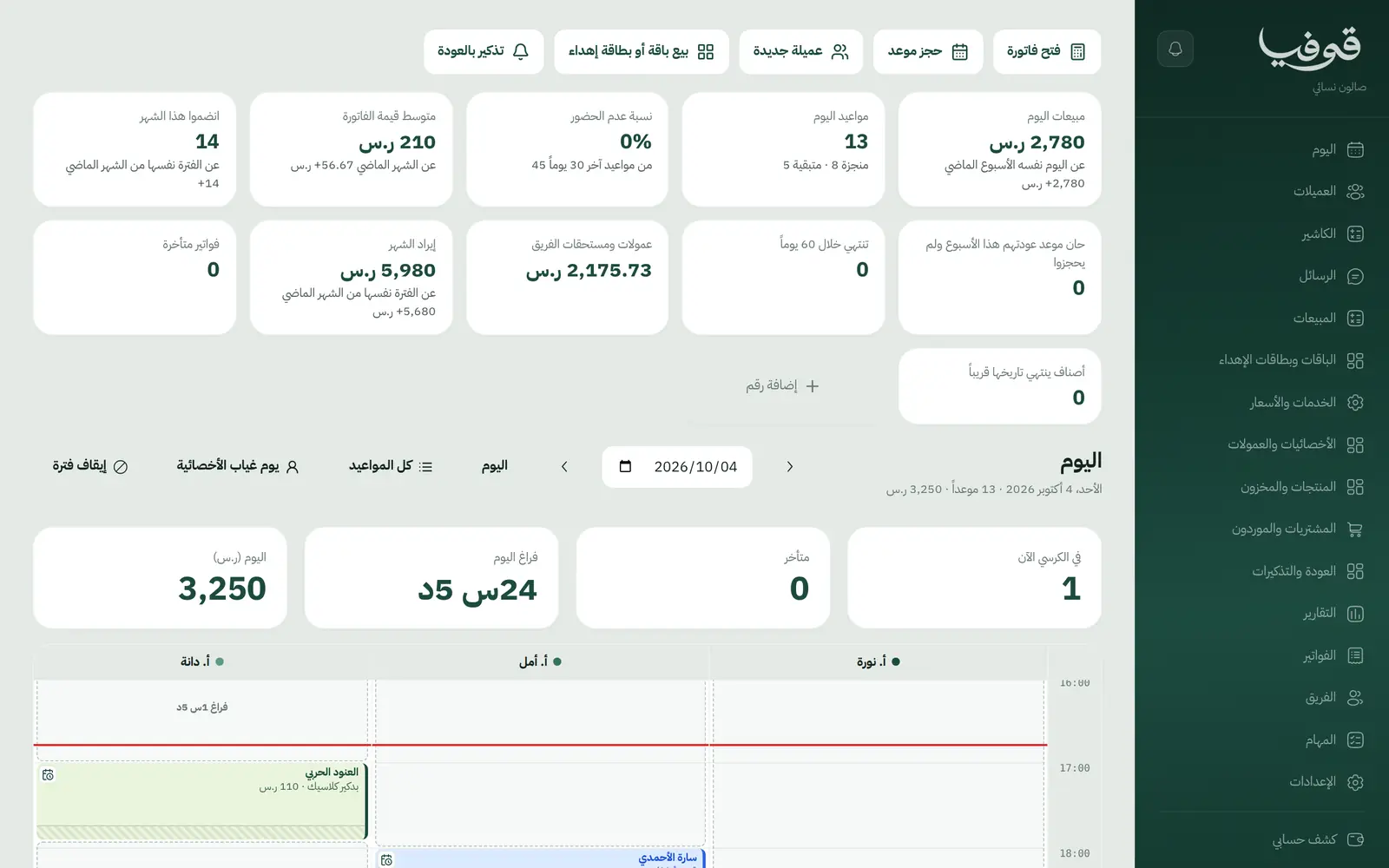
The day split across your stylists, no slot sold twice, and every appointment with its status: booked, arrived, completed and paid, no-show.
Deposits that confirm the booking
Set a deposit per service; the client pays it from the link and the booking is not confirmed until she does. Unpaid holds are released on their own, under the cancellation policy you choose.
Options and several services in one booking
Hair length with its own price and time, and up to four services back to back in one visit, with one deposit, one confirmation and one cancel link.
Patch test before colour
A new colour client books the patch test first from your page. The result is valid for 180 days, and a positive result blocks colour bookings.
Hair profile and colour formulas
Hair type, length, natural level, grey percentage and past treatments, with every colour formula saved and its grams drawn from the salon's stock.
Packages you can freeze, extend, transfer and upgrade
Session balances on her file; freeze, extend, transfer to another client or upgrade with a preview first, and a reminder before expiry that names what is left.
Gift cards from your page
Switch it on and clients buy a gift card for a friend and pay online; it is redeemed at the till like any gift card.
Checkout and stylist commissions
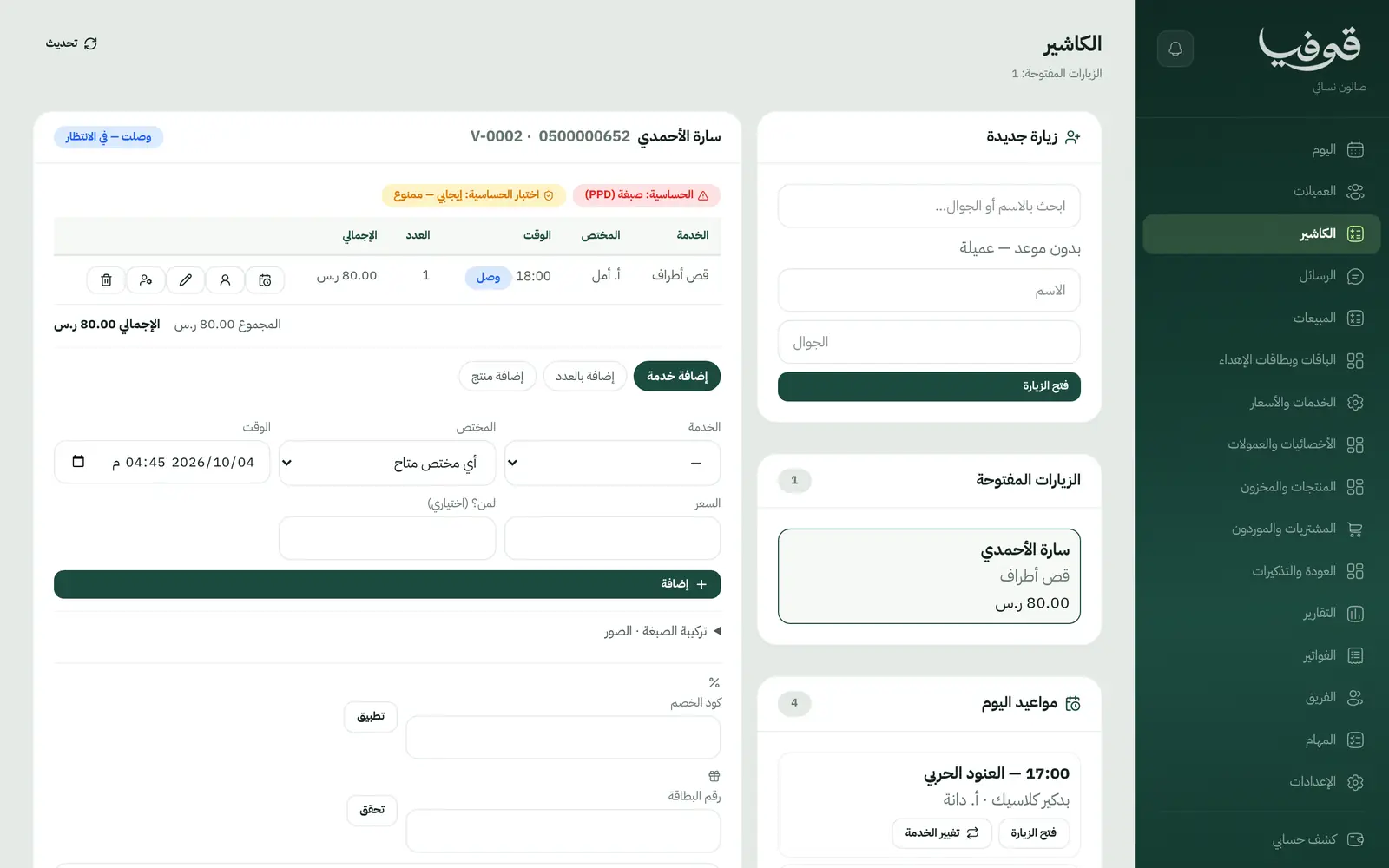
One invoice per visit for services and products, split payment and tips, commission per stylist on every line, corrected with a written reason if someone else did the service.
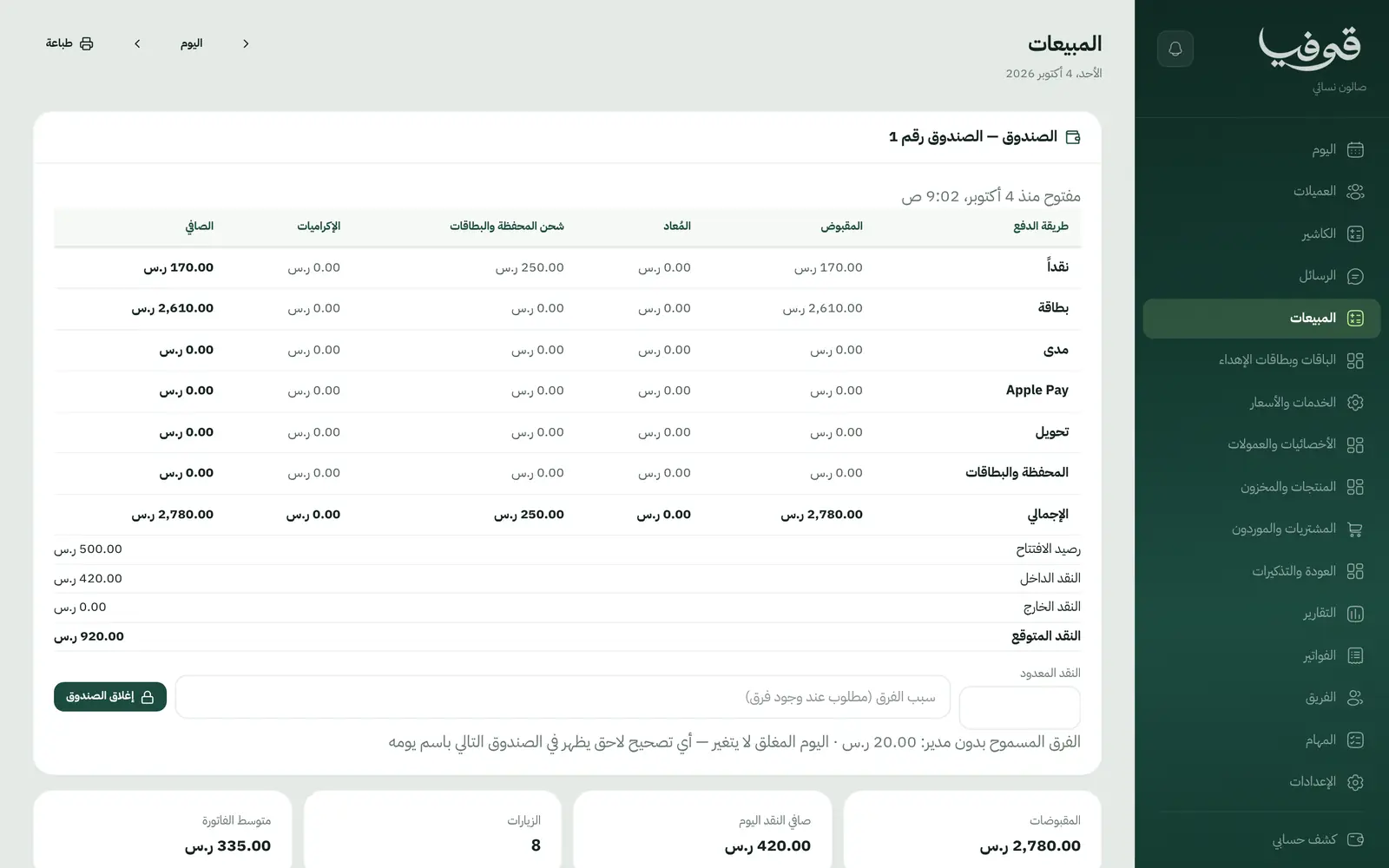
Inside the system
How your day runs on Govia
She books from your link
She picks the service, her hair length and a stylist or any available one, pays the deposit, and gets the WhatsApp confirmation and a reminder the day before.
She arrives and her file is ready
Allergies, her last colour formula and before-and-after photos if she agreed. If she asks to change the service before the day, the same booking changes and her deposit stays.
The till closes the visit
Services, products and the package session on one invoice, the deposit deducted, payment split and the tip recorded for the right stylist.
She comes back on time
When her root colour is due and she has not booked, she gets one message with your booking link. At closing: sales, commissions and the cash drawer.
Why Govia
Built for women's salons
Clients, stylists, packages, patch tests and colour formulas: screens designed for a women's salon, not a generic tool with the labels swapped.
A ready menu on day one
Hair, colour, treatments and nails sections with starting services and prices you edit, and a return interval per service that drives the rebook reminder.
Her file, handled with care
Before-and-after photos are never published without her consent, management notes stay hidden from her, and the allergy alert is in front of the stylist before she starts.
A client portal
She sees her next appointment and changes or cancels it under your policy, checks her package and gift card balance, and pays her invoices from her phone.
Arabic first, in your trade’s words
The whole system runs in Arabic, right to left, and names things the way your business does: client, patient, member or tenant.
Automatic WhatsApp messages
Booking confirmations, appointment reminders and verification codes reach your customers on WhatsApp without anyone typing them.
Local payments
Payment links with mada, Apple Pay and cards, plus instalments with Tabby and Tamara through Tap.
Tax invoices with QR
ZATCA-ready tax invoices with QR (generation phase), issued with every payment.
On Riyadh time
Appointments, reports and reminders run on Riyadh time and the Saudi working week, wherever the system is opened.
An assistant that answers and prepares
Ask it about your numbers and screens and it answers, then prepares the action for you to approve with one tap.
Questions before you start
Do I need to install anything?
No. It runs in the browser on a phone, an iPad or a computer. Sign up, choose Women's Salon, and your services, prices, stylists and hours are set up for you to edit.
Do you support mada and Apple Pay?
Yes. Clients pay the deposit or the invoice through a secure link with mada, cards and Apple Pay, depending on what the payment gateway enables; with Tap, Tabby and Tamara are available too. At the salon you record cash or card, or split them.
Does it send WhatsApp reminders?
Yes: the booking confirmation, a reminder the day before, an optional second reminder hours before, a rebook reminder based on each service's interval, and a package expiry reminder that names the sessions left.
Are the invoices ZATCA-compliant?
Every visit closes with a ZATCA-ready tax invoice with QR (generation phase).
How does a new client book colour?
She books the patch test first from your page, then the colour once the result is read. The result stays valid for 180 days, so she does not repeat it every visit.
Can I move my data from a notebook or Excel?
You start with a ready service menu, and each client is recorded by her mobile number from her first online booking or from the new client button. If your list is long, book a demo and we will talk through the quickest way to bring it in.
Related businesses
Try Govia on your business
Sign up and start with a service menu and settings prepared for your trade, or book a demo and we will show you the system on your business.