Practice management software for consulting, law and accounting firms
Whether you advise companies, argue cases, file returns or counsel families, Govia keeps your clients, files and deadlines in order and turns your team's hours and milestones into tax invoices.
Coming soon — We are building this business's own tools now, and we do not want to hand you a dashboard that does not fit. Book a demo and we will set it up with you.
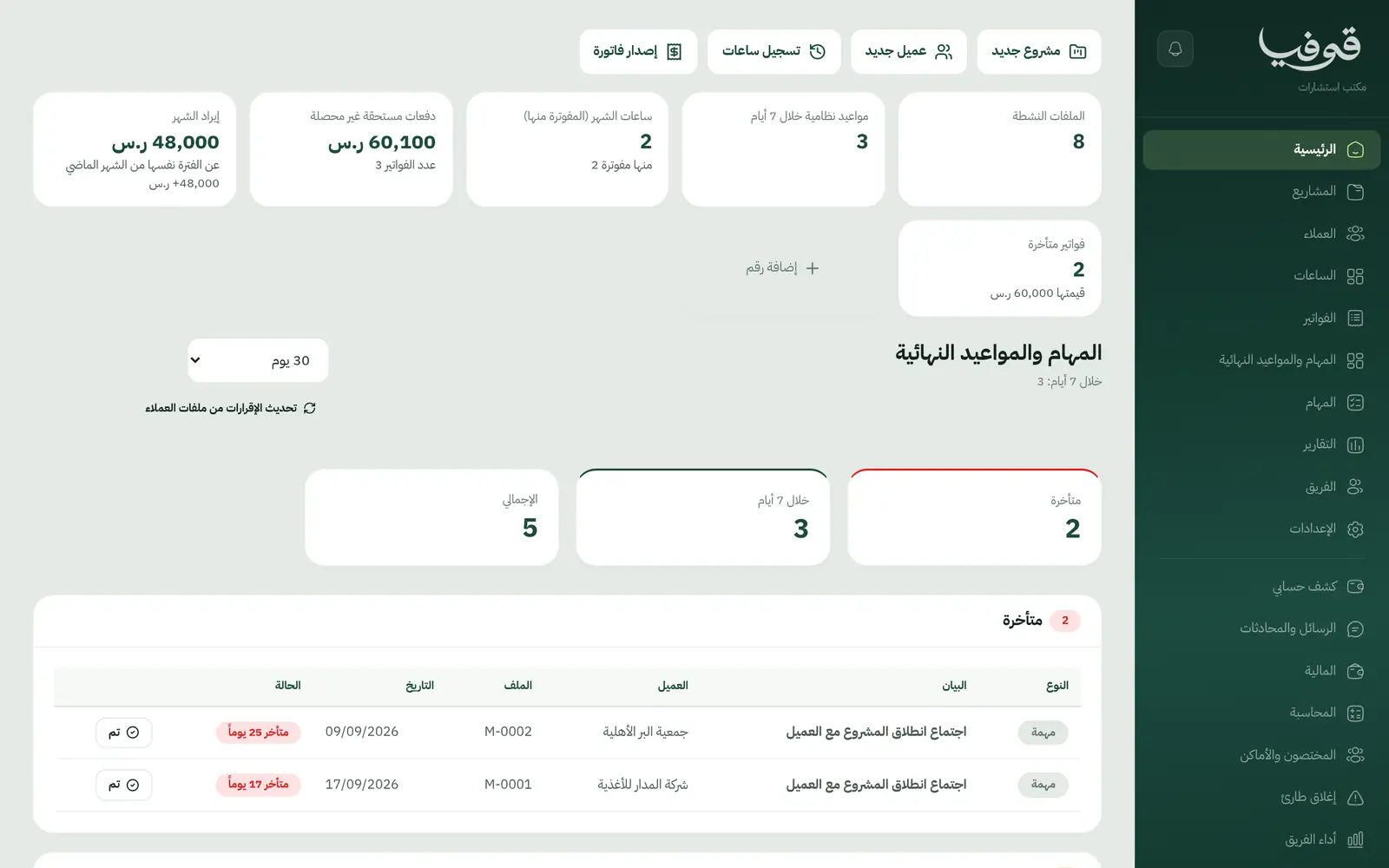
Govia's consulting card is built for firms that sell expertise and time: management consultancies, law firms, accounting and zakat firms, and counselling practices. Each one works in its own words: cases and hearings for lawyers, returns and deadlines for accountants, cases and sessions for counsellors.
Pick your business
Advisory Firm
From the first lead to the final delivery, every project carries its stages, payments and deliverables, every consultant logs time against it, and invoices go out on award, draft and final.
Law Firm
Every case from first consultation and conflict check to judgment and enforcement: hearings on the calendar, statutory deadlines as dated tasks, and fees and hours on one invoice.
Accounting Firm
Enter each client's VAT period and fiscal year end; Govia generates their returns and deadlines, chases missing documents and bills your monthly retainers and engagements.
Counselling & Nutrition
A case file and treatment plan for every client, session notes only their author and management can read, scores that track progress, and sessions booked, reminded and billed singly or as packages.
Why Govia
Your profession's own words
Lawyers see clients, hearings and cases; accountants see deadlines and returns; consultants see projects and hours. Nothing borrowed from another trade.
Files only their team can open
A case, project or engagement is visible only to the people on it, management and finance. Everyone else sees a busy slot, not a client name.
Milestones raise the invoices
The award, draft, final or judgment payment invoices itself when the file reaches that stage, and logged hours bill on one invoice when you choose.
Clients follow along
A client portal shows their files, payments and documents, and automatic WhatsApp messages confirm appointments and ask for missing documents.
Arabic first, in your trade’s words
The whole system runs in Arabic, right to left, and names things the way your business does: client, patient, member or tenant.
Automatic WhatsApp messages
Booking confirmations, appointment reminders and verification codes reach your customers on WhatsApp without anyone typing them.
Local payments
Payment links with mada, Apple Pay and cards, plus instalments with Tabby and Tamara through Tap.
Tax invoices with QR
ZATCA-ready tax invoices with QR (generation phase), issued with every payment.
On Riyadh time
Appointments, reports and reminders run on Riyadh time and the Saudi working week, wherever the system is opened.
An assistant that answers and prepares
Ask it about your numbers and screens and it answers, then prepares the action for you to approve with one tap.
Questions before you start
Does it need installing?
No. Govia runs in the browser on a computer, tablet or phone. There is no server or hardware to set up in your office.
Are the invoices ZATCA compliant?
Govia issues ZATCA-ready electronic tax invoices with a QR code (generation phase), with your VAT number and the tax on every line.
Can clients pay with mada and Apple Pay?
Yes. With the payment gateway switched on, a client pays from the invoice link by mada, Apple Pay or card, and the payment is recorded on the invoice.
Does it send WhatsApp reminders?
Yes. Automatic WhatsApp messages confirm an appointment, remind the day before, and ask a client for missing documents when your team requests them.
Does it work for more than one branch?
Yes. Each branch has its own account with its own team and data, and we link your branches into one group you switch between from the same login — contact us to set it up.
How long is the trial?
You start with a free trial from the sign-up page and choose a plan afterwards on the pricing page.
Solutions for other businesses
- Salons & Spas
- Home Services
- Car Wash & Detailing
- Sports Clubs
- Studios
- Tourism & Trips
- Veterinary & Pet Care
- Training & Education
- Maintenance & Cleaning
- Entertainment & Events
- Technical Installation
- Healthcare
- Restaurants & Cafés
- Facilities & Property Management
- Chalets & Rest Houses
- Business Spaces
- Nurseries & Kindergartens
Try Govia on your business
Book a demo and we will show you Govia on your business, and set it up with you when it launches.