Law firm software that never misses a hearing or an objection deadline
Every case from first consultation and conflict check to judgment and enforcement: hearings on the calendar, statutory deadlines as dated tasks, and fees and hours on one invoice.
Coming soon — We are building this business's own tools now, and we do not want to hand you a dashboard that does not fit. Book a demo and we will set it up with you.
What wears an owner down every day
A deadline in one lawyer's head
The first-instance judgment is out and the objection clock is running, and the only reminder is a note on the responsible lawyer's desk.
Two hearings at the same hour
A lawyer is booked into two courts at once because each secretary keeps her own diary.
Today's opponent, yesterday's client
The firm took a case against a former client and nobody noticed until the fee agreement was signed.
What Govia gives you
Conflict check
Opening a case refuses an opponent who is a client of the firm. Only management can override, with a logged reason.
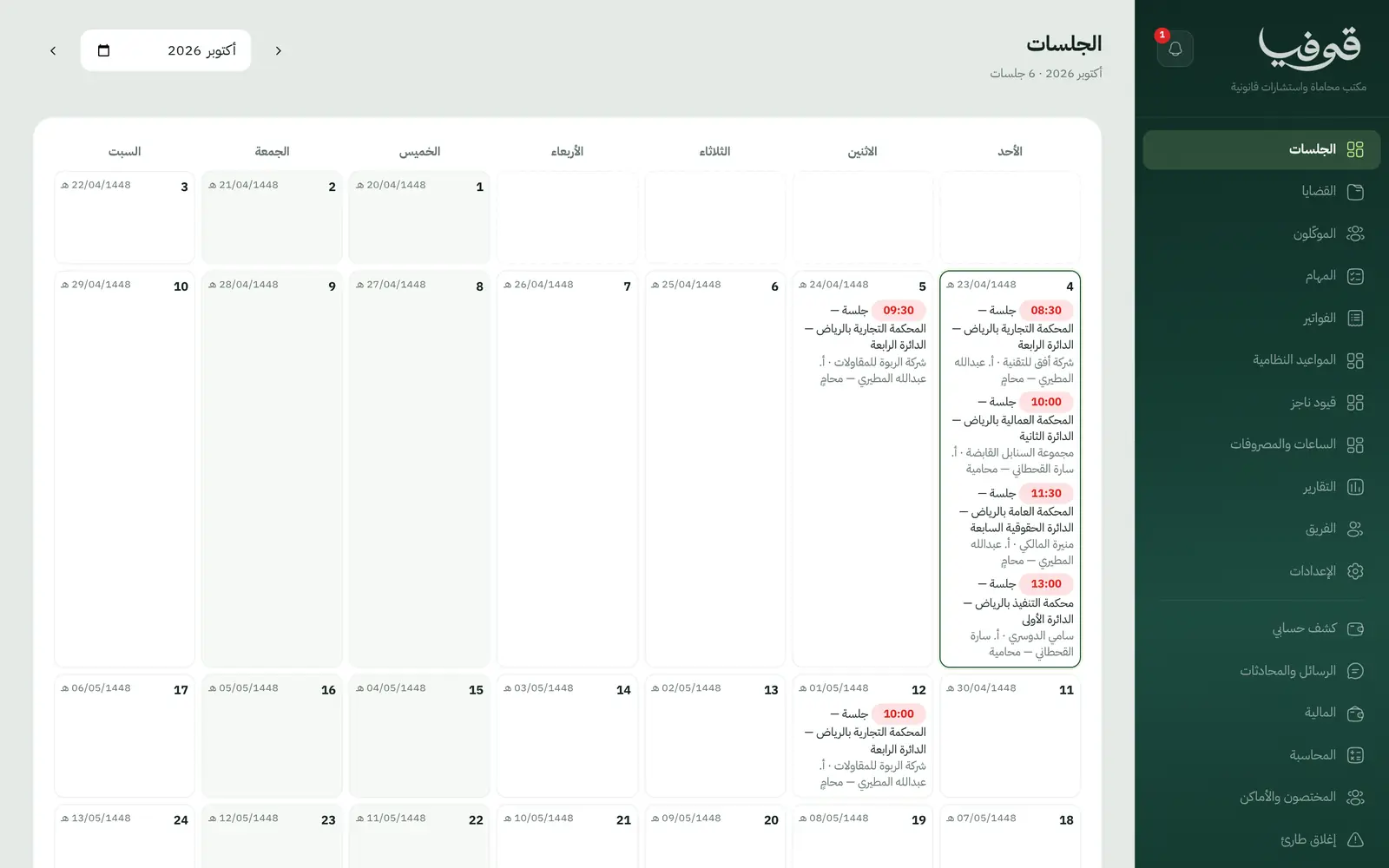
Hearings calendar
Hearings are bookings in the lawyer's name, so nobody is in two courts at once, and an adjournment picks the next hearing's lawyer.
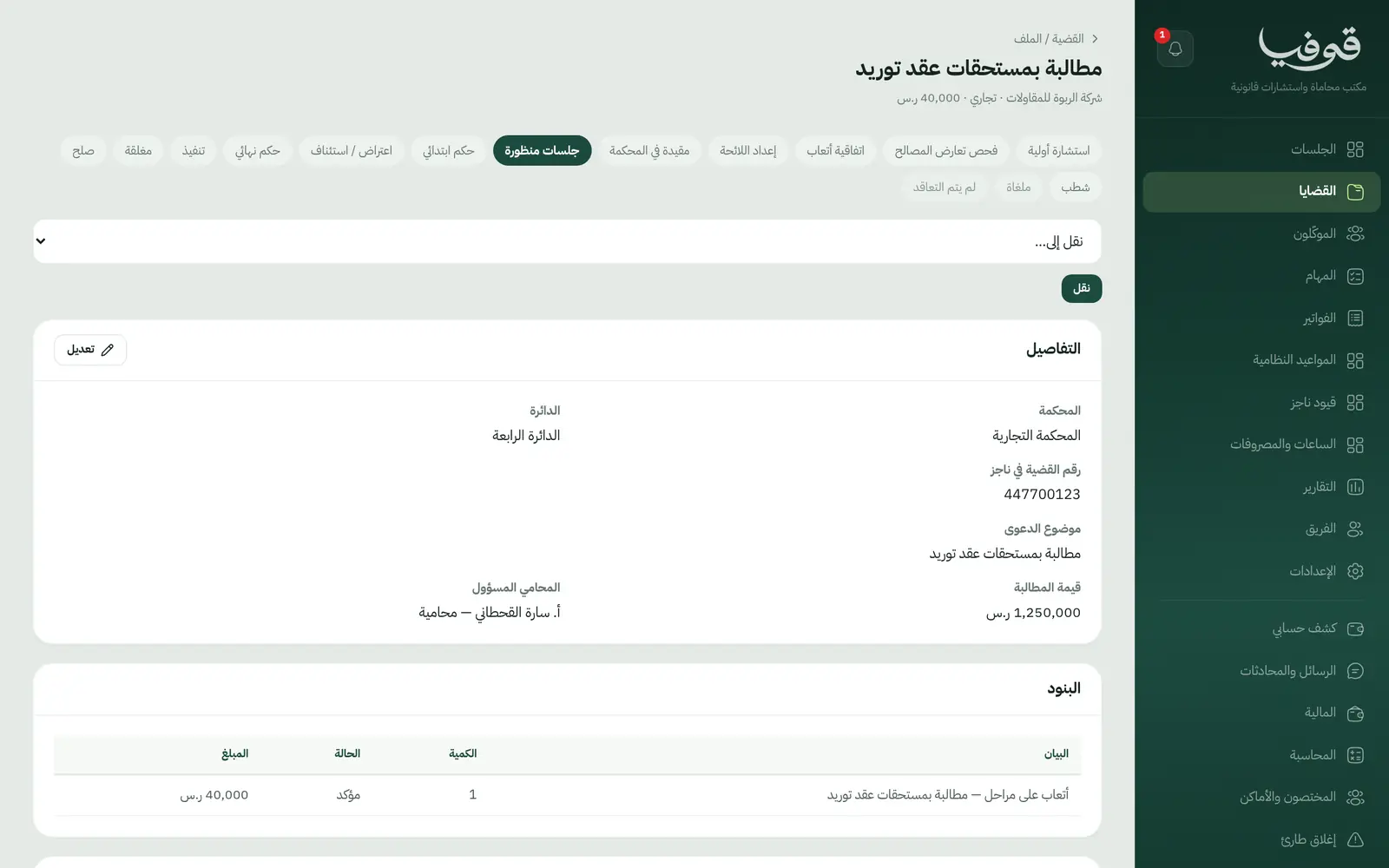
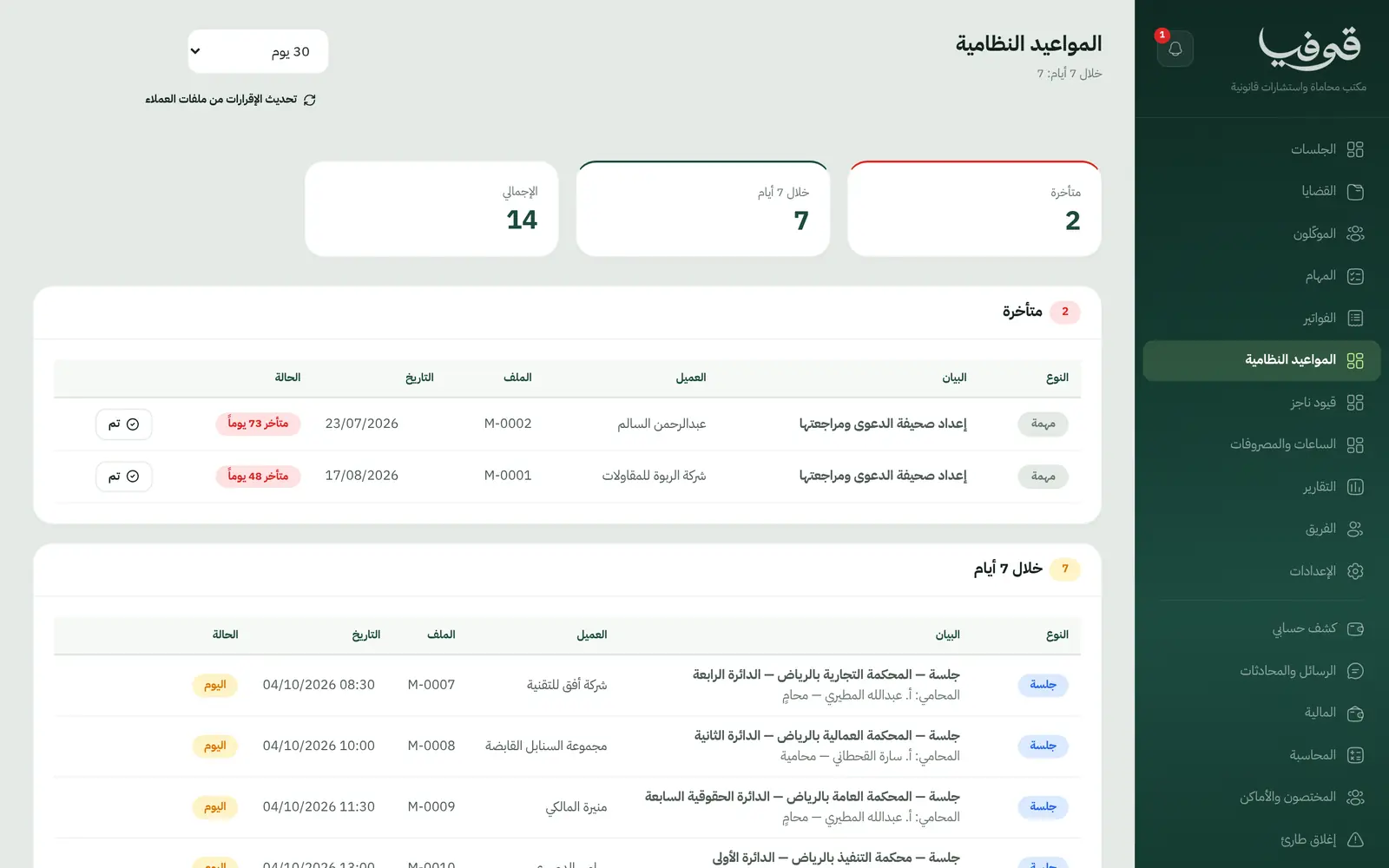
Statutory deadlines
A first-instance judgment creates the 30-day objection deadline; a final judgment creates the enforcement request task.
Powers of attorney and Najiz
A case is filed in court only on a valid power of attorney; record its Najiz number and track expiring authorisations.
Staged fees
The signing and final-judgment payments invoice at their stage, or bill hourly, or as a share of the award.
Hours and disbursements
Lawyers' hours and court fees sit on the case and bill together on one invoice.
An ethical wall per case
Only the case team, management and finance see a case. To everyone else its hearings are a busy slot with no client name.
Inside the system
How your day runs on Govia
Consultation and conflict
The client books a consultation; opening the case checks the opponent against the firm's clients.
Agreement and filing
Signing the fee agreement raises the first payment; the claim is drafted and filed on a valid power of attorney.
Hearings and judgments
Hearings sit on the calendar with their outcomes, and the first judgment opens the objection deadline.
Final judgment and enforcement
The final judgment raises its payment and the enforcement task, then the case closes.
Why Govia
Deadlines do not rely on memory
Every statutory deadline is a dated task with an owner, listed on its own screen.
Confidentiality that holds
The ethical wall is enforced on the server across cases, calendar and reports, not just hidden in the interface.
Fees go out on time
The payment invoices itself at the stage, and the client pays from the invoice link.
A law office's vocabulary
Clients, hearings, cases, circuits and courts: the words your team already uses.
Arabic first, in your trade’s words
The whole system runs in Arabic, right to left, and names things the way your business does: client, patient, member or tenant.
Automatic WhatsApp messages
Booking confirmations, appointment reminders and verification codes reach your customers on WhatsApp without anyone typing them.
Local payments
Payment links with mada, Apple Pay and cards, plus instalments with Tabby and Tamara through Tap.
Tax invoices with QR
ZATCA-ready tax invoices with QR (generation phase), issued with every payment.
On Riyadh time
Appointments, reports and reminders run on Riyadh time and the Saudi working week, wherever the system is opened.
An assistant that answers and prepares
Ask it about your numbers and screens and it answers, then prepares the action for you to approve with one tap.
Questions before you start
Is it connected to Najiz?
There is no direct integration. You record the Najiz case number on the file and track hearings and deadlines in Govia.
Does it need installing?
No. It runs in the browser on a computer or phone, so a lawyer can check the day's hearings from court.
Are the invoices ZATCA compliant?
Govia issues ZATCA-ready electronic tax invoices with a QR code (generation phase).
Does it send WhatsApp reminders?
Yes. Consultation confirmations and day-before reminders, plus a document request message when the firm asks the client for papers.
Can clients pay with mada and Apple Pay?
Yes. With the payment gateway on, clients pay fees from the invoice link by mada, Apple Pay or card.
How long is the trial?
A free trial starts from the sign-up page; choose your plan afterwards on the pricing page.
Related businesses
Try Govia on your business
Book a demo and we will show you Govia on your business, and set it up with you when it launches.