Consulting firm software that ties each project to its hours and invoices
From the first lead to the final delivery, every project carries its stages, payments and deliverables, every consultant logs time against it, and invoices go out on award, draft and final.
Coming soon — We are building this business's own tools now, and we do not want to hand you a dashboard that does not fit. Book a demo and we will set it up with you.
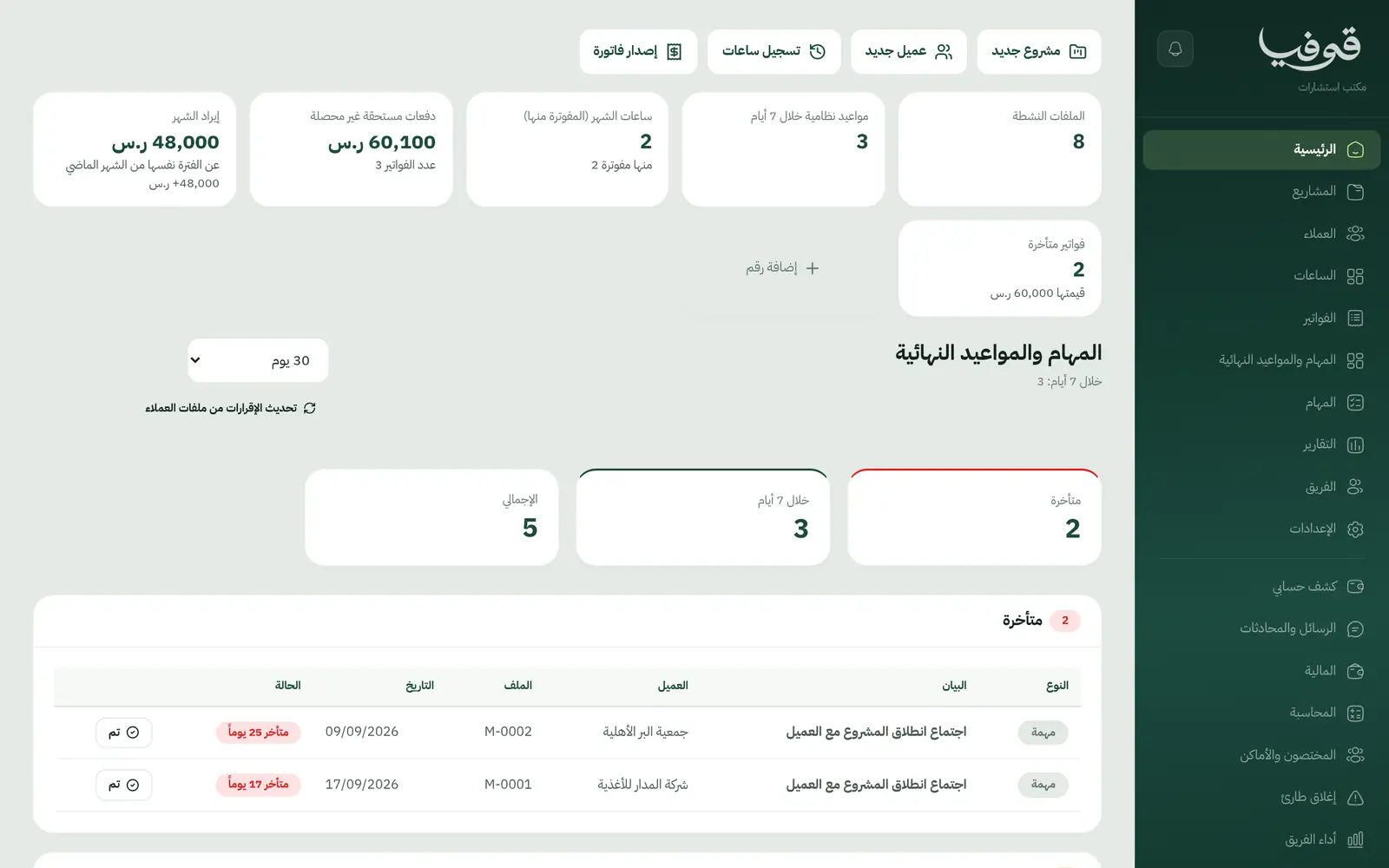
What wears an owner down every day
Payments lost between stages
The draft went out two weeks ago and nobody raised the second invoice, because the payment schedule lives in a spreadsheet that does not know where the project is.
Hours nobody can account for
Consultants work across three projects a week, and at month end you cannot say how many hours went to each client or how many are billable.
Deadlines that surprise you
The draft due date sits in an old email thread until the client calls to ask where it is.
What Govia gives you
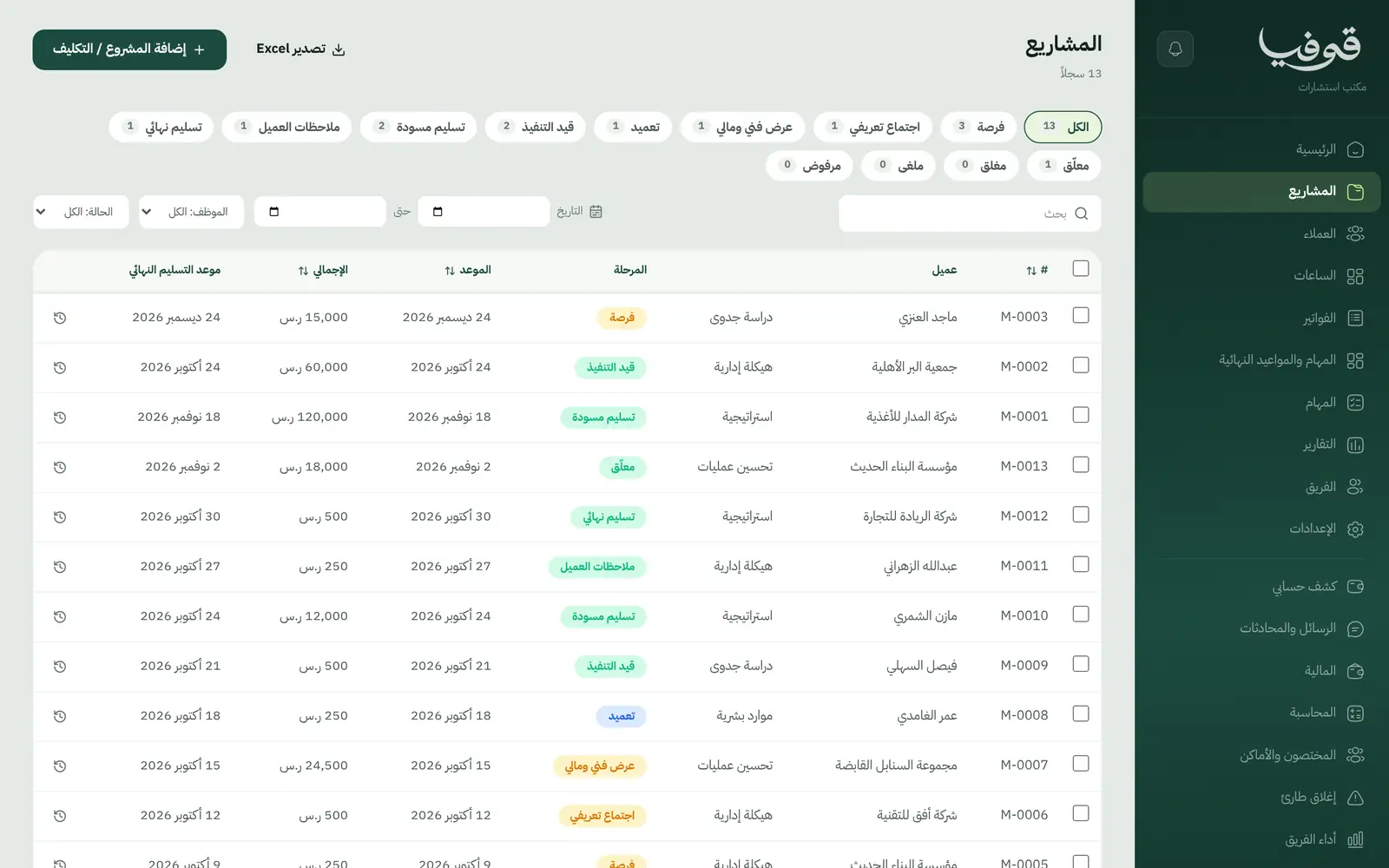
Projects by stage
A projects board from lead and intro meeting through proposal, award and final delivery, typed as feasibility, strategy, restructuring, HR and more.
Automatic 40/30/30 payments
The award, draft and final payments each invoice themselves when the project reaches that stage. Change the split in your own copy.
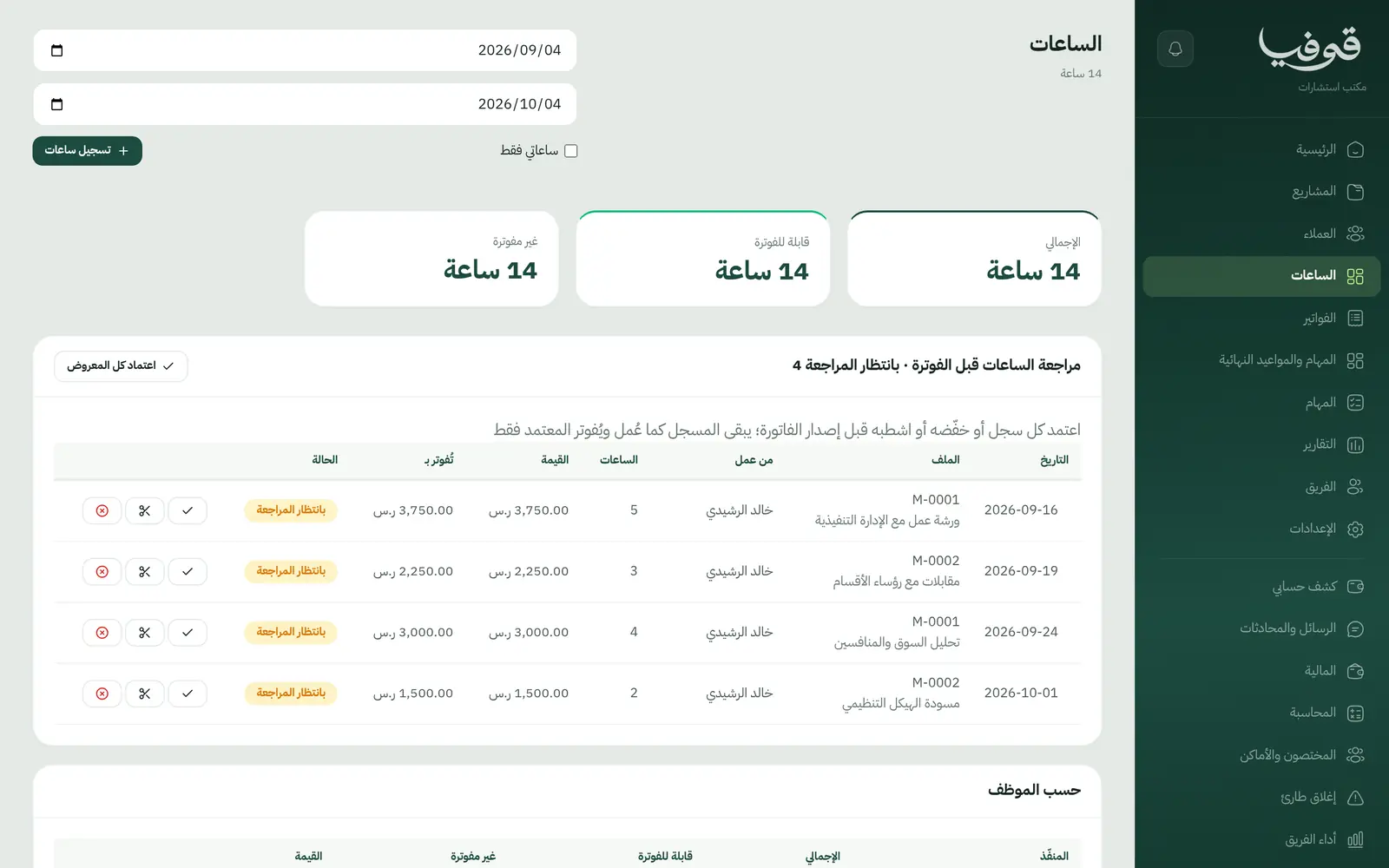
Consultants' hours
Each consultant logs billable or non-billable time on the project, and unbilled hours go out on one invoice.
Agreed deliverables
Scope, deliverables and the final due date live on the project, and the client sees deliverables in their portal.
Tasks and deadlines
On award, the kickoff meeting and draft due date become tasks automatically, all listed on one deadlines screen.
Projects stay with their team
People who are not on a project cannot see its file, client or hours. Management and finance see everything.
Consultations booked online
Intro calls, video or in-office consultations are booked from your public page and confirmed with a WhatsApp code.
Inside the system
How your day runs on Govia
Lead and proposal
A prospect books an intro call from your link; you open a project and send the technical and financial proposal.
Award
Moving the project to award raises the first invoice and creates the kickoff and draft-due tasks.
Delivery and hours
The team logs hours and uploads documents to the file while you watch every deadline on one screen.
Hand-over and close
Draft and final delivery raise their payments; the client sees the deliverables and pays from the invoice link.
Why Govia
Invoices follow the stage
No more forgotten milestones: reaching the stage is what raises the invoice.
Profit per project in view
Hours spent, billed and collected sit on the project itself and in the reports.
Confidential between teams
Each team's projects are walled from the others, so nobody browses a client they do not serve.
A booking page included
Your public page shows your consultations and team and takes bookings without a separate website.
Arabic first, in your trade’s words
The whole system runs in Arabic, right to left, and names things the way your business does: client, patient, member or tenant.
Automatic WhatsApp messages
Booking confirmations, appointment reminders and verification codes reach your customers on WhatsApp without anyone typing them.
Local payments
Payment links with mada, Apple Pay and cards, plus instalments with Tabby and Tamara through Tap.
Tax invoices with QR
ZATCA-ready tax invoices with QR (generation phase), issued with every payment.
On Riyadh time
Appointments, reports and reminders run on Riyadh time and the Saudi working week, wherever the system is opened.
An assistant that answers and prepares
Ask it about your numbers and screens and it answers, then prepares the action for you to approve with one tap.
Questions before you start
Does it need installing?
No. It runs in the browser on a computer or phone, and your basic consultation menu is ready to edit on day one.
Can I change the payment split?
Yes. 40/30/30 is only the starting point; edit the stages and percentages in your own copy.
Are the invoices ZATCA compliant?
Govia issues ZATCA-ready electronic tax invoices with a QR code (generation phase).
Can clients pay with mada and Apple Pay?
Yes. With the payment gateway on, clients pay from the invoice link by mada, Apple Pay or card.
Can I bring my clients over from Excel?
You add clients on screen and can export any list to Excel. Self-serve import from a file is not available yet, so book a demo to talk through your data.
How long is the trial?
A free trial starts from the sign-up page; choose your plan afterwards on the pricing page.
Related businesses
Try Govia on your business
Book a demo and we will show you Govia on your business, and set it up with you when it launches.