Accounting firm software that knows every client's filing deadline
Enter each client's VAT period and fiscal year end; Govia generates their returns and deadlines, chases missing documents and bills your monthly retainers and engagements.
Coming soon — We are building this business's own tools now, and we do not want to hand you a dashboard that does not fit. Book a demo and we will set it up with you.
What wears an owner down every day
Sixty clients, sixty deadlines
Every client files on a different cycle, and the sheet that tracks them needs someone to update it every month.
Documents that never arrive
The deadline is next week, you are still waiting for a bank statement, and you cannot see which clients owe you what.
Two days of invoicing at month end
Raising every retainer invoice by hand eats your team's time on the busiest days of the month.
What Govia gives you
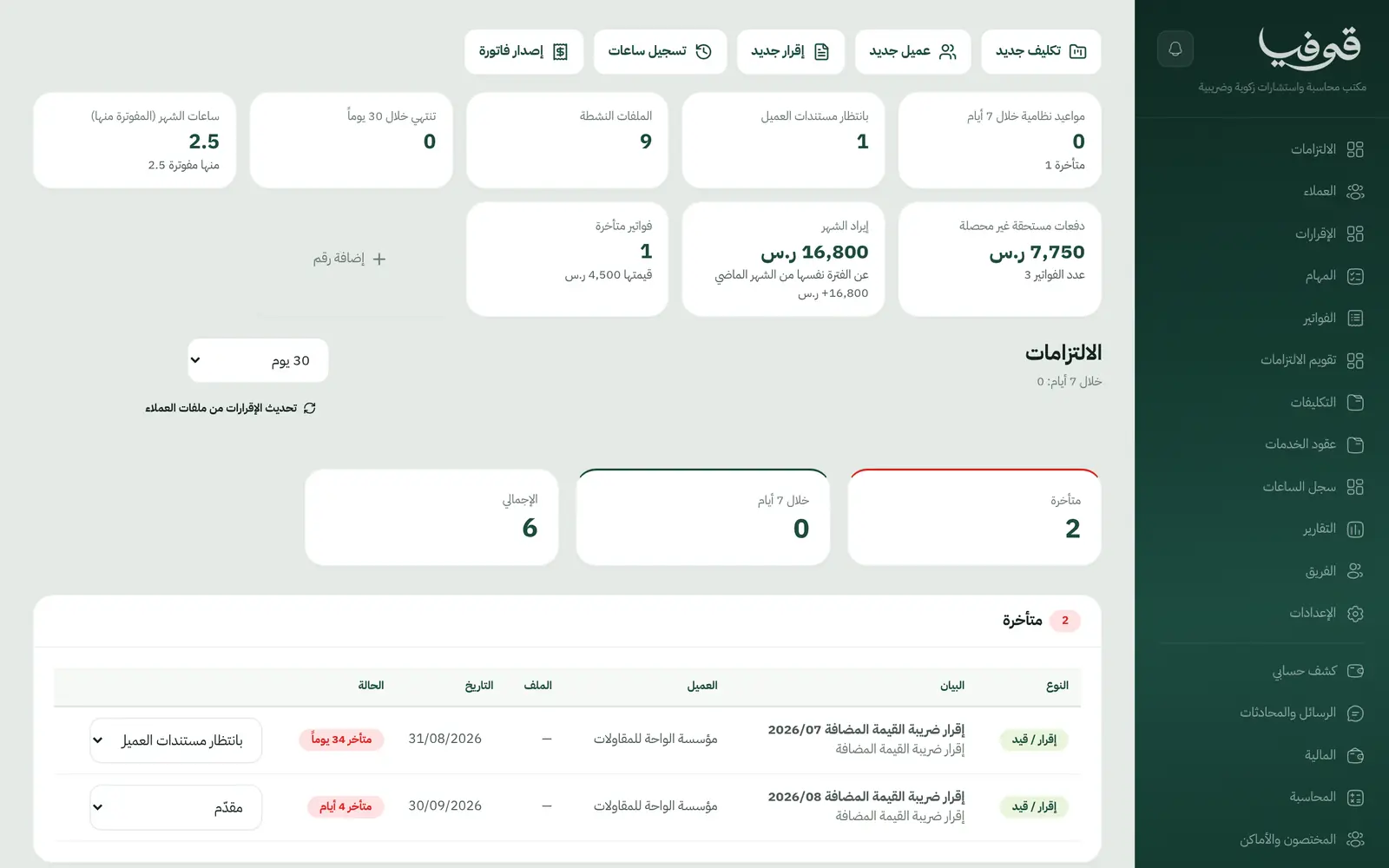
Compliance calendar
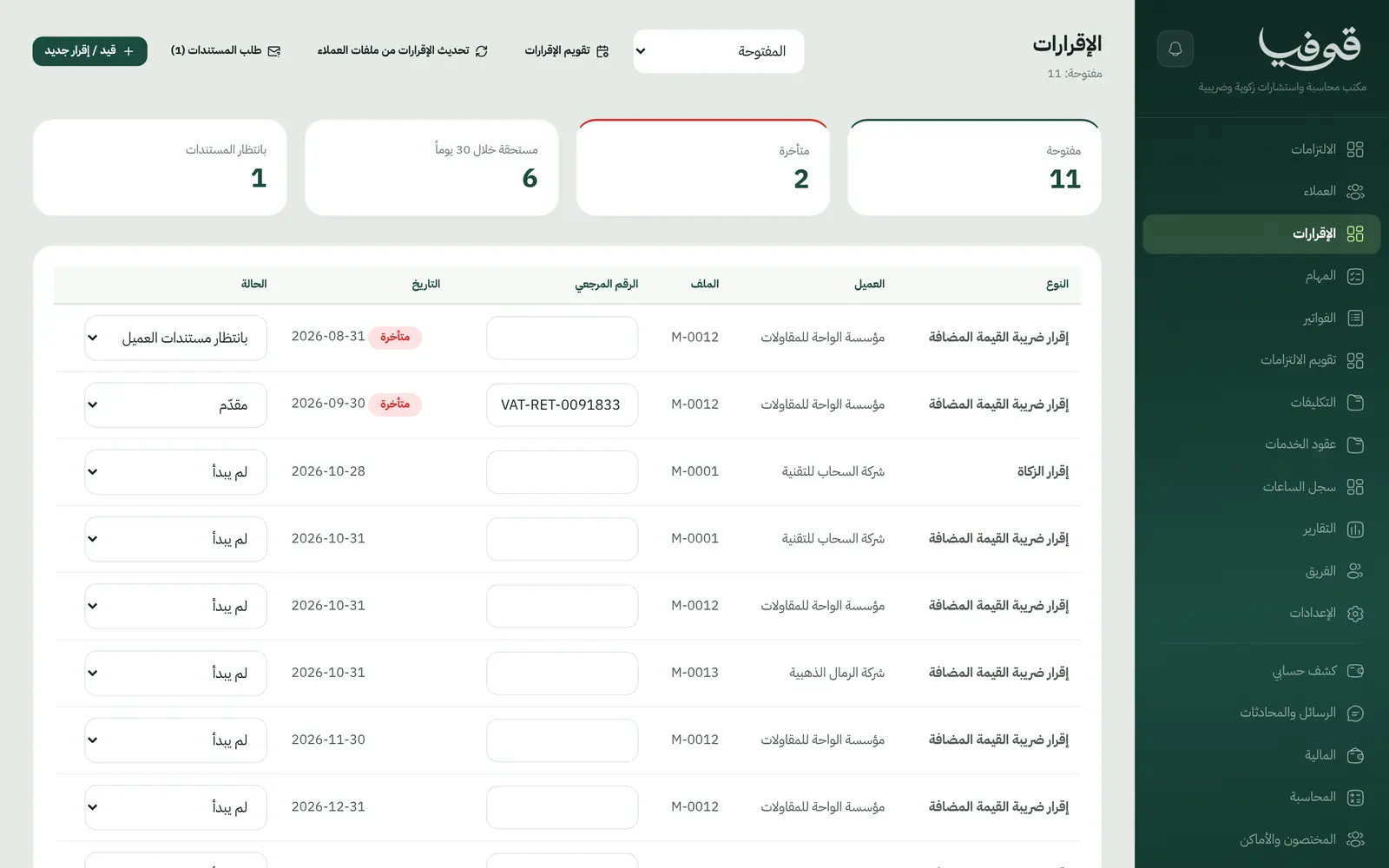
A client's VAT period and year end are enough: VAT due at the end of the following month, zakat 120 days after year end.
Returns, once per period
Each return is created once per period and moves from awaiting documents to preparing, review and submitted.
Missing documents
Each client's missing documents are listed on the file, and one press sends them a WhatsApp request.
Monthly retainers
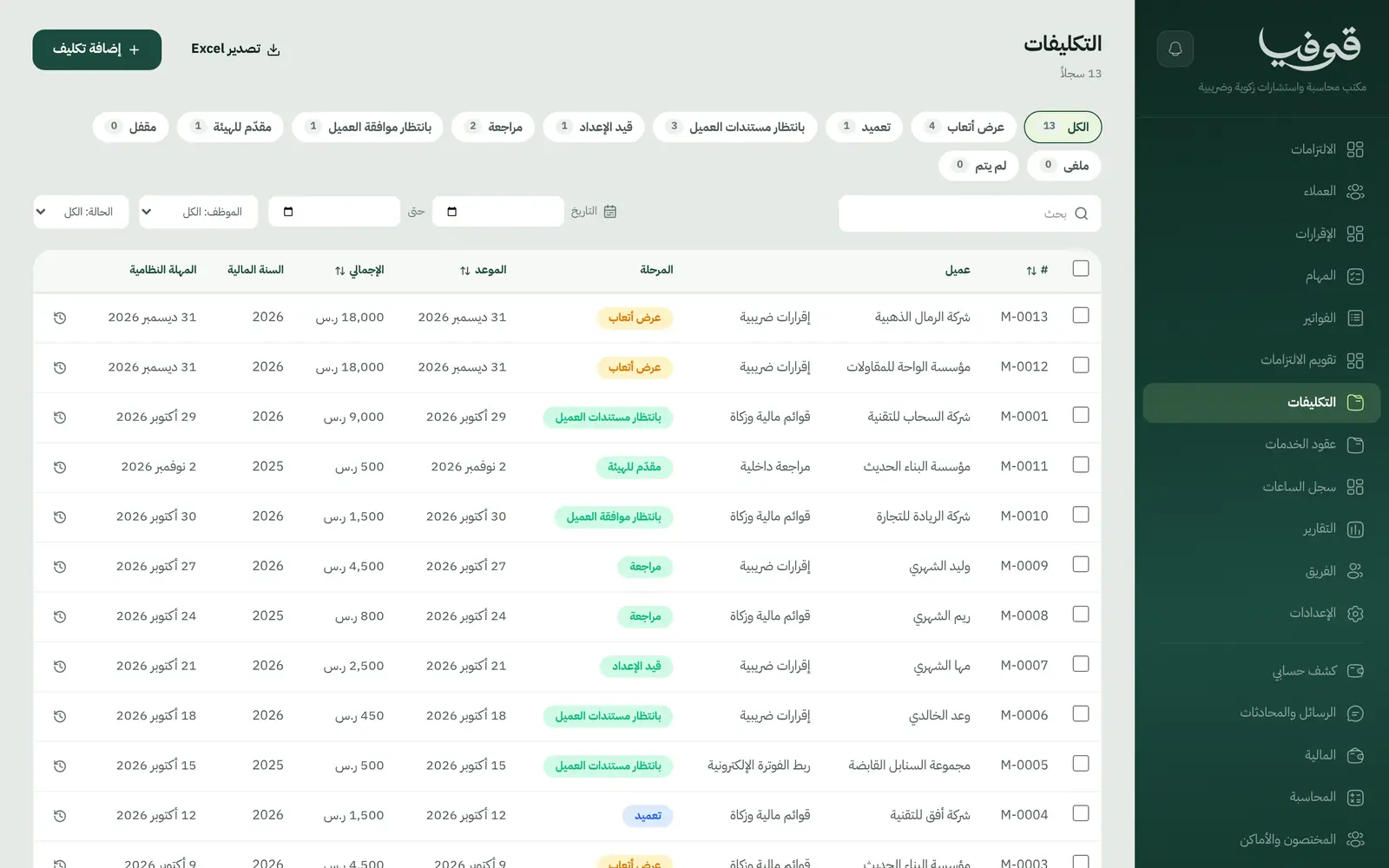
Retainer contracts with a monthly fee, term and covered services; the month's invoices go out in one press.
Two-payment engagements
One-off work like financial statements or an internal review bills on award and on submission.
Hours log
Accountants log time per client and engagement, so you know what each retainer really costs.
Files stay with their accountant
A client file is visible to its accountant, management and finance, and returns reports respect it.
Inside the system
How your day runs on Govia
Set up the client
Record the VAT number, filing cycle, fiscal year end and monthly retainer.
Returns appear on their own
Each period opens its return with its deadline, and you request missing documents over WhatsApp.
Prepare and review
The return moves through preparation, review and client approval; you file it on the authority's portal and mark it submitted.
Bill at month end
Retainer invoices go out in one press, and the engagement payment raises on submission.
Why Govia
Deadlines are computed
The calendar is built from the client's own data, so there is no sheet to maintain.
See who is holding you up
Awaiting client documents is a status and a home-screen figure, not a note in an inbox.
Fees get collected
Every invoice carries a payment link, and every client has a statement of account.
A tool for your firm
Govia runs your practice and client relationships; it does not replace the accounting system you keep their books in.
Arabic first, in your trade’s words
The whole system runs in Arabic, right to left, and names things the way your business does: client, patient, member or tenant.
Automatic WhatsApp messages
Booking confirmations, appointment reminders and verification codes reach your customers on WhatsApp without anyone typing them.
Local payments
Payment links with mada, Apple Pay and cards, plus instalments with Tabby and Tamara through Tap.
Tax invoices with QR
ZATCA-ready tax invoices with QR (generation phase), issued with every payment.
On Riyadh time
Appointments, reports and reminders run on Riyadh time and the Saudi working week, wherever the system is opened.
An assistant that answers and prepares
Ask it about your numbers and screens and it answers, then prepares the action for you to approve with one tap.
Questions before you start
Does it file returns with the authority for me?
No. You file on the authority's portal as usual; Govia tracks the deadline, status, documents and billing.
Does it need installing?
No. It runs in the browser on a computer or phone.
Are my firm's invoices ZATCA compliant?
Your firm's invoices to clients are ZATCA-ready electronic tax invoices with a QR code (generation phase).
Does it send WhatsApp reminders?
Yes. A document request listing what the file is missing, plus meeting confirmations and reminders.
Does it work for more than one branch?
Yes. Each branch has its own account with its own team and data, and we link your branches into one group you switch between from the same login — contact us to set it up.
How long is the trial?
A free trial starts from the sign-up page; choose your plan afterwards on the pricing page.
Related businesses
Try Govia on your business
Book a demo and we will show you Govia on your business, and set it up with you when it launches.