Counselling practice software that keeps notes private and sessions on track
A case file and treatment plan for every client, session notes only their author and management can read, scores that track progress, and sessions booked, reminded and billed singly or as packages.
Coming soon — We are building this business's own tools now, and we do not want to hand you a dashboard that does not fit. Book a demo and we will set it up with you.
What wears an owner down every day
Session notes anyone can open
Client notes live in folders any staff member can read, and you cannot tell who opened what.
Packages counted on paper
A client bought four sessions and, after two cancellations, nobody is sure how many are left.
Appointments lost without a reminder
A client forgets, and the counsellor waits a full hour with no session.
What Govia gives you
Confidential notes
A session note is readable by its author and management only, and every opening is logged with who and when.
Case file and plan
From request and assessment to a treatment plan with a session count, then spaced follow-up, closure or referral to a psychiatrist.
Screening scales
PHQ-9 and GAD-7 scores with severity bands on the plan, repeated to show change across sessions.
Couples counselling
The partner is added to the same case, so both people's sessions live in one file.
File code instead of a name
Lists can show a file code in place of the client's name to protect their privacy.
Online session booking
Clients book from your public page, confirm with a WhatsApp code and get a reminder the day before.
Per session or package
Bill each session or a package, with the remaining sessions shown on the client's file.
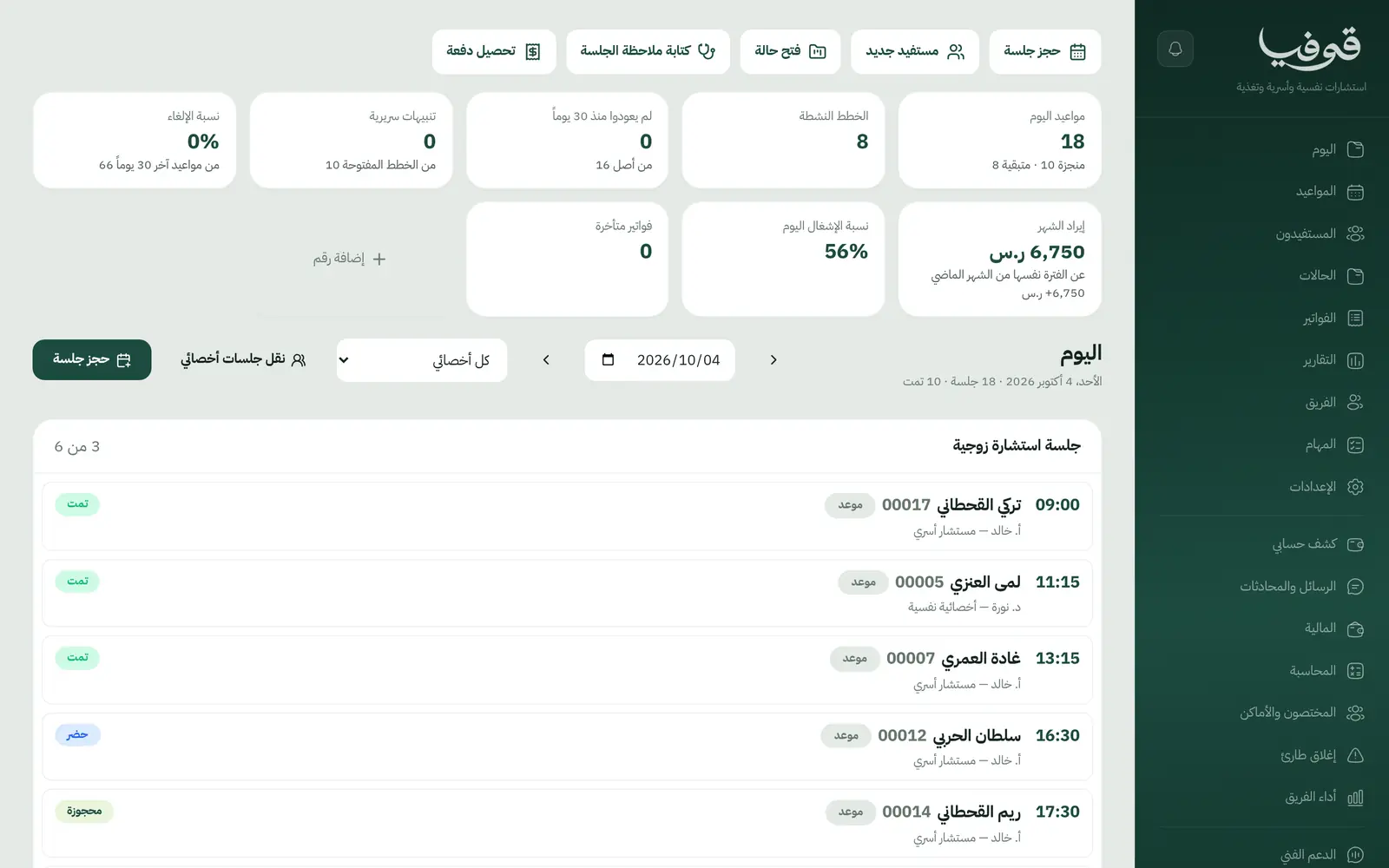
Inside the system
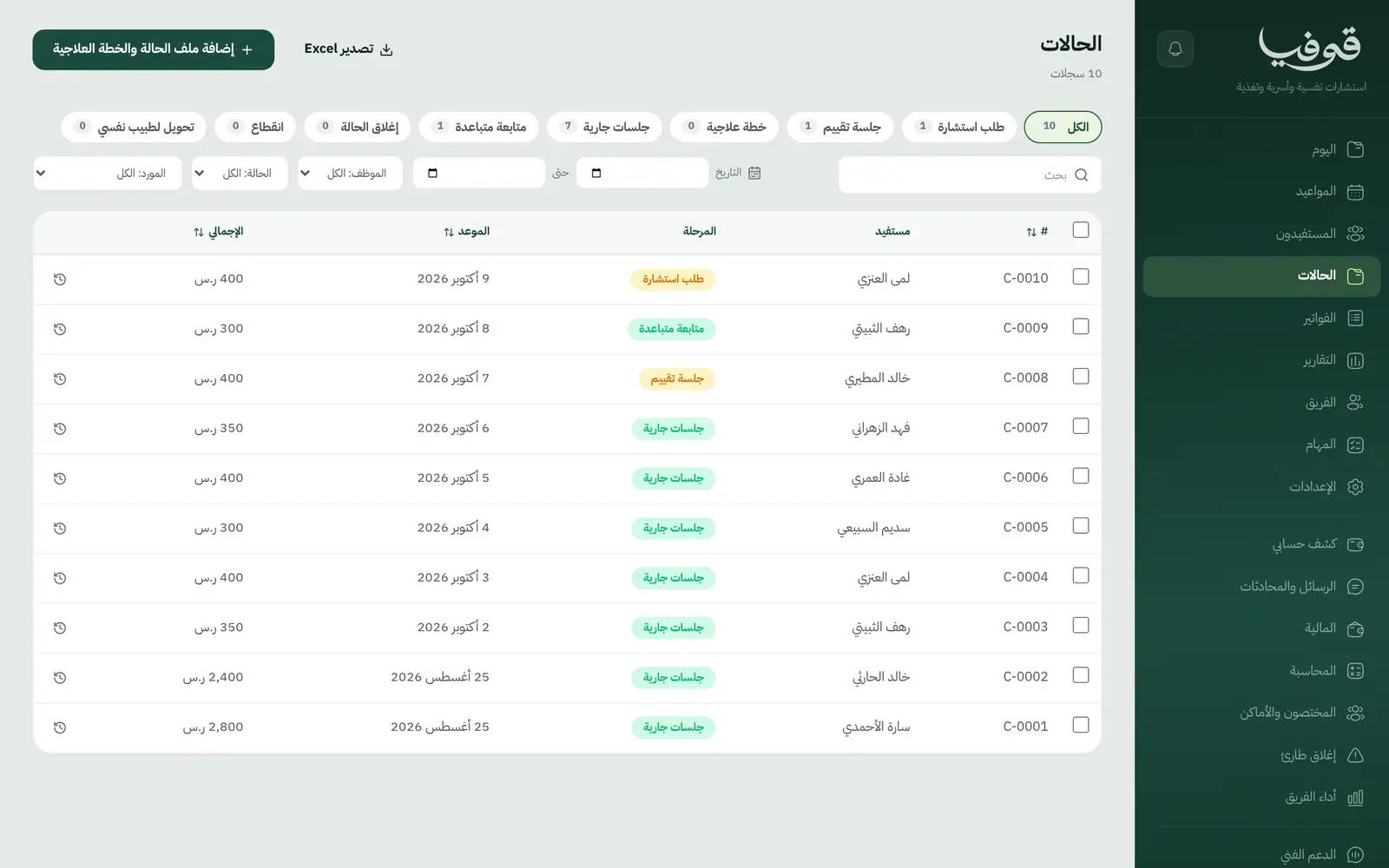
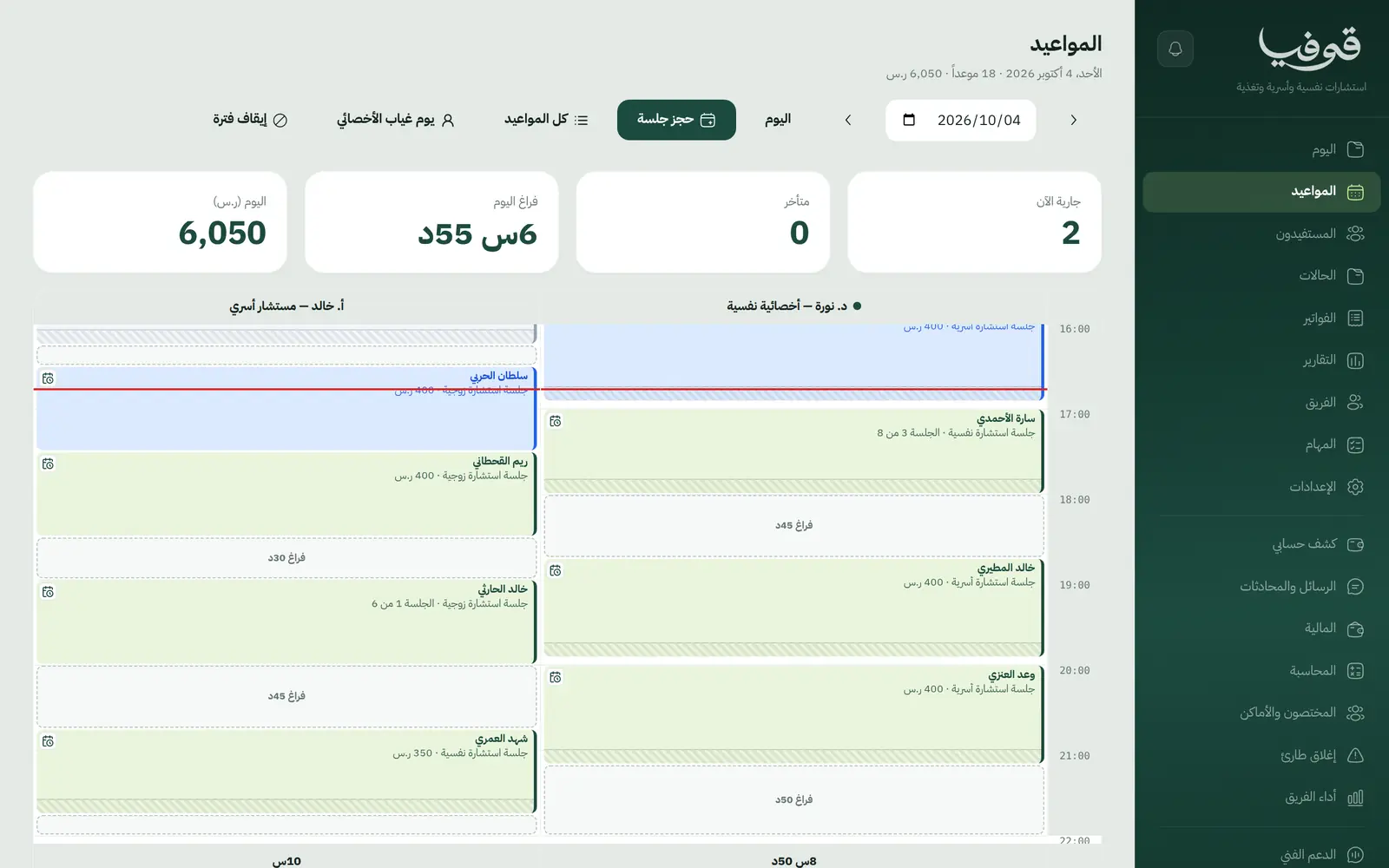
How your day runs on Govia
Request and assessment
The client books from your link and a case opens with an assessment session.
The plan
Set the treatment plan, its number of sessions and the counsellor, and record the first scores.
Sessions
After each session you write a confidential note and repeat the scales to follow progress.
Follow-up and closure
Spaced follow-up, then close or refer the case, with every invoice on its file.
Why Govia
Privacy built into the system
Who can read notes is fixed and every opening is logged. It is a rule, not a promise.
See the work's effect
Scores on the plan show change in numbers across sessions.
Fewer missed sessions
A WhatsApp code confirms each booking and a reminder goes the day before.
Your field's language
Clients, cases, treatment plans and counsellors: the words your practice uses.
Arabic first, in your trade’s words
The whole system runs in Arabic, right to left, and names things the way your business does: client, patient, member or tenant.
Automatic WhatsApp messages
Booking confirmations, appointment reminders and verification codes reach your customers on WhatsApp without anyone typing them.
Local payments
Payment links with mada, Apple Pay and cards, plus instalments with Tabby and Tamara through Tap.
Tax invoices with QR
ZATCA-ready tax invoices with QR (generation phase), issued with every payment.
On Riyadh time
Appointments, reports and reminders run on Riyadh time and the Saudi working week, wherever the system is opened.
An assistant that answers and prepares
Ask it about your numbers and screens and it answers, then prepares the action for you to approve with one tap.
Questions before you start
Who can read session notes?
Only the note's author and management, and every opening of a confidential note is logged with the reader's name.
Does it need installing?
No. It runs in the browser on a computer, tablet or phone.
Does it send WhatsApp reminders?
Yes. Booking confirmations, day-before reminders and a message when a session is moved or cancelled.
Can clients pay with mada and Apple Pay?
Yes. With the payment gateway on, clients pay from the invoice link by mada, Apple Pay or card.
Are the invoices ZATCA compliant?
Govia issues ZATCA-ready electronic tax invoices with a QR code (generation phase).
How long is the trial?
A free trial starts from the sign-up page; choose your plan afterwards on the pricing page.
Related businesses
Try Govia on your business
Book a demo and we will show you Govia on your business, and set it up with you when it launches.