Serviced office and meeting room management software
Offices sit on the centre's map with their leases, rooms are booked by the hour from your link and confirmed with a WhatsApp code, companies get their monthly invoice, and reception logs mail, calls and visitors.
Coming soon — We are building this business's own tools now, and we do not want to hand you a dashboard that does not fit. Book a demo and we will set it up with you.
What wears an owner down every day
A room booked twice
One booking by phone, another on WhatsApp for the same hour, and both clients at reception together.
Late payments from companies
Office rent lives in a spreadsheet, and you only find who is late after a manual check.
Lost messages for clients
A call for a virtual-office client or a parcel that arrived, written on a slip at reception.
What Govia gives you
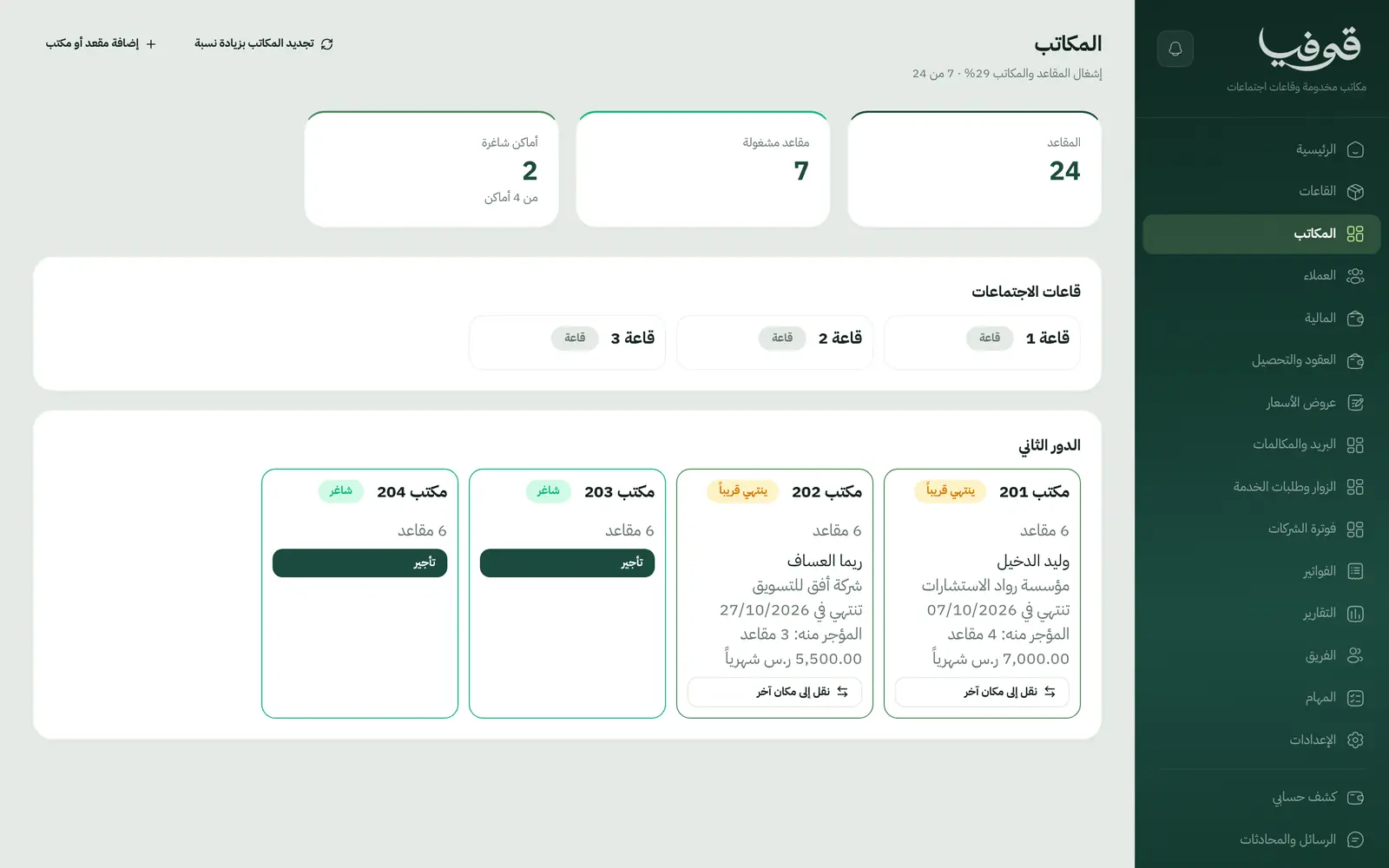
Offices on the map
The centre's offices with their seats and leases, never let twice over the same dates.
Rooms by the hour
Meeting and training rooms by the hour or half day, booked from your public page and confirmed with a WhatsApp code.
Company billing
A monthly invoice per company for its offices and staff, with a payment link.
Contracts and collections
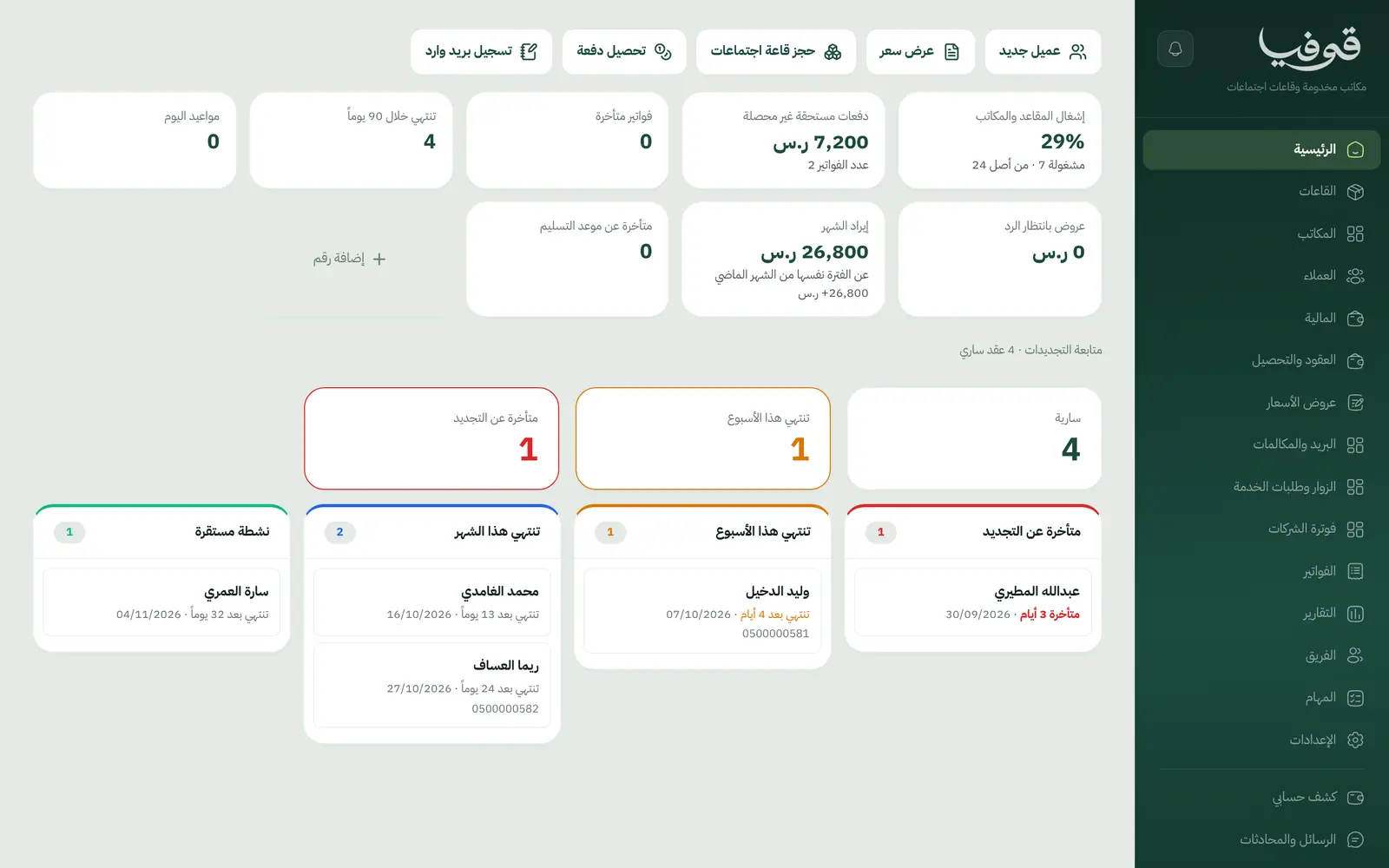
Upcoming and overdue payments per client, and contracts ending within 90 days.
Quotes
A quote for an office or a service request, accepted with a code sent to the client's phone.
Mail and calls
Incoming mail and calls on the client's file, suited to virtual-office clients.
Visitors and service requests
A visitor log and service requests on each client's file.
Inside the system
How your day runs on Govia
Quote and lease
Send the quote as a link, the client accepts with a code, and the office is held on the map.
Meeting rooms
Clients and visitors book rooms by the hour from your page, with a reminder before.
Reception
Mail, calls and visitors are logged on the client's file.
Billing and collection
The company's monthly invoice with a payment link, and anything overdue on the collections screen.
Why Govia
Rooms without clashes
Every booking sits on the room's own calendar, so an hour is never sold twice.
Clearer collections
Overdue payments and invoices on the home screen.
Virtual office service
Mail and calls on the client's file instead of paper slips.
Room revenue online
Your public page sells room hours to people who are not tenants too.
Arabic first, in your trade’s words
The whole system runs in Arabic, right to left, and names things the way your business does: client, patient, member or tenant.
Automatic WhatsApp messages
Booking confirmations, appointment reminders and verification codes reach your customers on WhatsApp without anyone typing them.
Local payments
Payment links with mada, Apple Pay and cards, plus instalments with Tabby and Tamara through Tap.
Tax invoices with QR
ZATCA-ready tax invoices with QR (generation phase), issued with every payment.
On Riyadh time
Appointments, reports and reminders run on Riyadh time and the Saudi working week, wherever the system is opened.
An assistant that answers and prepares
Ask it about your numbers and screens and it answers, then prepares the action for you to approve with one tap.
Questions before you start
Does it need installing?
No. It runs in the browser on a computer or tablet at reception.
Can clients book rooms online?
Yes. From your public page by the hour or half day, confirmed with a WhatsApp code and followed by a reminder.
Does it send WhatsApp reminders?
Yes. Room booking confirmations, a reminder the day before and a message when a booking changes or is cancelled.
Are the invoices ZATCA compliant?
Govia issues ZATCA-ready electronic tax invoices with a QR code (generation phase).
Can clients pay with mada and Apple Pay?
Yes. With the payment gateway on, invoices are paid from their link by mada, Apple Pay or card.
How long is the trial?
A free trial starts from the sign-up page; choose your plan afterwards on the pricing page.
Related businesses
Try Govia on your business
Book a demo and we will show you Govia on your business, and set it up with you when it launches.