Mobile car wash software from the car's pin to the after photo
Clients mark where the car is parked and see their district fee, team and van are held together, an «on the way» message goes out, arrival is checked at the pin, and before-and-after photos land on the car's file.
Coming soon — We are building this business's own tools now, and we do not want to hand you a dashboard that does not fit. Book a demo and we will set it up with you.
What wears an owner down every day
Locations in WhatsApp
Pins buried in chats, a team that does not know the car's colour or plate, and a phone call before every wash.
The team arrives and nobody is there
The team is on site and the client does not answer: does the subscription wash count, and who tells him?
Monthly plans with no follow-up
A weekly wash for every subscriber, arranged by hand, and nobody knows exactly how much of a plan is left.
What Govia gives you
Where is the car?
Online booking takes the car's map pin and plate, and saves the places for next time.
Service area and district fees
A travel fee per district shown before confirming, and districts outside your area arrive as requests to accept or decline.
Team and van together
Every order holds the team and the van at the same time, so one van is never sent to two places.
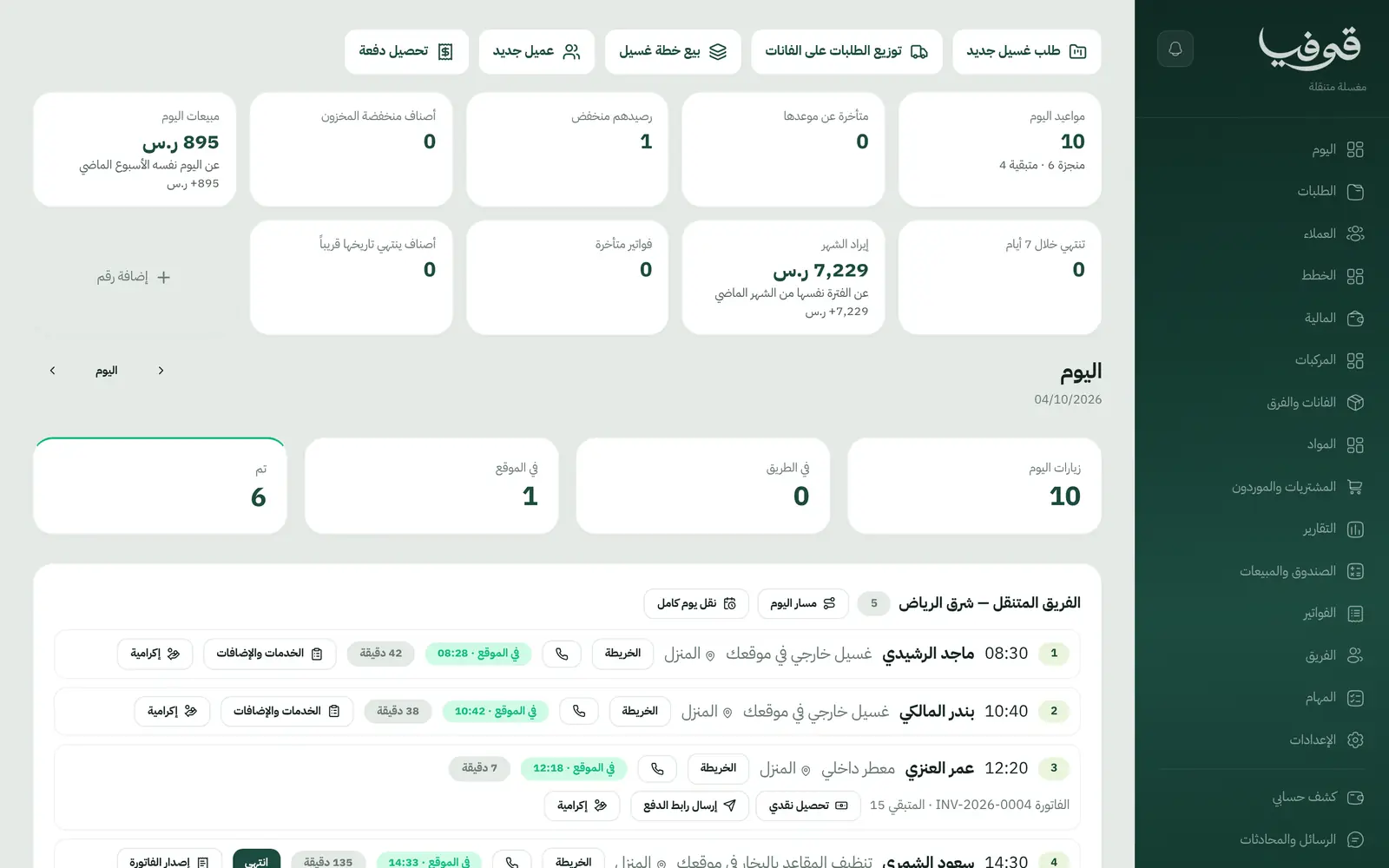
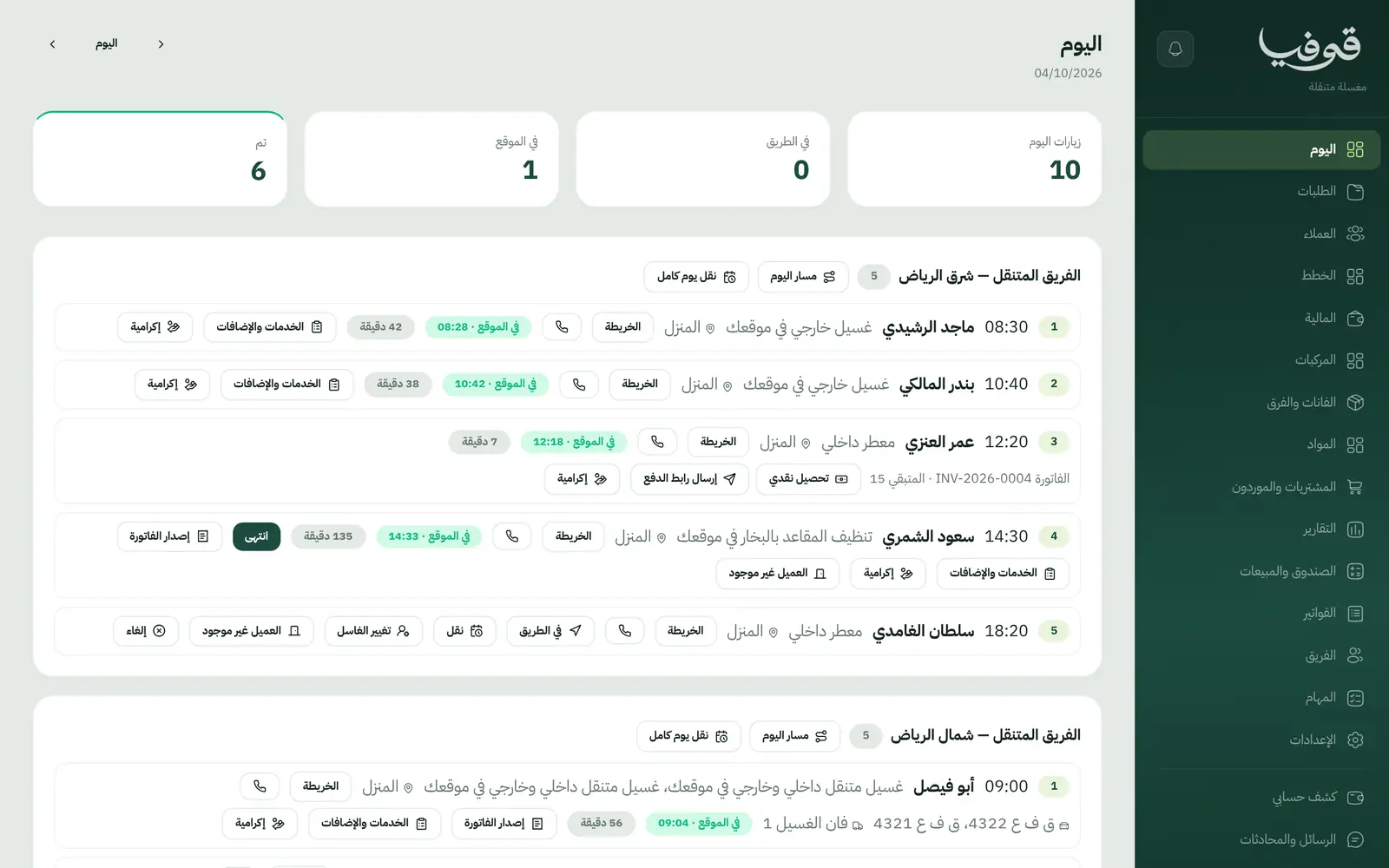
The day board
Move an order, change the washer, mark nobody home, cancel, move a team's whole day, and open the day's route on the map.
«On the way»
A message with the expected arrival time when the team sets off, and arrival checked against the car's pin.
Several cars in one order
A line per car with its plate on the same visit, so each car is charged and photographed separately.
Before and after photos
The team photographs the car before and after the wash, and the photos are kept on its file.
Weekly wash plans
Plan visits are created every week and each wash is drawn from the plan; a plan ended early refunds unused washes pro rata.
Inside the system
How your day runs on Govia
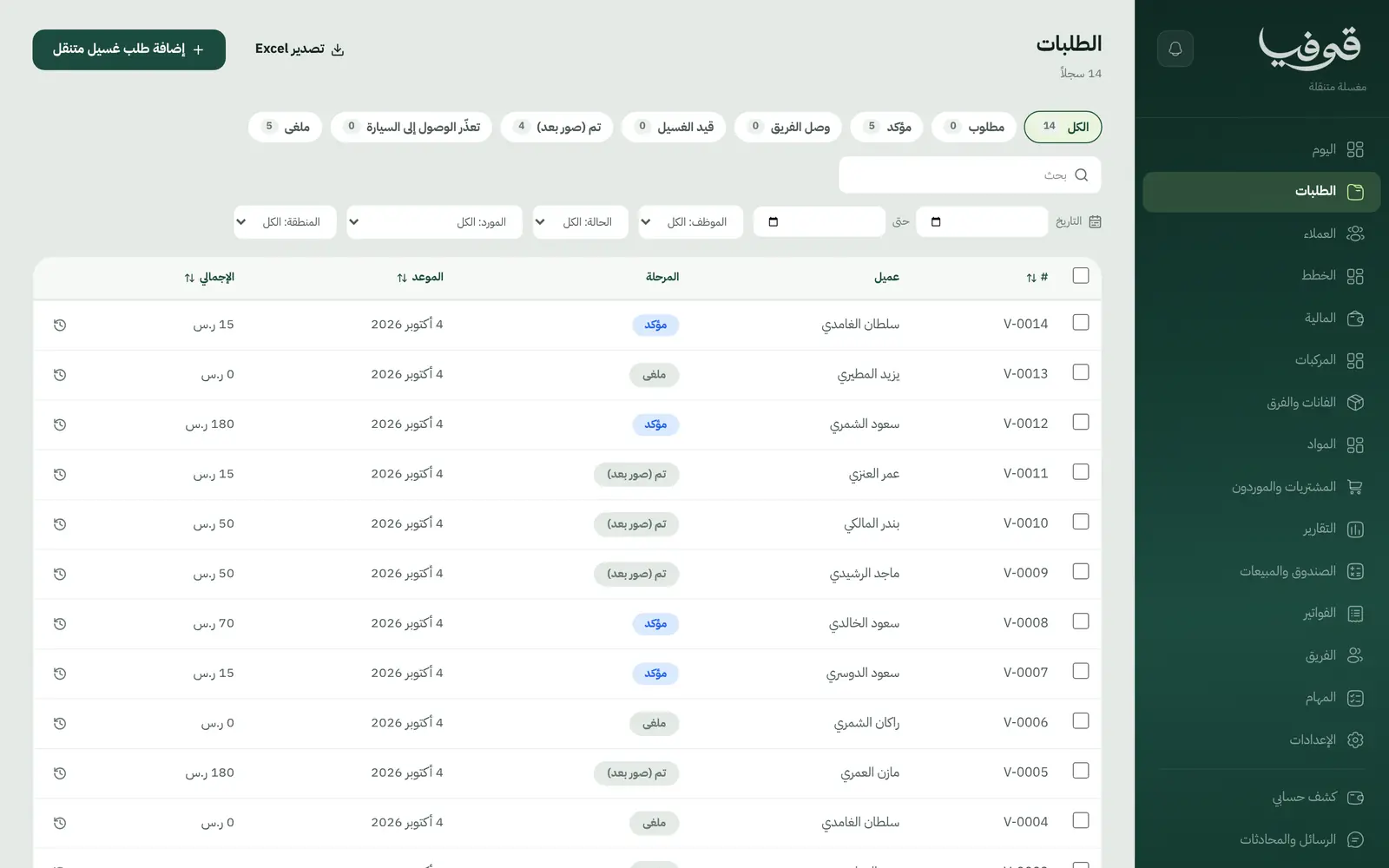
The client orders a wash at his door
He marks the car's location and plate, sees his district fee and pays any deposit, or the visit comes from his weekly plan.
Orders go to the teams
A day board per team and van to move and reassign from, with the day's route on the map.
On the way, then the team arrives
An «on the way» message, arrival at the pin, before and after photos. If nobody is there, it counts under your policy and the client is told.
The order closes and is paid
The bill at the door with the tip: cash into the technician's custody, the rest by pay link, a ZATCA invoice, and the plan balance updated.
Why Govia
Built for mobile washes
Orders, teams, vans, car locations and wash plans: a mobile wash's words and screens.
A ready menu on day one
Exterior and full washes at the client's location, steam seat cleaning, add-ons and a monthly wash plan, all starting points to edit.
A clear nobody-home rule
If the team arrives and finds nobody, the plan wash counts as used by default, and you can change that in settings.
A client portal
Clients see their next visit and «في الطريق إليكم» with the arrival time on the day, plus their plan balance and invoices.
Arabic first, in your trade’s words
The whole system runs in Arabic, right to left, and names things the way your business does: client, patient, member or tenant.
Automatic WhatsApp messages
Booking confirmations, appointment reminders and verification codes reach your customers on WhatsApp without anyone typing them.
Local payments
Payment links with mada, Apple Pay and cards, plus instalments with Tabby and Tamara through Tap.
Tax invoices with QR
ZATCA-ready tax invoices with QR (generation phase), issued with every payment.
On Riyadh time
Appointments, reports and reminders run on Riyadh time and the Saudi working week, wherever the system is opened.
An assistant that answers and prepares
Ask it about your numbers and screens and it answers, then prepares the action for you to approve with one tap.
Questions before you start
Do I need to install anything?
No. It runs in the browser on a phone, an iPad or a computer. The supervisor plans the day, and the team presses «on the way» and «arrived» and takes photos on the phone.
Does the booking take the car's location and plate?
Yes. The «Where is the car?» step takes the map pin and the plate, and the district fee shows before confirming.
What if the client is not there?
The team marks nobody home; the plan wash counts as used under your policy, and the client and supervisor are told.
Do you support mada and Apple Pay?
Yes. Deposits, invoices and plans are paid through a secure link with mada, cards and Apple Pay depending on what the payment gateway enables; with Tap, Tabby and Tamara are available too. At the door: cash or a pay link.
Does it send WhatsApp reminders?
Yes: the order confirmation, a reminder the day before, and «on the way» with the arrival time when the team sets off.
Are the invoices ZATCA-compliant?
Every order and every plan gets a ZATCA-ready tax invoice with QR (generation phase).
Related businesses
Try Govia on your business
Book a demo and we will show you Govia on your business, and set it up with you when it launches.