Entertainment venue ticketing software that runs your slots and gate
Visitors book tickets for a set slot from your page, sign the safety waiver, and are scanned at the gate. Parties and school groups get their own invoices, with no side spreadsheets.
Coming soon — We are building this business's own tools now, and we do not want to hand you a dashboard that does not fit. Book a demo and we will set it up with you.
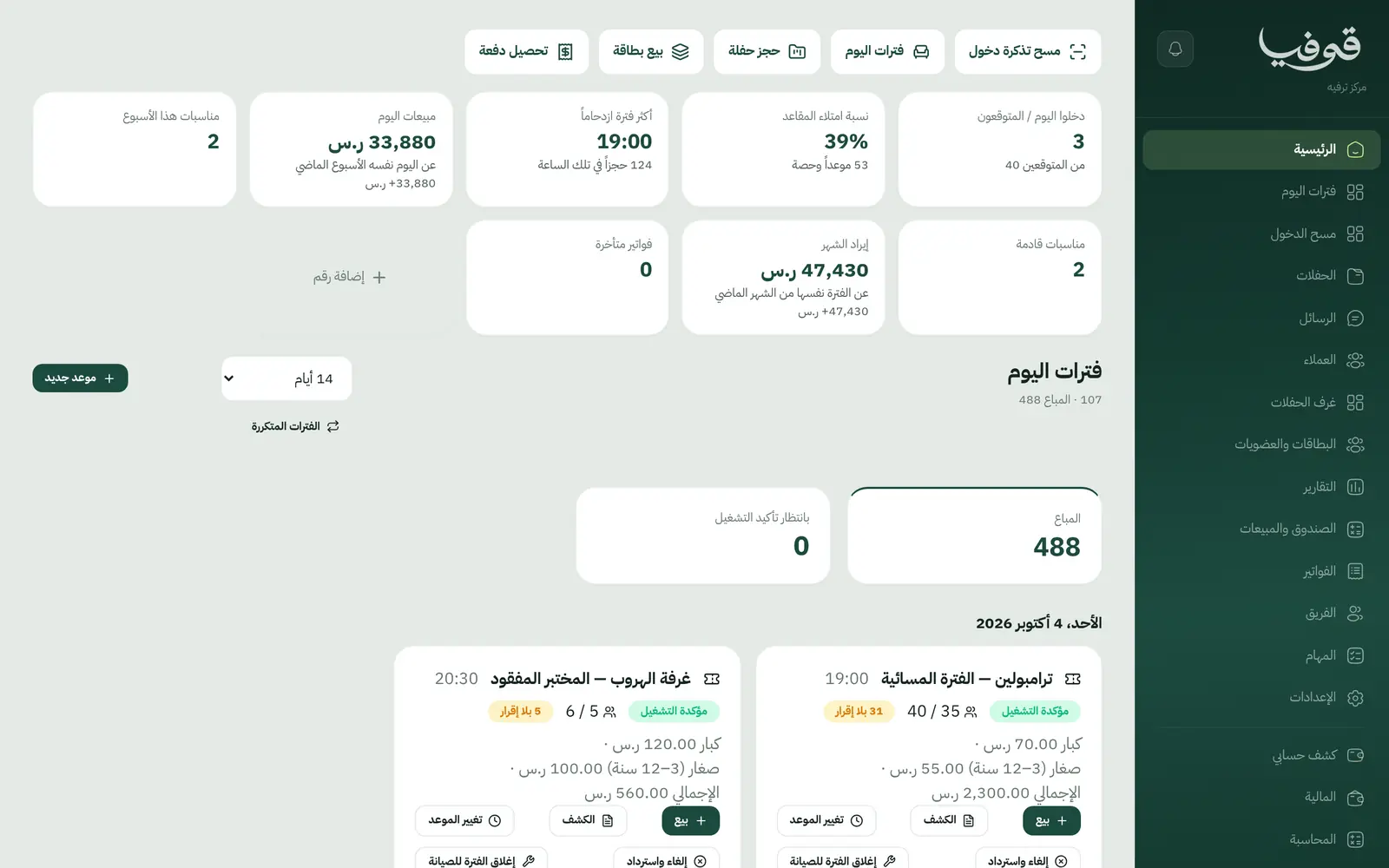
What wears an owner down every day
A crush at the door
Everyone arrives at once, the cashier sells past capacity, and the hall fills beyond what it can hold.
Paper waivers
Safety waivers on paper go missing, and you can’t tell who came in without signing.
Schools and parties off the books
A school trip invoiced in its name and a birthday party on a deposit, all in a separate notebook with handwritten invoices.
What Govia gives you
Today’s slots
Each experience has slots with seats and a price per category (adults and juniors), and recurring slots are added eight weeks ahead, never on a closed day.
A QR ticket per visitor
Visitors book on your page and confirm their phone with a WhatsApp code; each gets a ticket, and the last one in a slot is never sold twice.
Safety waivers
A waiver signed in the visitor’s name and tied to the ticket, and a ticket without one does not pass the gate.
Gate scan
The gate refuses, by name, an unpaid ticket, the wrong day, a missing waiver or a used ticket, and admits everyone else once.
School groups
One invoice to the school in its name with its VAT number, and adding tickets to the group raises a separate invoice for the difference.
Parties and party rooms
A party holds a party room for its slot on a deposit, and changing the guest count is previewed before you confirm, under your cancellation policy.
Close a slot for maintenance
Close the slot, see the moves and refunds in plain words before anything happens, and each visitor is told once.
Inside the system
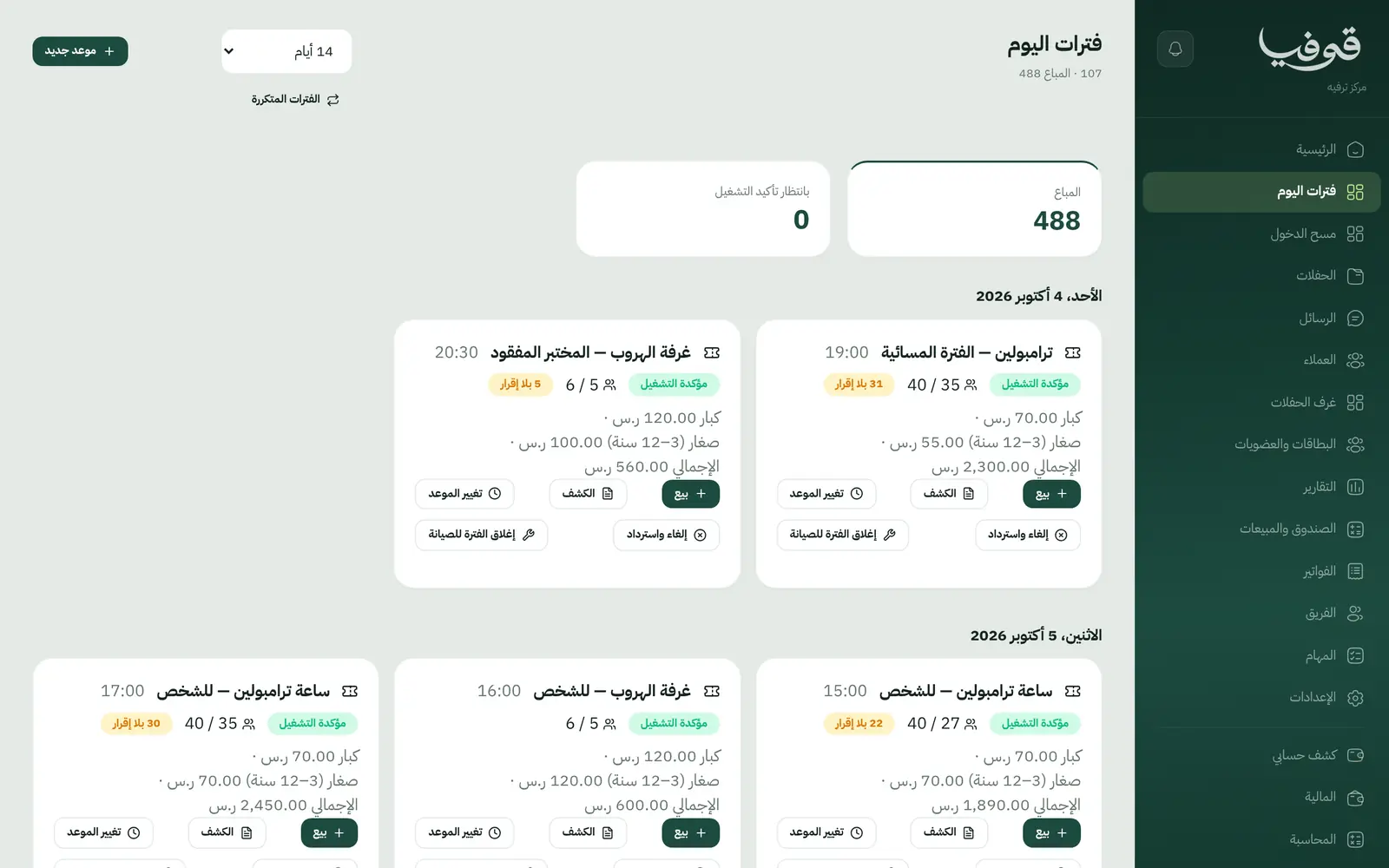
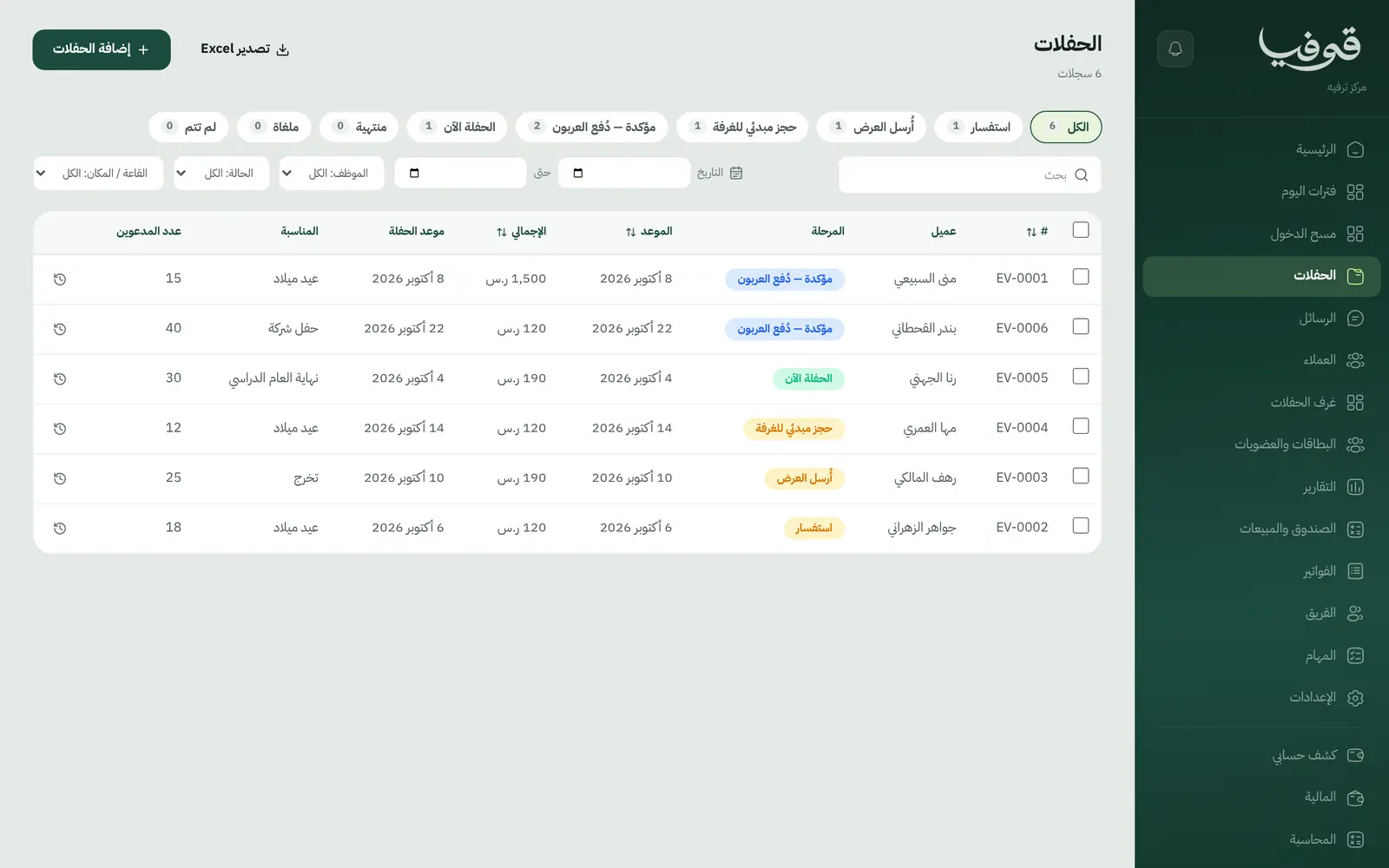
How your day runs on Govia
Booking
The visitor picks the experience, slot and number of tickets on your page and gets a confirmation with the tickets.
Before arrival
Each visitor signs the safety waiver and gets a reminder the day before.
At the gate
Staff scan tickets on their phone, and the dashboard shows who has arrived out of those expected.
Parties and groups
The party room is held with its deposit, and the school gets one invoice in its name.
Why Govia
Capacity respected
Every slot has its seat count, so the hall never overfills and no extra ticket is sold.
A strict but polite gate
Every refusal comes with a clear reason staff can read to the visitor, and no ticket works twice.
Maintenance without mayhem
Closing a slot shows who will be moved and who refunded before anything changes.
Know your busiest hours
The dashboard shows seat fill, the busiest slot and today’s sales.
Arabic first, in your trade’s words
The whole system runs in Arabic, right to left, and names things the way your business does: client, patient, member or tenant.
Automatic WhatsApp messages
Booking confirmations, appointment reminders and verification codes reach your customers on WhatsApp without anyone typing them.
Local payments
Payment links with mada, Apple Pay and cards, plus instalments with Tabby and Tamara through Tap.
Tax invoices with QR
ZATCA-ready tax invoices with QR (generation phase), issued with every payment.
On Riyadh time
Appointments, reports and reminders run on Riyadh time and the Saudi working week, wherever the system is opened.
An assistant that answers and prepares
Ask it about your numbers and screens and it answers, then prepares the action for you to approve with one tap.
Questions before you start
Can visitors book tickets online?
Yes. Your slots appear on your public page with seats left and a price per category; visitors choose, confirm their phone with a WhatsApp code and receive their tickets.
Do I need special scanning hardware?
No. The gate-scan screen works on a staff phone or tablet and reads the QR code on the ticket.
Does it send WhatsApp reminders?
Yes, automatic WhatsApp messages: the booking confirmation, a reminder the day before, and one notice if the date or headcount changes or it is cancelled, with what is refunded.
Do you support mada and Apple Pay?
Yes. Once online payments are switched on in settings, customers pay deposits and invoices with mada, Visa, Mastercard or Apple Pay, and Tabby and Tamara are available through the Tap gateway.
Are the invoices ZATCA-compliant?
Yes. Govia issues ZATCA-ready tax invoices with QR (generation phase), and every reduction or refund goes out as a credit note rather than an edit to the invoice.
How long is the trial?
You start with a free trial from the sign-up page. Pick your business type and its screens and words are ready; the current trial length is shown on the pricing page.
Related businesses
Try Govia on your business
Book a demo and we will show you Govia on your business, and set it up with you when it launches.