Wedding planner software from first meeting to the album
Bring every service together with its vendor and cost, raise payments on dates counted from the wedding, get designs approved by link, and change the total only with a code from the client.
Coming soon — We are building this business's own tools now, and we do not want to hand you a dashboard that does not fit. Book a demo and we will set it up with you.
What wears an owner down every day
Vendors live in your phone
Photographer, kosha and printer, each in a separate chat, and no idea what you paid each one or what the wedding made.
The bride changes her mind
A line added or a quantity changed after signing with nothing on record, then an argument about the total days before the wedding.
A vendor drops out a week before
You hunt for a replacement and forget the first vendor still holds an advance that was never recovered.
What Govia gives you
Events
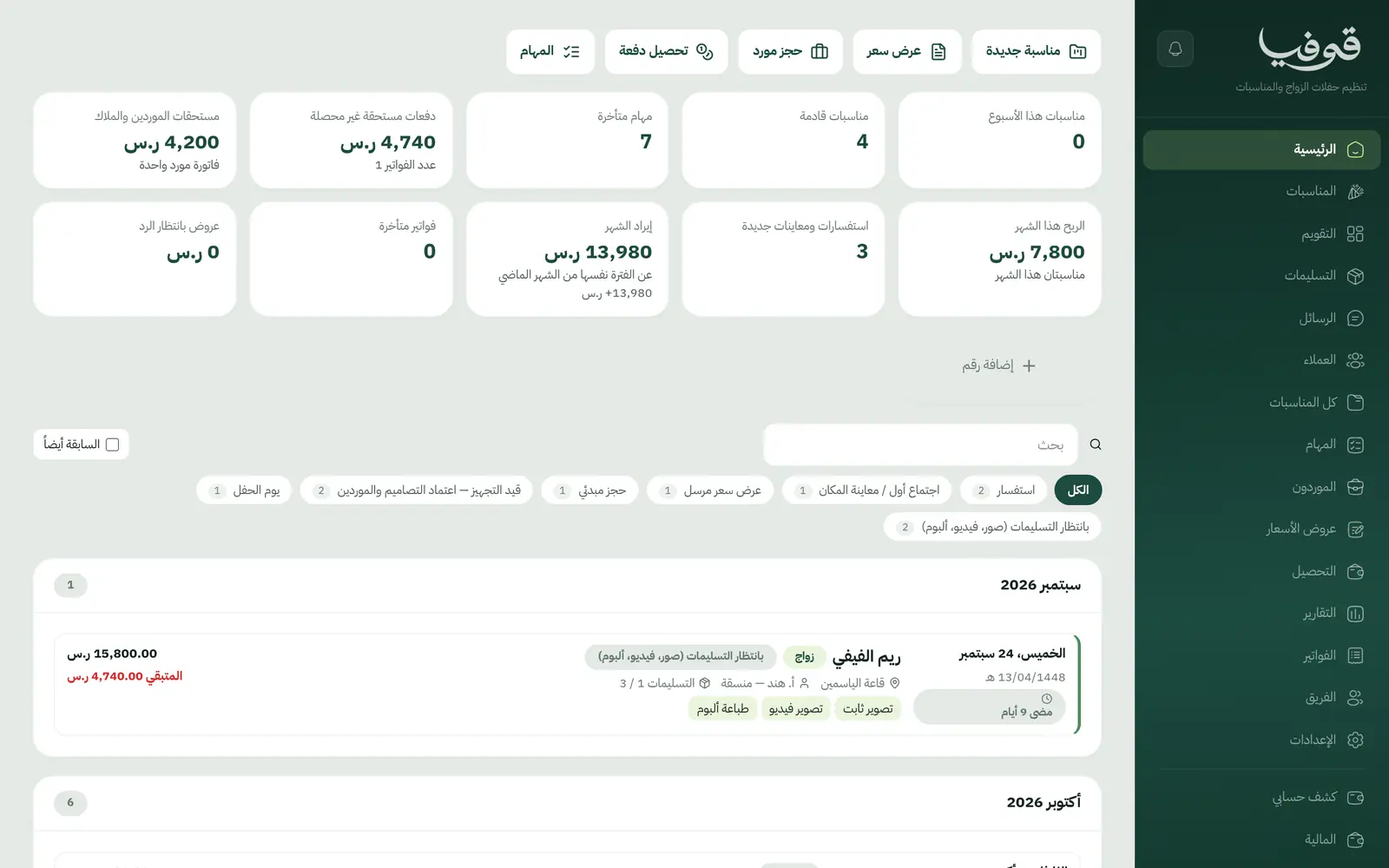
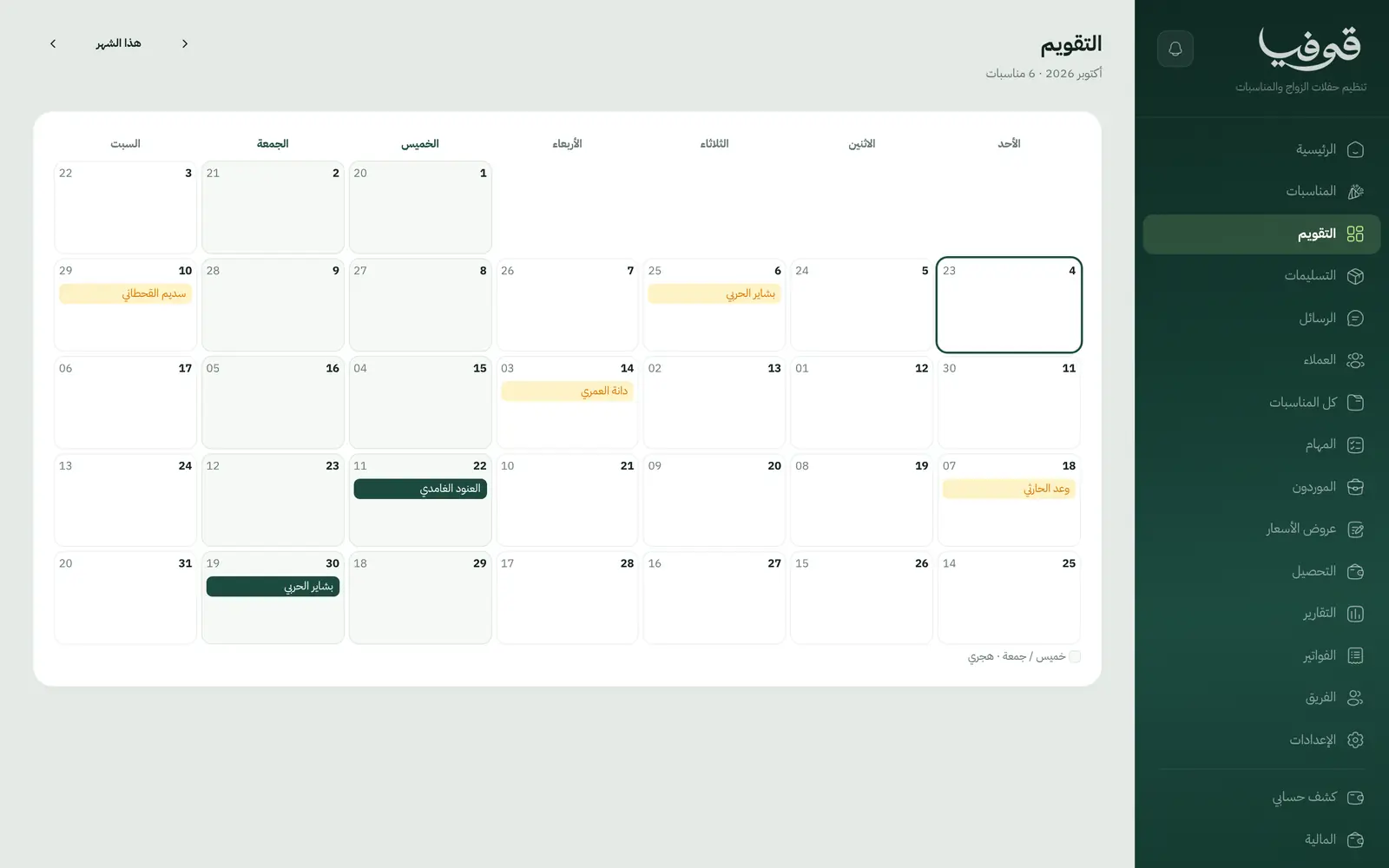
Each wedding has its date in Hijri and Gregorian, the days remaining and the stage it has reached.
Services and vendors
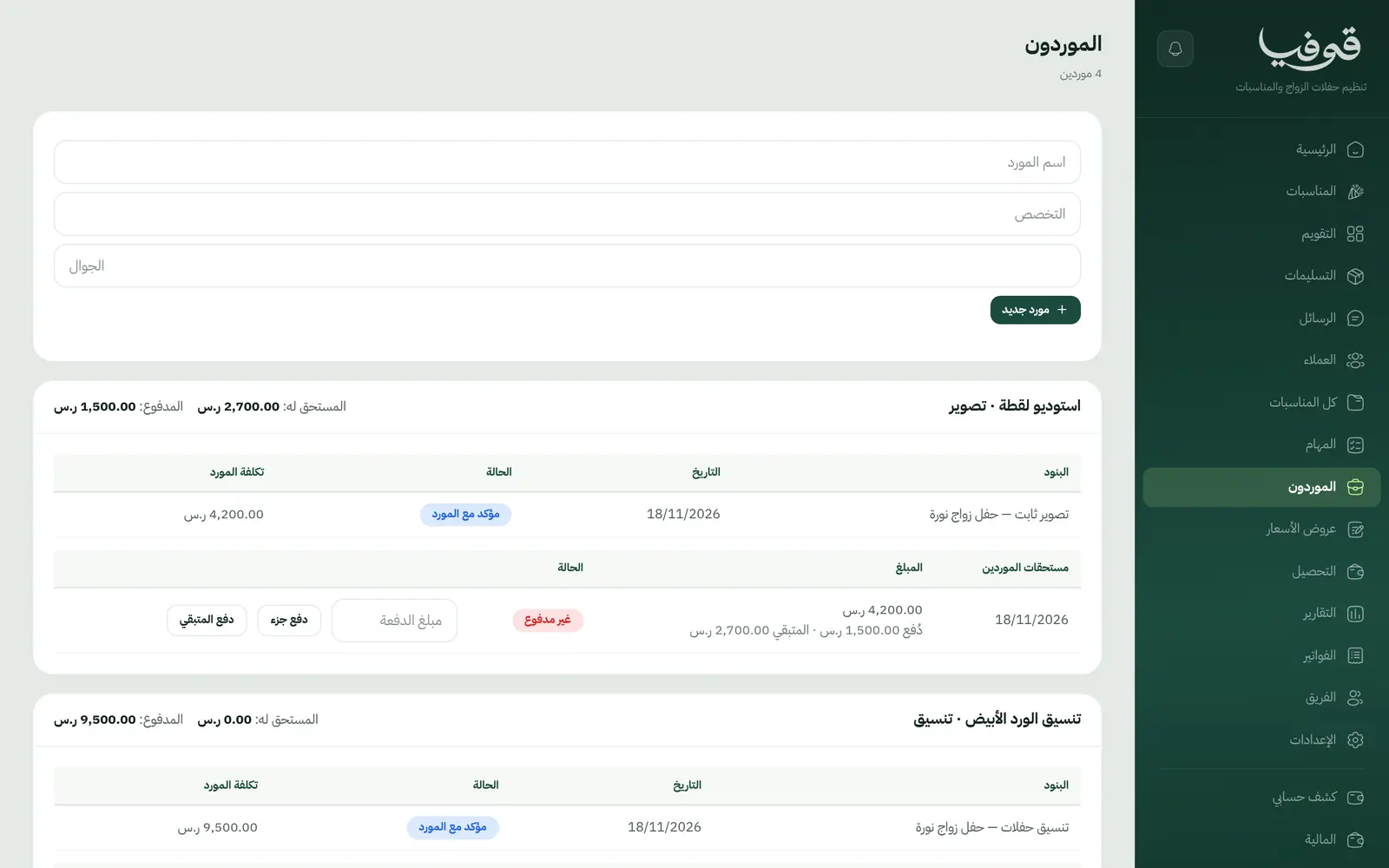
Photography, video, album printing, styling: each line has its vendor, cost and status, and the margin comes from the difference.
Staged payments
A deposit on signing, a payment when designs are approved, and the last a few days before the wedding; any payment can be edited before it is invoiced.
Approvals by link
The kosha, invitation card and designs go out as a link where the client approves or asks for changes.
Change orders by client code
Change a quantity or price or add a line, and neither the total nor the payments move until you enter the code the client got on WhatsApp.
Vendor swap
The dropped vendor’s bill is cancelled and the replacement recorded, the client’s contract value stays the same, and any advance stays owed back.
Deliverables
Album, video and photos with their due dates and status, with late ones flagged.
Inquiry form on your page
The services a client ticks on your inquiry form arrive as draft lines on the event.
Inside the system
How your day runs on Govia
Inquiry and meeting
The client picks services on your page, you meet, and the quote is built from what she chose.
Quote accepted
Acceptance confirms the event and raises the deposit invoice, with tasks and deliverables dated from the wedding.
Preparation
Designs are approved by link, the next payment is raised, and vendors are tracked under «الموردون».
After the wedding
Album and video are followed to delivery, and the event closes with its real margin.
Why Govia
Your margin on every wedding
Each vendor’s cost beside the client’s price, so you know what the wedding makes before the night.
No arguments about the total
Every change is approved by the client’s code, and the new total reaches her in one message.
A vendor dropping out won’t sink you
The replacement is recorded, and what the first vendor was paid stays visible until it is recovered or written off with a reason.
The contract as signed
The client signs with a WhatsApp code, any later change is a separate addendum, and the original is kept.
Arabic first, in your trade’s words
The whole system runs in Arabic, right to left, and names things the way your business does: client, patient, member or tenant.
Automatic WhatsApp messages
Booking confirmations, appointment reminders and verification codes reach your customers on WhatsApp without anyone typing them.
Local payments
Payment links with mada, Apple Pay and cards, plus instalments with Tabby and Tamara through Tap.
Tax invoices with QR
ZATCA-ready tax invoices with QR (generation phase), issued with every payment.
On Riyadh time
Appointments, reports and reminders run on Riyadh time and the Saudi working week, wherever the system is opened.
An assistant that answers and prepares
Ask it about your numbers and screens and it answers, then prepares the action for you to approve with one tap.
Questions before you start
How do I track vendors and what I’ve paid them?
«الموردون» lists every vendor with their lines and what you owe; record a full or part payment from there, and each payment is its own expense in finance.
What if the bride changes things after signing?
Create a change order and send it with a code; neither the total nor the upcoming payments change until you enter her code, and then she receives the total, paid and remaining.
Does it send WhatsApp reminders?
Yes, automatic WhatsApp messages: the booking confirmation, a reminder the day before, and one notice if the date or headcount changes or it is cancelled, with what is refunded.
Do you support mada and Apple Pay?
Yes. Once online payments are switched on in settings, customers pay deposits and invoices with mada, Visa, Mastercard or Apple Pay, and Tabby and Tamara are available through the Tap gateway.
Are the invoices ZATCA-compliant?
Yes. Govia issues ZATCA-ready tax invoices with QR (generation phase), and every reduction or refund goes out as a credit note rather than an edit to the invoice.
How long is the trial?
You start with a free trial from the sign-up page. Pick your business type and its screens and words are ready; the current trial length is shown on the pricing page.
Related businesses
Try Govia on your business
Book a demo and we will show you Govia on your business, and set it up with you when it launches.