Event hall software that never sells the same night twice
A calendar of halls and sections by night and shift, weekend and season pricing, a deposit that secures the date, a damage deposit settled at handover, and postponement that moves everything with it.
Coming soon — We are building this business's own tools now, and we do not want to hand you a dashboard that does not fit. Book a demo and we will set it up with you.
What wears an owner down every day
One night, two bookings
A tentative booking in the manager’s diary and another with the accountant, and the main hall sold while one section is taken.
Holds that never expire
A family holds a date and never pays, and the night sits blocked for weeks while you turn others away.
Postponing upends everything
Moving the date means re-doing payments, crew and the contract by hand, and the guest count keeps changing until the last week.
What Govia gives you
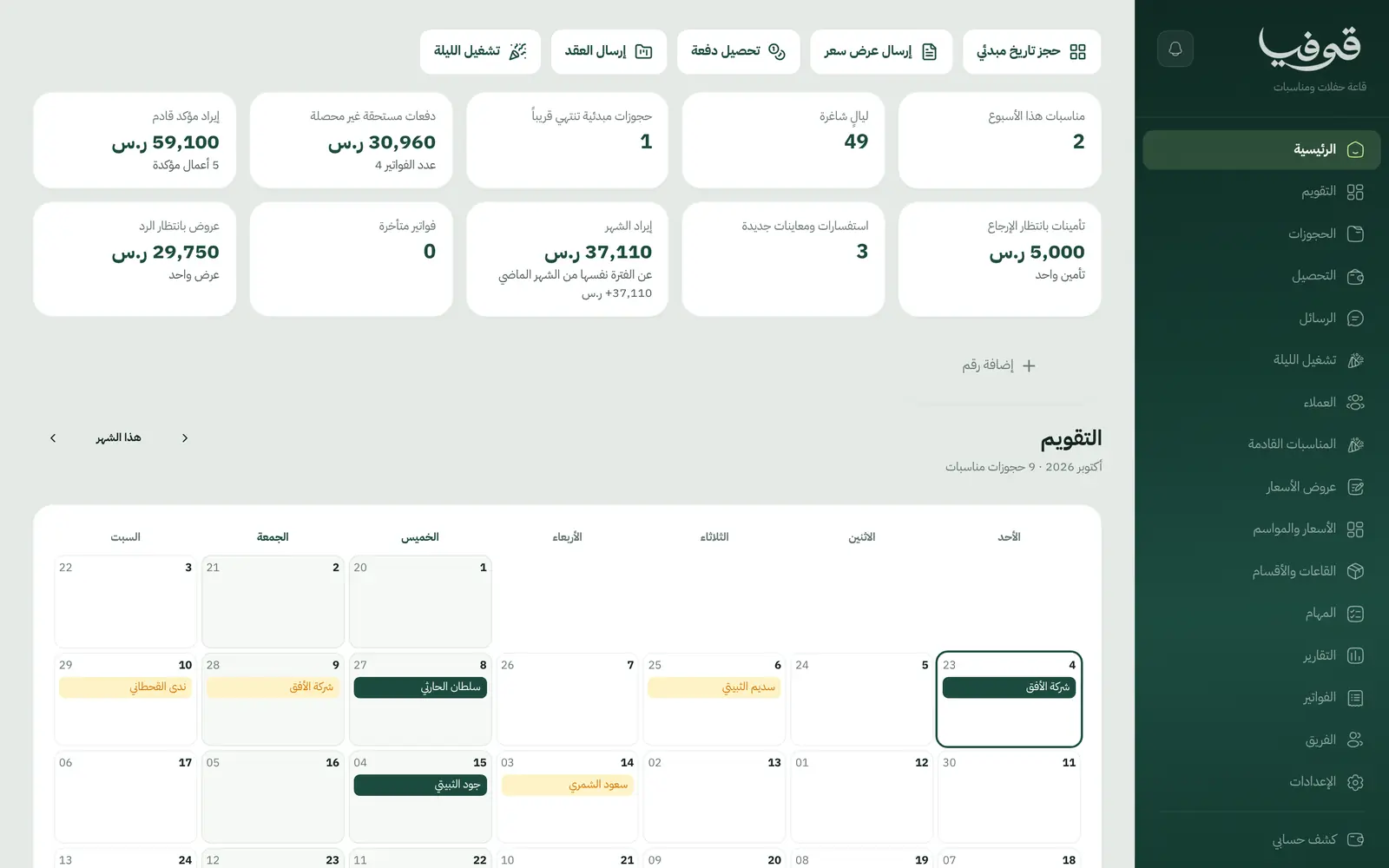
Halls and sections calendar
Book a hall or one of its sections for a night and shift, and the whole hall can never be sold while a section is booked.
Holds that lapse by themselves
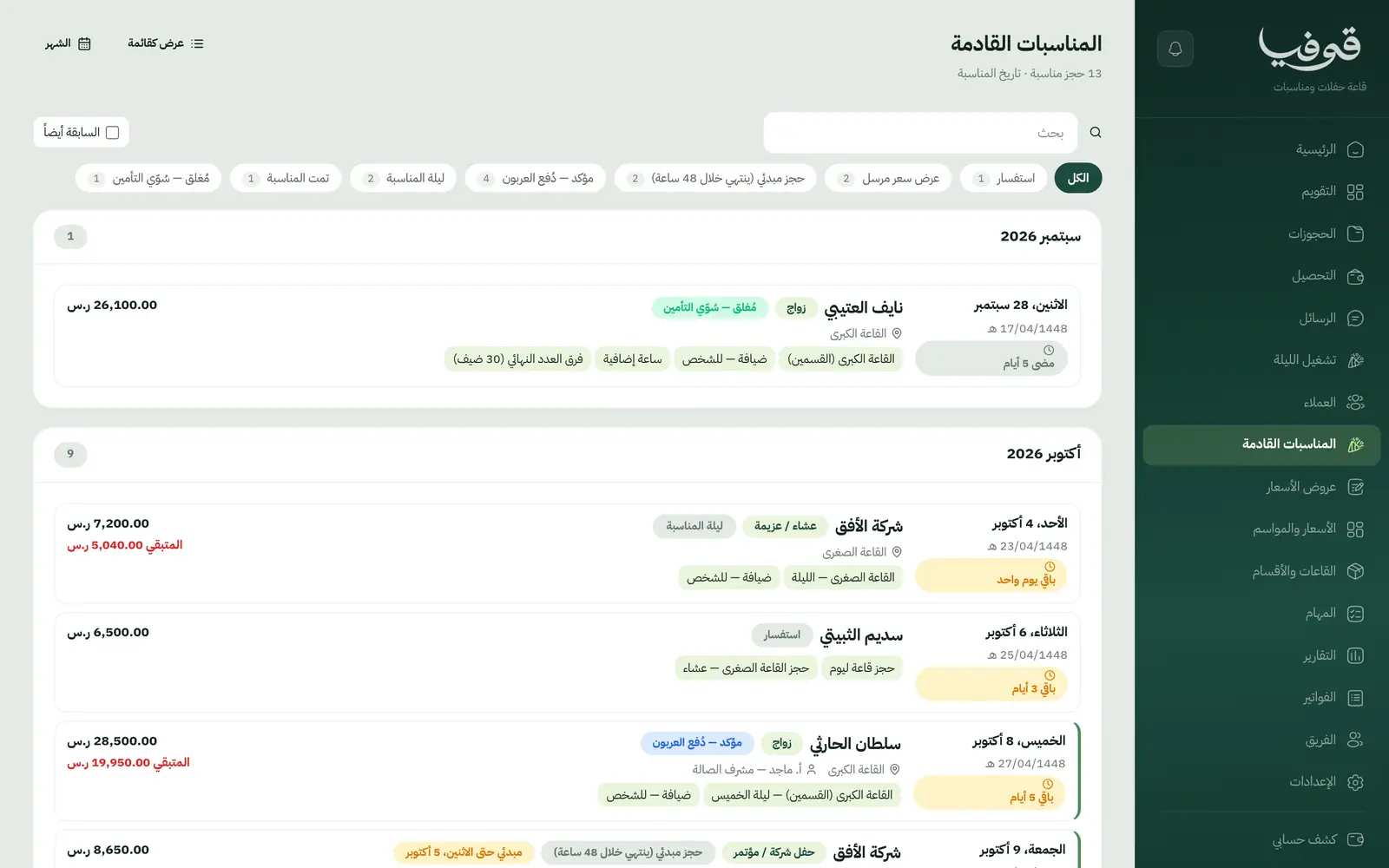
A tentative booking expires within 48 hours if the deposit isn’t paid, and the dashboard lists those about to lapse.
Prices and seasons
Thursday and Friday rates, seasons and closed days in one price calendar that every booking reads its night price from.
Hijri and Gregorian
The event date shows in both calendars with the days left, and a postponement previews the new date in Hijri before it runs.
The damage deposit isn’t revenue
The damage deposit is held apart and settled at handover, and the closing invoice gathers extra hours and the final-count difference.
Contracts signed by WhatsApp code
Clients sign the contract with a code sent on WhatsApp, and any change to the date or total after signing issues an addendum to sign.
Postponement and guest count
Postponing moves payments, tasks and crew and prices the new night; changing the guest count recalculates every per-guest line.
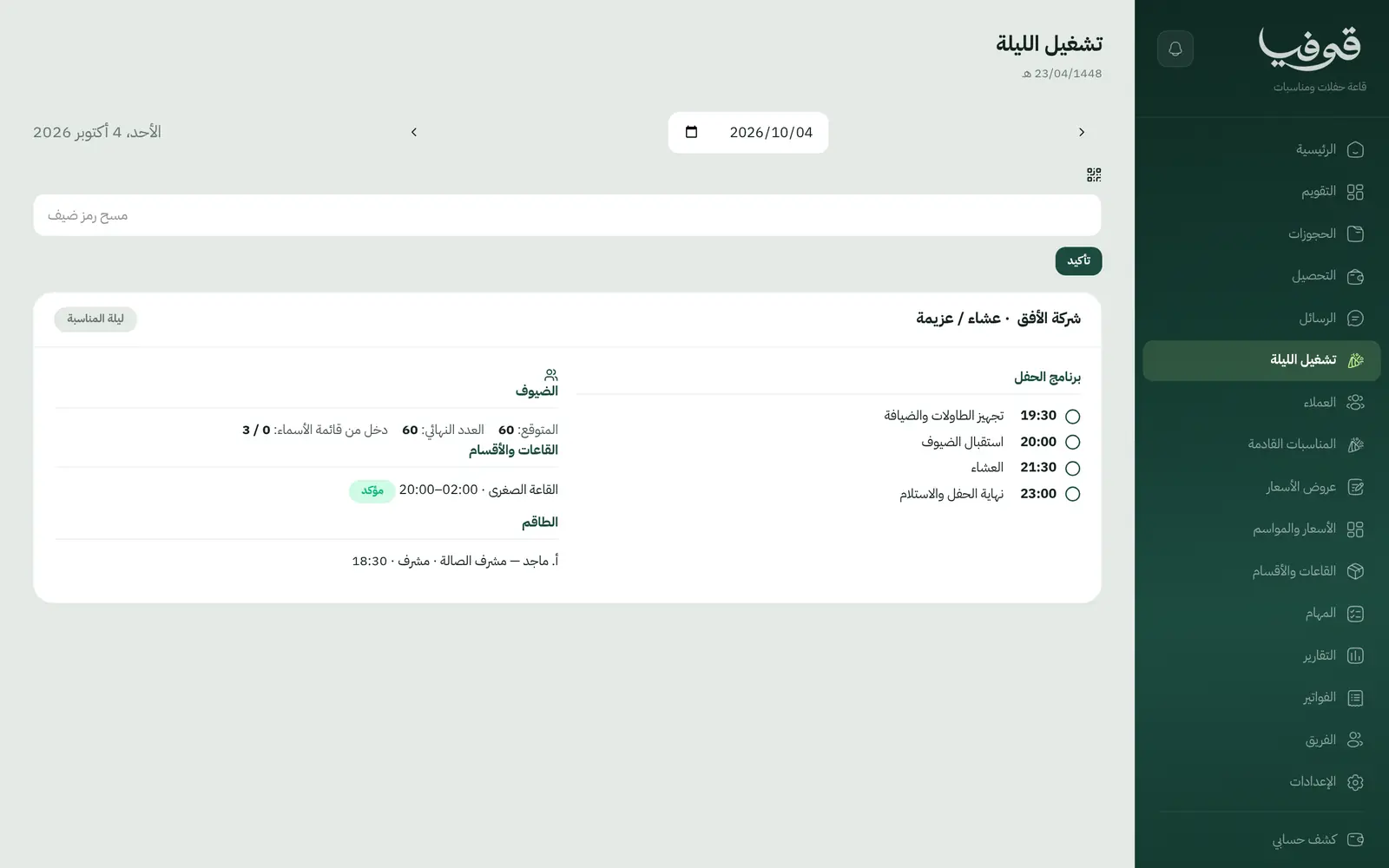
Night-of operations
A screen for the event night, crew told of their new work, and no reminders sent to the bride in each crew member’s name.
Inside the system
How your day runs on Govia
Inquiry and quote
A quote with hall, shift, package and extras, and a tentative booking that holds the night for 48 hours.
Deposit and contract
Paying the deposit confirms the booking, the client signs by WhatsApp code, and tasks are created with their dates.
Before the event
The final count is confirmed, the last payment is raised, and the crew know their night.
After the event
The handover settles the damage deposit, the closing invoice gathers the extras, and the booking is closed.
Why Govia
The night is yours to sell
Holds expire on their own, so no date stays blocked for a family that never paid.
Deposits booked correctly
The damage deposit is a liability to return, not income, so revenue doesn’t swell and then shrink at refund time.
Postpone in one press
A preview first: is the hall free, the night’s price, which crew move, and whether the contract needs signing again.
Clients told once
Every change of date or headcount reaches the client in one message with the total, paid and remaining.
Arabic first, in your trade’s words
The whole system runs in Arabic, right to left, and names things the way your business does: client, patient, member or tenant.
Automatic WhatsApp messages
Booking confirmations, appointment reminders and verification codes reach your customers on WhatsApp without anyone typing them.
Local payments
Payment links with mada, Apple Pay and cards, plus instalments with Tabby and Tamara through Tap.
Tax invoices with QR
ZATCA-ready tax invoices with QR (generation phase), issued with every payment.
On Riyadh time
Appointments, reports and reminders run on Riyadh time and the Saudi working week, wherever the system is opened.
An assistant that answers and prepares
Ask it about your numbers and screens and it answers, then prepares the action for you to approve with one tap.
Questions before you start
Does it show the Hijri date?
Yes. The event date shows in Hijri and Gregorian together with the days remaining, and the postponement preview shows the new date in Hijri.
How is the damage deposit handled?
It is held apart and never counted as revenue, settled at handover with a deposit receipt and its return, while damages and extra hours go on the closing invoice.
Does it send WhatsApp reminders?
Yes, automatic WhatsApp messages: the booking confirmation, a reminder the day before, and one notice if the date or headcount changes or it is cancelled, with what is refunded.
Do you support mada and Apple Pay?
Yes. Once online payments are switched on in settings, customers pay deposits and invoices with mada, Visa, Mastercard or Apple Pay, and Tabby and Tamara are available through the Tap gateway.
Are the invoices ZATCA-compliant?
Yes. Govia issues ZATCA-ready tax invoices with QR (generation phase), and every reduction or refund goes out as a credit note rather than an edit to the invoice.
How long is the trial?
You start with a free trial from the sign-up page. Pick your business type and its screens and words are ready; the current trial length is shown on the pricing page.
Related businesses
Try Govia on your business
Book a demo and we will show you Govia on your business, and set it up with you when it launches.