Cleaning company software: a deposit secures the job, a checklist proves the work
Jobs are priced by the square metre, seat or tank, a deposit confirms them, crews work through a room-by-room photo checklist, the supervisor inspects, and the customer signs with a code and pays the balance.
Coming soon — We are building this business's own tools now, and we do not want to hand you a dashboard that does not fit. Book a demo and we will set it up with you.
What wears an owner down every day
Last-minute cancellations
You lined up a crew and materials for a full day and the customer cancels that morning with nothing at stake.
"The kitchen wasn't done properly"
Two days later the customer complains, and there are no photos or checklist to show what was done in each room.
No idea which crew is where
Crews are spread across the city and the supervisor follows them by phone.
What Govia gives you
Cleaning types
Full deep clean, pre-move-in, sofas and carpets, tank cleaning and sanitising, regular office cleaning.
Priced by quantity
Lines by square metre, seat or tank, with the property's rooms, majlis and bathrooms on the customer's file.
30% deposit on confirmation
Confirming the job raises the deposit invoice; the 70% balance invoices at hand-over.
Crews and supervisors
A supervisor and crew held for one or more days, and each member is notified of new work.
Room-by-room checklist
Majlis, living room, bedrooms, bathrooms and kitchen, with photos where required. The job cannot finish before the supervisor's inspection.
Before and after photos
Photos before and after the work saved on the job, protecting you and the customer.
Free re-clean
A re-clean reported within 48 hours opens a no-charge visit linked to the original job.
Tank sanitation certificate
A sanitation certificate is issued for the tank and can be verified from its link.
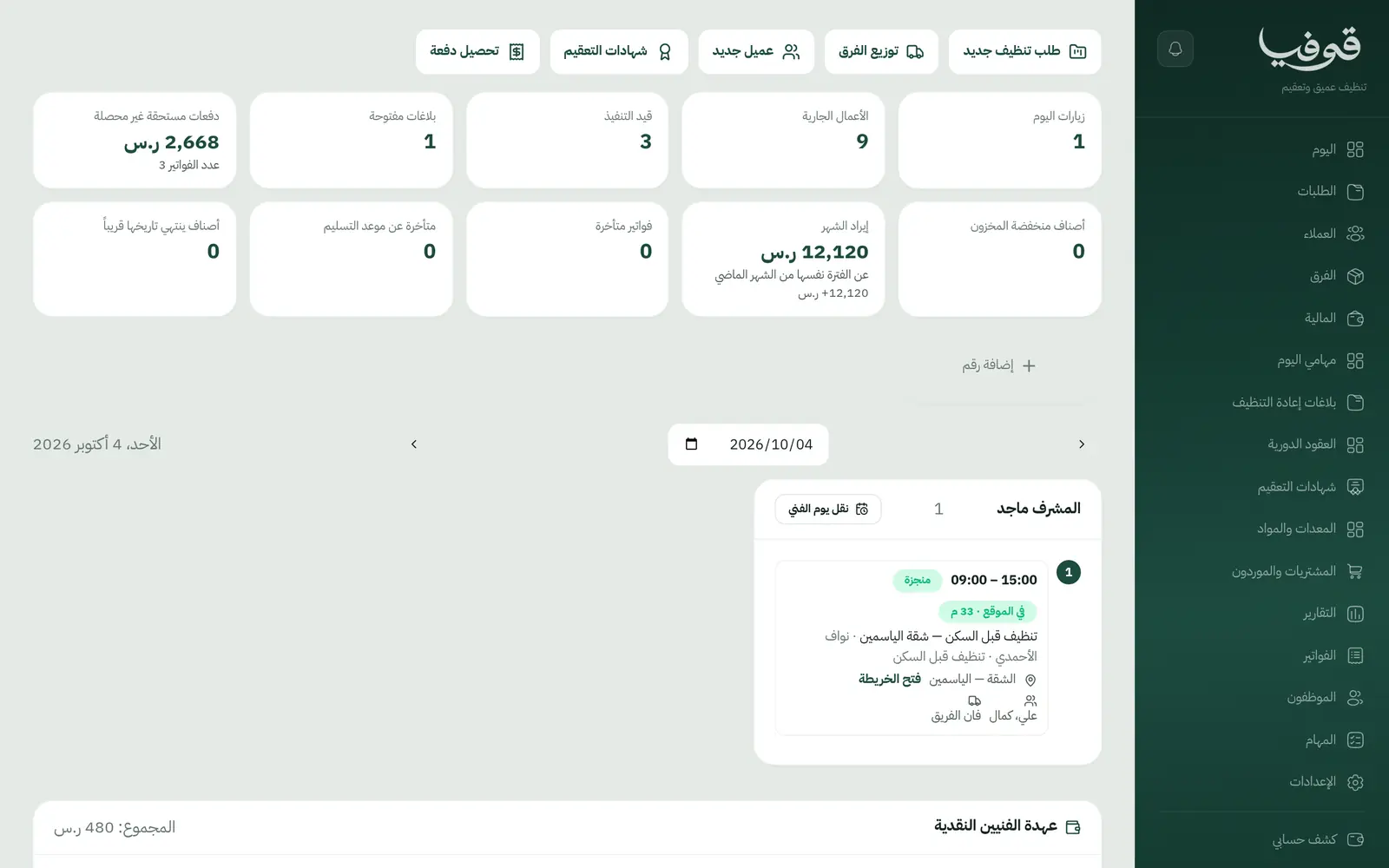
Inside the system
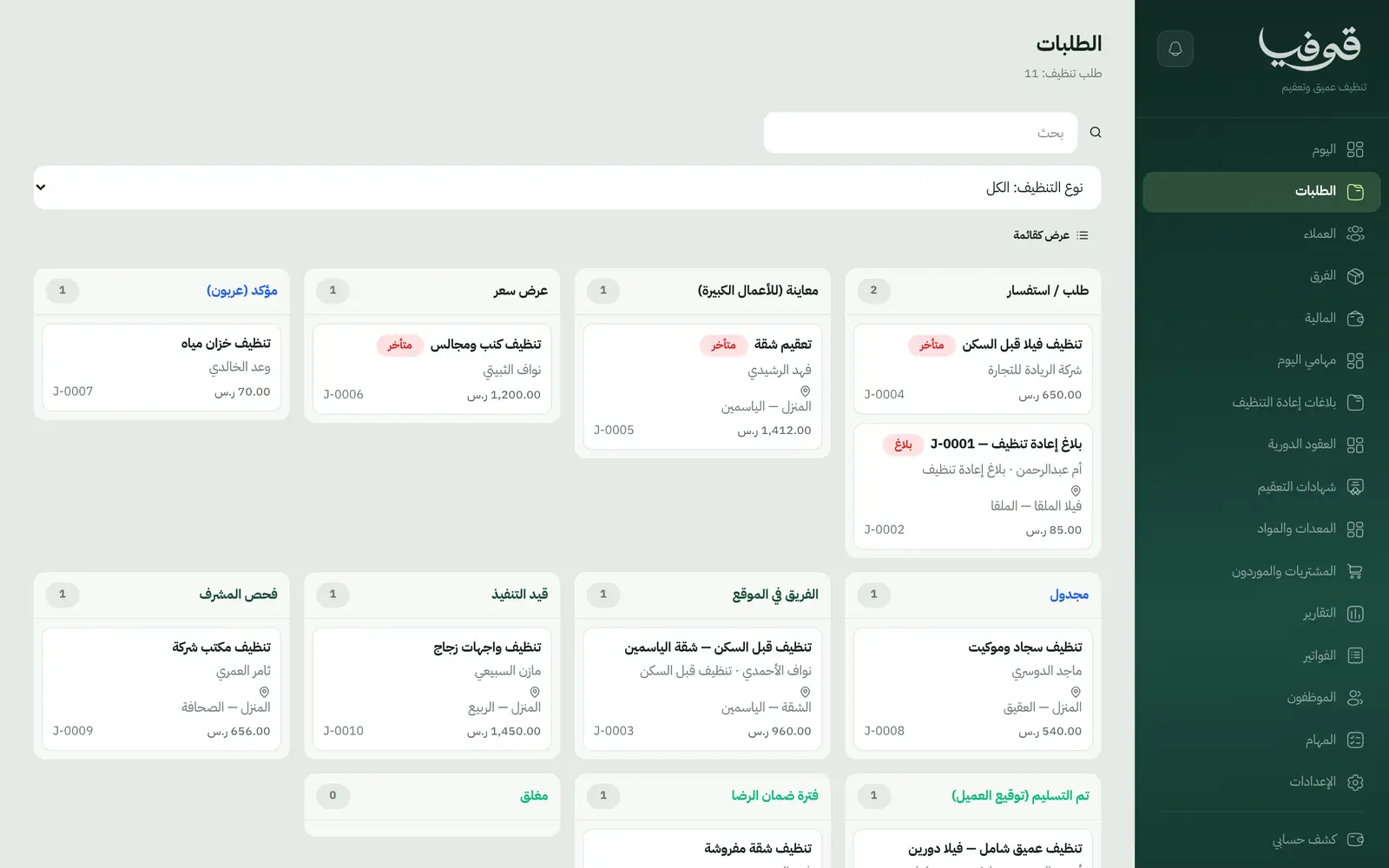
How your day runs on Govia
Request and pricing
The customer requests from your link; larger jobs are priced after a survey.
Confirmed with a deposit
Confirmation raises the deposit invoice with a payment link and holds the crew.
Work and inspection
The crew arrives after an on-the-way message, works through the room checklist with photos, and the supervisor inspects.
Hand-over
The customer signs with a WhatsApp code, the balance invoices and the re-clean window starts.
Why Govia
Fewer cancellations
The deposit secures the booking before you commit a crew.
Quality on record
A room-by-room photo checklist and a required supervisor inspection before hand-over.
Complaints have a path
Free re-cleans within 48 hours, linked to the original job.
Regular contracts
Periodic contracts for offices and businesses with scheduled visits.
Arabic first, in your trade’s words
The whole system runs in Arabic, right to left, and names things the way your business does: client, patient, member or tenant.
Automatic WhatsApp messages
Booking confirmations, appointment reminders and verification codes reach your customers on WhatsApp without anyone typing them.
Local payments
Payment links with mada, Apple Pay and cards, plus instalments with Tabby and Tamara through Tap.
Tax invoices with QR
ZATCA-ready tax invoices with QR (generation phase), issued with every payment.
On Riyadh time
Appointments, reports and reminders run on Riyadh time and the Saudi working week, wherever the system is opened.
An assistant that answers and prepares
Ask it about your numbers and screens and it answers, then prepares the action for you to approve with one tap.
Questions before you start
Does it need installing?
No. It runs in the browser, and supervisors and crews use it on their phones.
Can I take a deposit?
Yes. 30% on confirmation and the balance at hand-over; change the split in your own copy.
Does it send WhatsApp reminders?
Yes. A reminder the day before and an on-the-way message when the crew sets off.
Can customers pay with mada and Apple Pay?
Yes. With the payment gateway on, customers pay the deposit and balance from the invoice link by mada, Apple Pay or card.
Are the invoices ZATCA compliant?
Govia issues ZATCA-ready electronic tax invoices with a QR code (generation phase).
How long is the trial?
A free trial starts from the sign-up page; choose your plan afterwards on the pricing page.
Related businesses
Try Govia on your business
Book a demo and we will show you Govia on your business, and set it up with you when it launches.