Maintenance company software: jobs, technicians and warranties on one screen
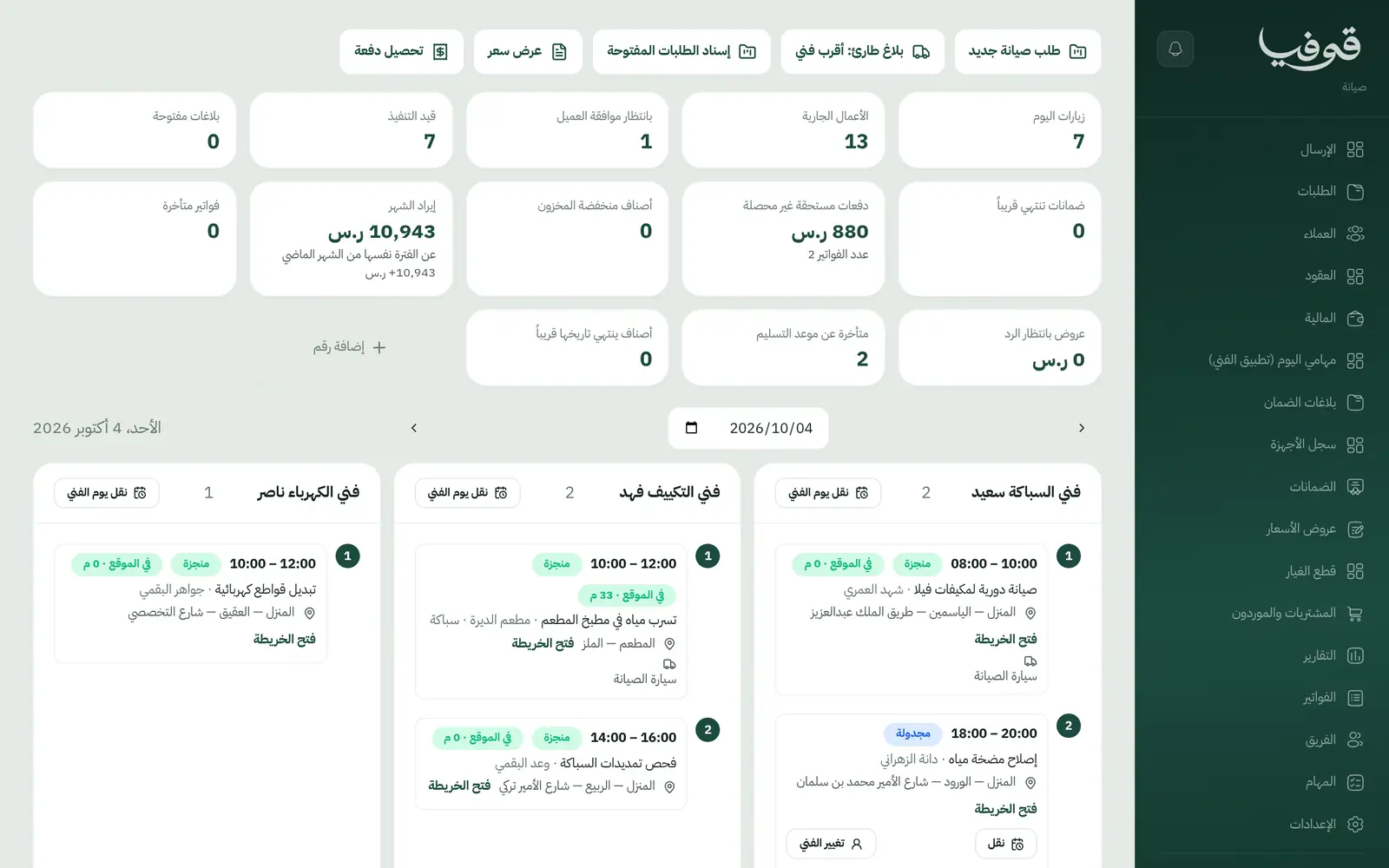
Jobs are assigned to technicians from the dispatch board, the technician prices on site and the customer approves with a WhatsApp code, parts come out of stock, and the warranty starts on completion.
Coming soon — We are building this business's own tools now, and we do not want to hand you a dashboard that does not fit. Book a demo and we will set it up with you.
What wears an owner down every day
"Where is the technician?"
The customer has waited since morning, the technician is not answering, and the office has no idea where he is.
Price disputes after the work
The technician quoted a price on site, the customer remembers another, and nothing was written down.
Warranty claims with no record
The customer says the AC broke again after the service, and you cannot see when it was fixed or what was fitted.
What Govia gives you
Dispatch board
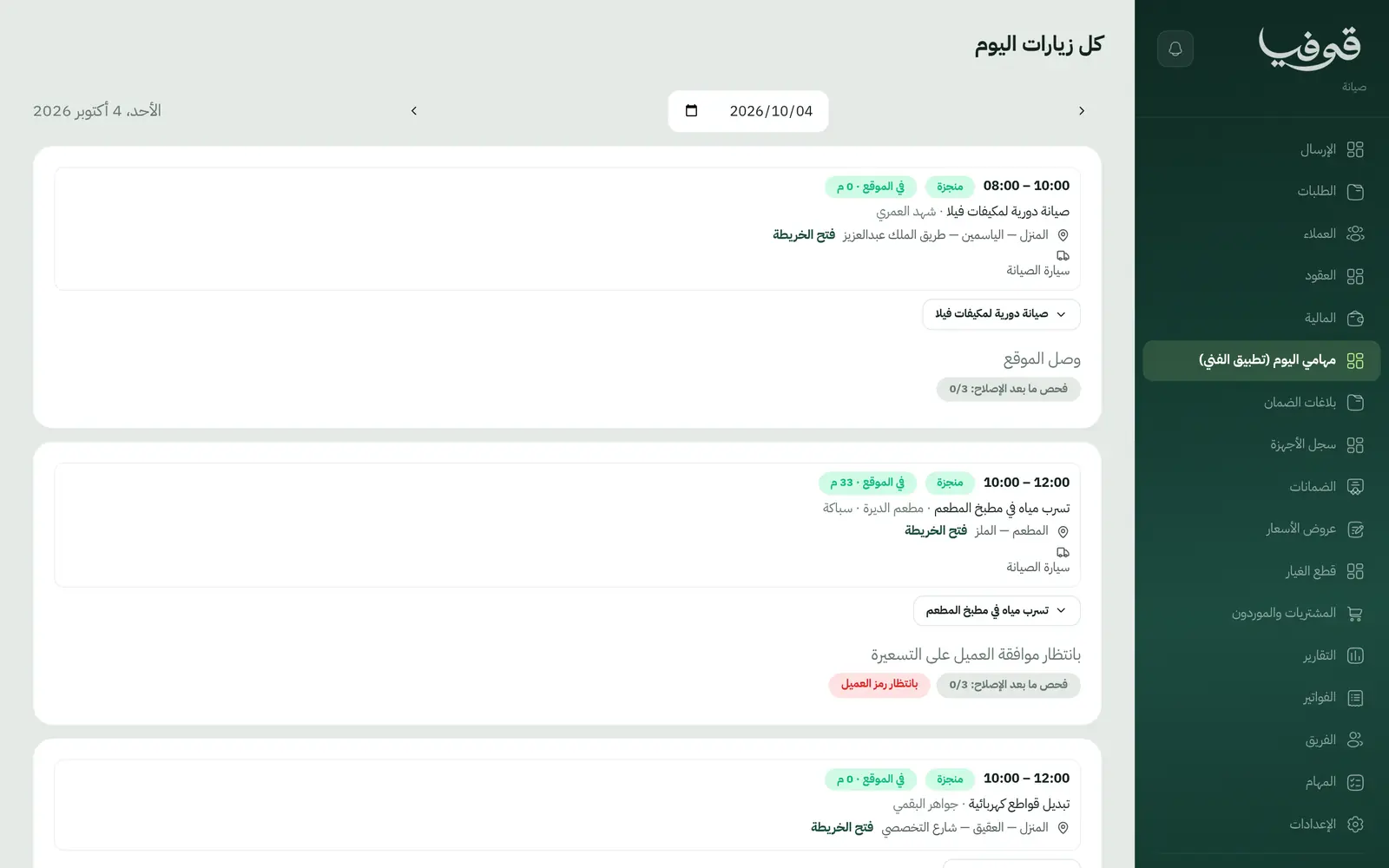
Today's visits and technicians on one board, opened straight from an emergency button on the home screen.
Jobs by type
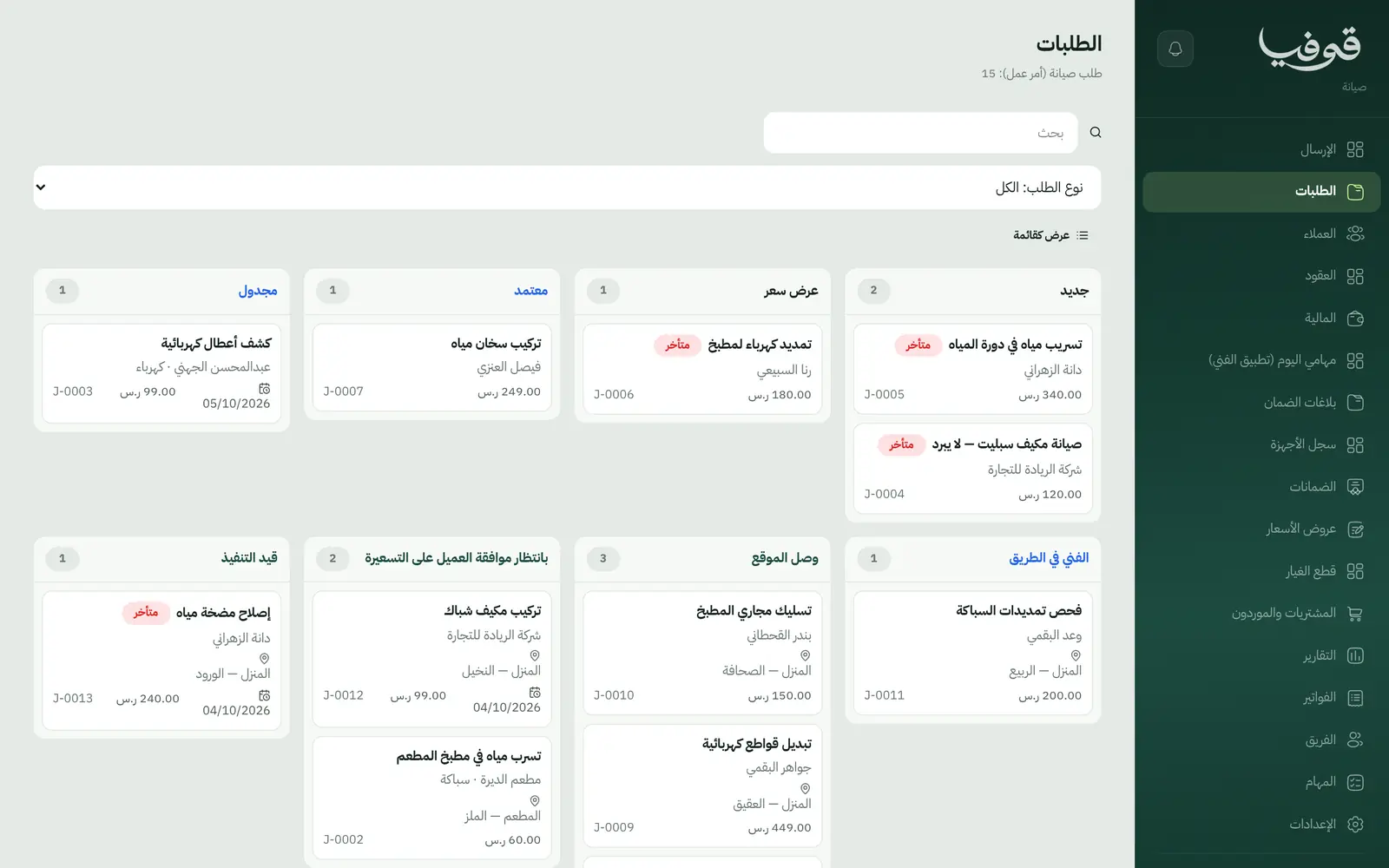
AC, plumbing, electrical, appliances and planned maintenance visits, staged from new to completed.
On-the-way message
The technician presses on-the-way and the customer gets one WhatsApp message per visit with the expected arrival time.
Prices the customer approves
The technician proposes the price on site and the customer approves with a WhatsApp code. If they decline, only the inspection fee is billed.
The technician's day
Technicians see their visits, tick the checklist with before and after photos, finish the visit and collect payment on site.
Spare parts
Warehouse and van stock is consumed on the job, with purchasing and suppliers alongside.
Warranty and callbacks
A 90-day warranty starts on completion, and a warranty callback opens a no-charge visit linked to the original job.
Maintenance contracts
Periodic maintenance contracts for homes and businesses, with a device register for each site.
Inside the system
How your day runs on Govia
The request
The customer requests a technician from your link or by phone; the job is scheduled and assigned.
On the way
The technician presses on-the-way and the customer is messaged, then marks arrival on site.
Price and repair
The technician proposes the price, the customer approves with a code, the work is done and parts consumed.
Completion and warranty
Completing the job raises the invoice and starts the warranty; the technician collects or sends a payment link.
Why Govia
Fewer calls to the office
The on-the-way message answers the customer before they ask.
Prices on record
Every on-site price is approved with the customer's code and saved on the job.
Inspection fees are not lost
If the customer declines the price, the inspection fee alone is invoiced automatically.
A history for every device
Each site's device register shows what was repaired, when, and its warranty.
Arabic first, in your trade’s words
The whole system runs in Arabic, right to left, and names things the way your business does: client, patient, member or tenant.
Automatic WhatsApp messages
Booking confirmations, appointment reminders and verification codes reach your customers on WhatsApp without anyone typing them.
Local payments
Payment links with mada, Apple Pay and cards, plus instalments with Tabby and Tamara through Tap.
Tax invoices with QR
ZATCA-ready tax invoices with QR (generation phase), issued with every payment.
On Riyadh time
Appointments, reports and reminders run on Riyadh time and the Saudi working week, wherever the system is opened.
An assistant that answers and prepares
Ask it about your numbers and screens and it answers, then prepares the action for you to approve with one tap.
Questions before you start
Does it need installing?
No. It runs in the browser, and technicians use it on their phones.
Does the customer hear when the technician leaves?
Yes. An on-the-way WhatsApp message goes out when the technician presses it, with the expected time if he sets one.
Are the invoices ZATCA compliant?
Govia issues ZATCA-ready electronic tax invoices with a QR code (generation phase).
Can customers pay with mada and Apple Pay?
Yes. With the payment gateway on, they pay from the invoice link by mada, Apple Pay or card, or pay the technician in cash.
Do I start from scratch?
No. AC, plumbing and electrical services are ready with starting prices you can change.
How long is the trial?
A free trial starts from the sign-up page; choose your plan afterwards on the pricing page.
Related businesses
Try Govia on your business
Book a demo and we will show you Govia on your business, and set it up with you when it launches.