Tour operator booking software from seat to boarding
Publish your departures, let guests book their seats from your page, then scan their tickets at boarding. And when the wind cancels a trip, decide for each family: move, credit or refund.
Coming soon — We are building this business's own tools now, and we do not want to hand you a dashboard that does not fit. Book a demo and we will set it up with you.
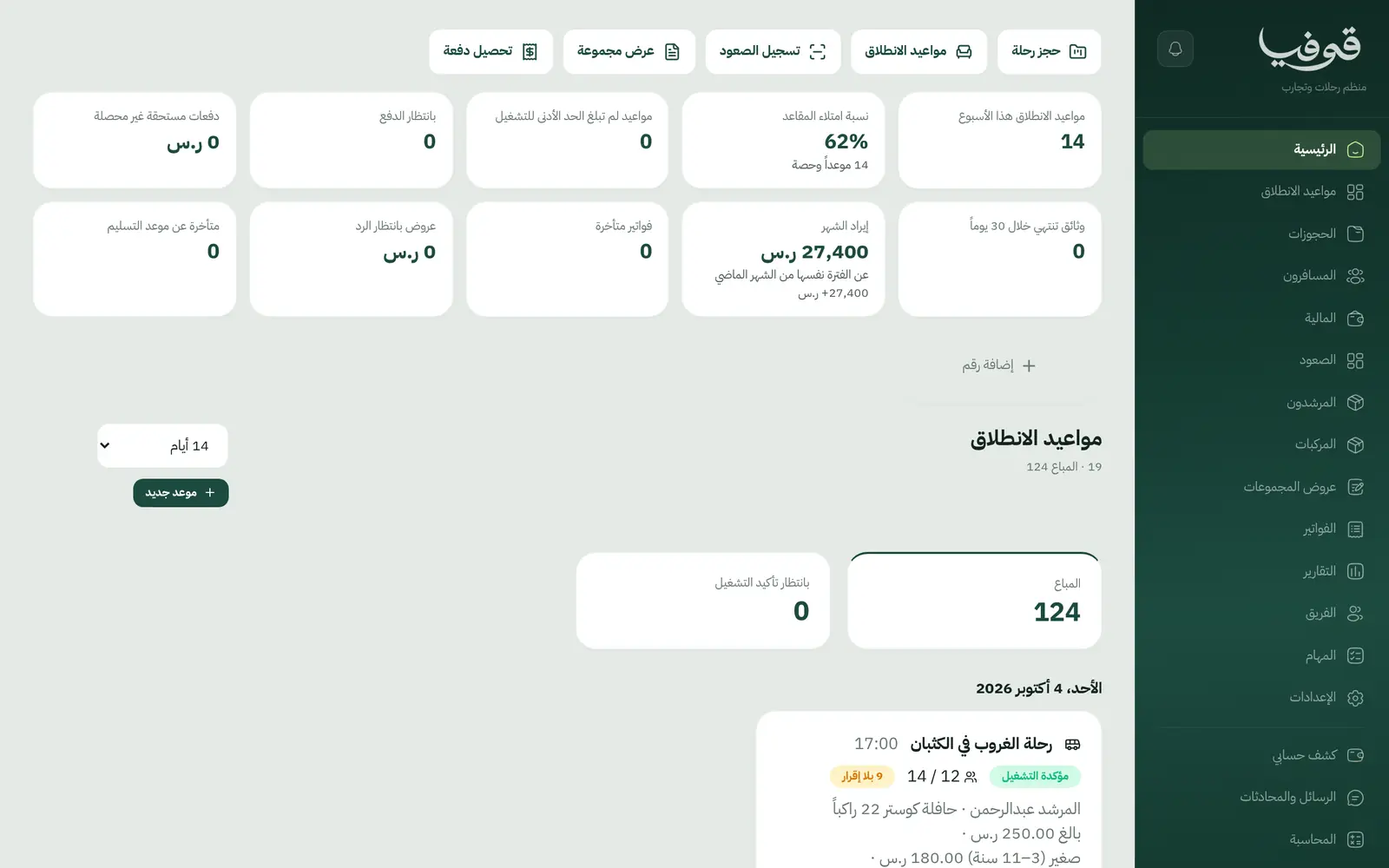
What wears an owner down every day
Bookings in a WhatsApp group
Names in messages, bank transfers matched by hand, and a seat sold twice.
Not enough people to run
You wait on a minimum with no clear number, then call every family about the cancellation and refund them by hand.
Who boarded and who didn’t?
A paper list at the bus, unsigned safety waivers, and a guide who doesn’t know who to collect from which meeting point.
What Govia gives you
Departures
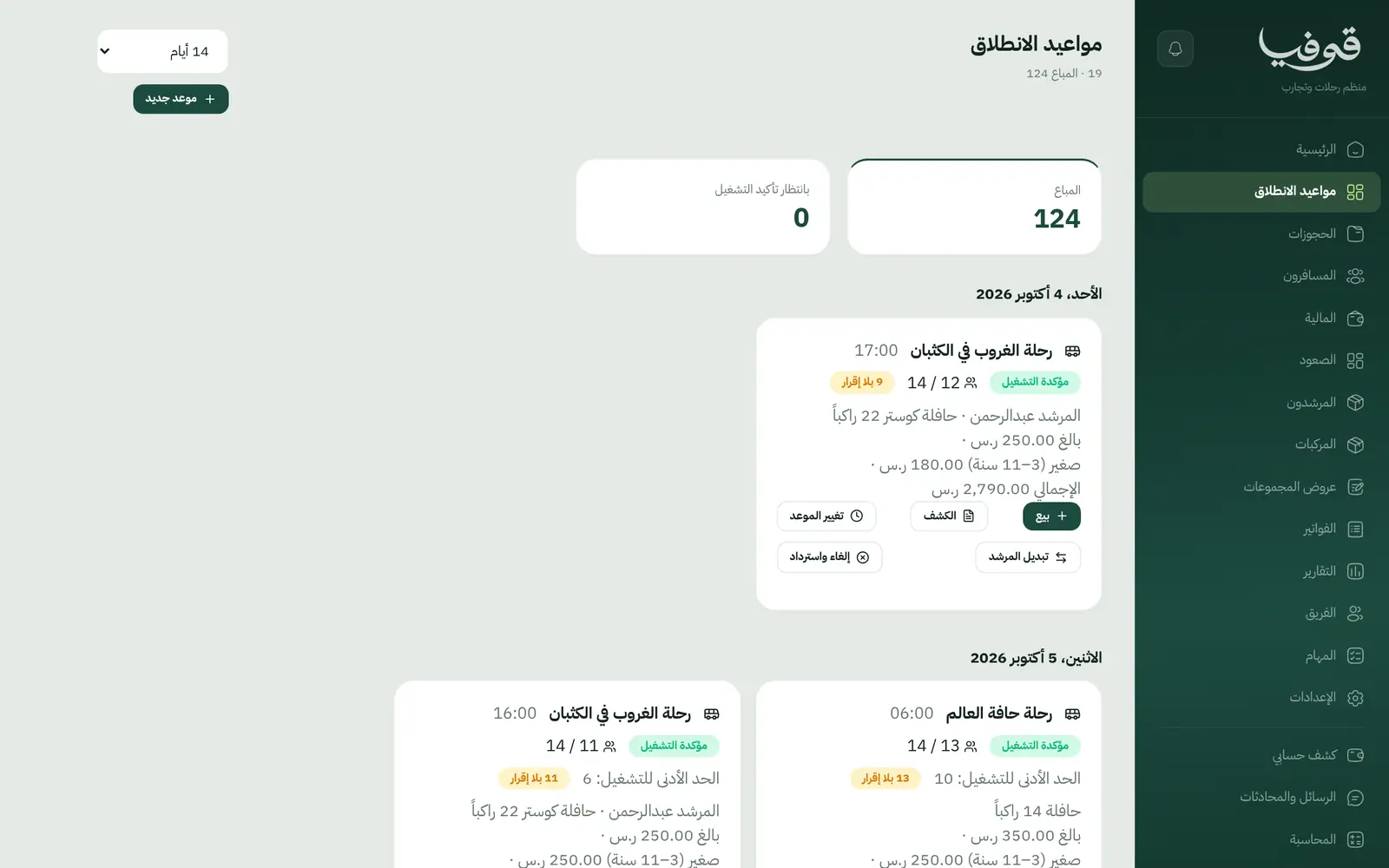
Each trip has departures with seats, a price per ticket category and a minimum to run; below it, the departure reads «بانتظار تأكيد التشغيل».
Book from your page
Guests pick the trip and the number of seats and confirm their phone with a WhatsApp code, and the last seat is never sold twice.
Travellers
Each traveller’s ID, nationality and meeting point, with the manifest built from the bookings.
Waivers
A safety waiver signed by each traveller in their own name, and a ticket without one does not pass the door.
QR boarding
Refused by name: wrong departure, cancelled booking, unpaid invoice, no waiver, or already on board.
Guides and vehicles
Each departure holds its guide and vehicle, and the guide is told if the time changes or they are swapped.
Weather cancellations
See every booking and what was paid, then choose a refund, wallet credit or a move to a departure with enough seats, booking by booking.
Group quotes
A quote for a group or organisation that the client accepts from its link, plus adding travellers or moving them to another departure.
Inside the system
How your day runs on Govia
Publish departures
Departures with seats, category prices and a minimum, or a weekly series on the days you choose.
Booking
Guests book on your page or by phone, and get a confirmation and a reminder the day before.
Trip day
Travellers sign the waiver, the guide scans tickets at boarding, and the manifest is ready.
If the weather turns
One cancellation decides every booking, tells the families and the guide, and frees the vehicle.
Why Govia
Seats under control
Each departure’s fill rate on the dashboard, and departures short of their minimum visible before the day.
Honest refunds
A card refund stays owed until a manager presses refund, cash comes from the drawer, and each invoice gets its credit note.
A door that can’t be fooled
Each ticket scans once, and two scanners at the same moment still admit the traveller once.
Guides in the loop
A re-timed departure or a guide swap reaches the guide directly, without a call from you.
Arabic first, in your trade’s words
The whole system runs in Arabic, right to left, and names things the way your business does: client, patient, member or tenant.
Automatic WhatsApp messages
Booking confirmations, appointment reminders and verification codes reach your customers on WhatsApp without anyone typing them.
Local payments
Payment links with mada, Apple Pay and cards, plus instalments with Tabby and Tamara through Tap.
Tax invoices with QR
ZATCA-ready tax invoices with QR (generation phase), issued with every payment.
On Riyadh time
Appointments, reports and reminders run on Riyadh time and the Saudi working week, wherever the system is opened.
An assistant that answers and prepares
Ask it about your numbers and screens and it answers, then prepares the action for you to approve with one tap.
Questions before you start
Can guests book from my website?
Yes. Your trips appear on your public page with their departures and remaining seats; guests choose, confirm their phone with a WhatsApp code, and receive their invoice with a payment link.
What if a departure doesn’t fill?
A departure under its minimum reads «بانتظار تأكيد التشغيل» until it reaches it or you confirm it; if you cancel, you choose a refund, credit or move for each booking.
Does it send WhatsApp reminders?
Yes, automatic WhatsApp messages: the booking confirmation, a reminder the day before, and a notice if it changes or is cancelled with what is refunded, each sent once.
Do you support mada and Apple Pay?
Yes. Once online payments are switched on in settings, customers pay their invoice from its link with mada, Visa, Mastercard or Apple Pay, and Tabby and Tamara are available through the Tap gateway.
Are the invoices ZATCA-compliant?
Yes. Govia issues ZATCA-ready tax invoices with QR (generation phase), and refunds go out as credit notes rather than edits to an issued invoice.
How long is the trial?
You start with a free trial from the sign-up page. Pick your business type and its screens and words are ready; the current trial length is shown on the pricing page.
Related businesses
Try Govia on your business
Book a demo and we will show you Govia on your business, and set it up with you when it launches.