Travel agency management software that knows the VAT on every line
Open a trip file, add the flight, hotel, insurance and visa fee at the client’s price and the supplier’s cost, and issue one tax invoice with every line in its correct VAT category.
Coming soon — We are building this business's own tools now, and we do not want to hand you a dashboard that does not fit. Book a demo and we will set it up with you.
What wears an owner down every day
Trip VAT is confusing
International flights zero-rated, hotels abroad out of scope, your fee at the standard rate, all on one invoice you build by hand.
Your real margin is a mystery
The client’s price in a message, the supplier’s cost in an email, and your margin known only at month end.
A passport that expires too soon
After issuing the ticket you find a traveller’s passport won’t last six months beyond the trip.
What Govia gives you
Trip files
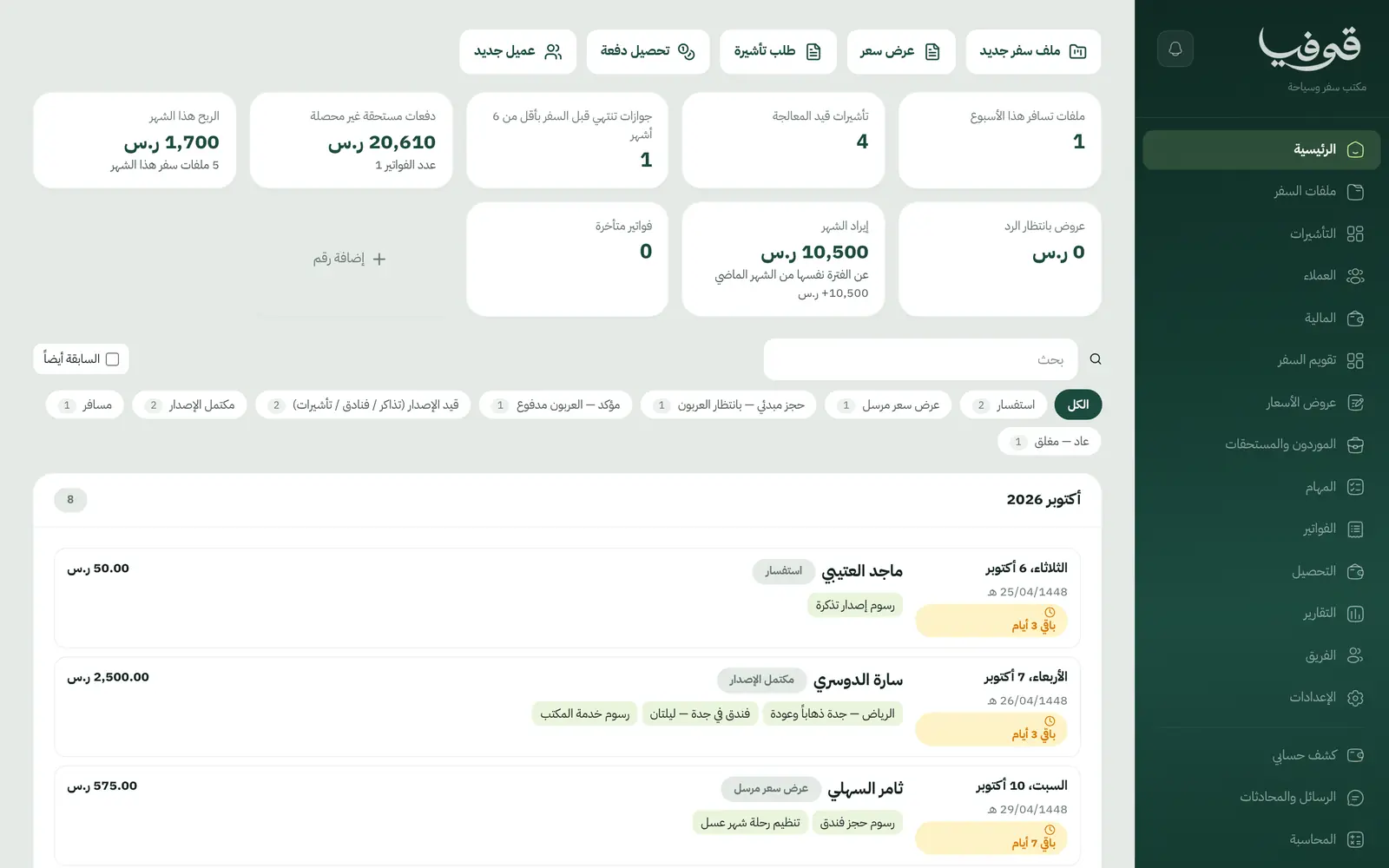
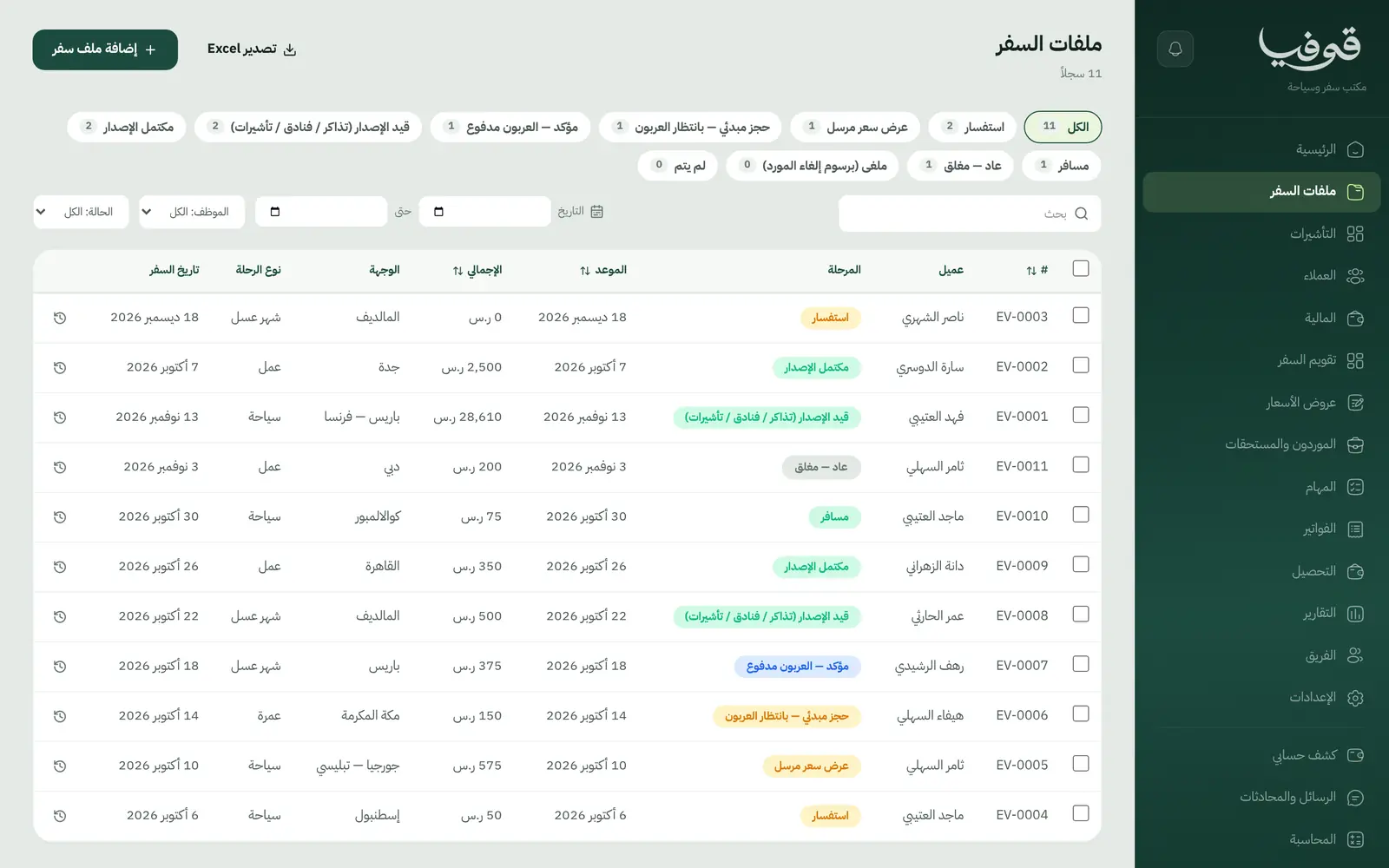
A file per trip with destination, departure and return, moving from inquiry and quote to confirmed on deposit, travelling and returned.
Lines with price and cost
Flight, hotel, transfer, tour, insurance, visa fee and your service fee, each with its supplier and cost; the margin is visible to finance roles only.
VAT per line
International flights zero-rated, hotels and tours abroad and visa fees out of scope, your fee standard-rated, all on one invoice.
Travellers and passports
Name, passport number, nationality and expiry; a passport expiring within six months of travel is flagged on the file and the dashboard.
Visas
Opened for each traveller who needs one as «بانتظار مستندات العميل», due three weeks before travel, through to approved or refused.
One traveller’s visa refused
Only that booking is cancelled and the rest travel; what the supplier keeps stays as a visible line, on one itemised credit note.
Swap a line after invoicing
Changing a hotel or flight after the invoice issues a credit note for that line and adds the new one, leaving the issued invoice untouched.
Quotes the client accepts
The quote reaches the client as a link to accept, and the deposit and payments are recorded against the file’s invoice until it is paid.
Inside the system
How your day runs on Govia
Inquiry and quote
Open a trip file and send the quote as a link; the client accepts and pays the deposit.
Issuing
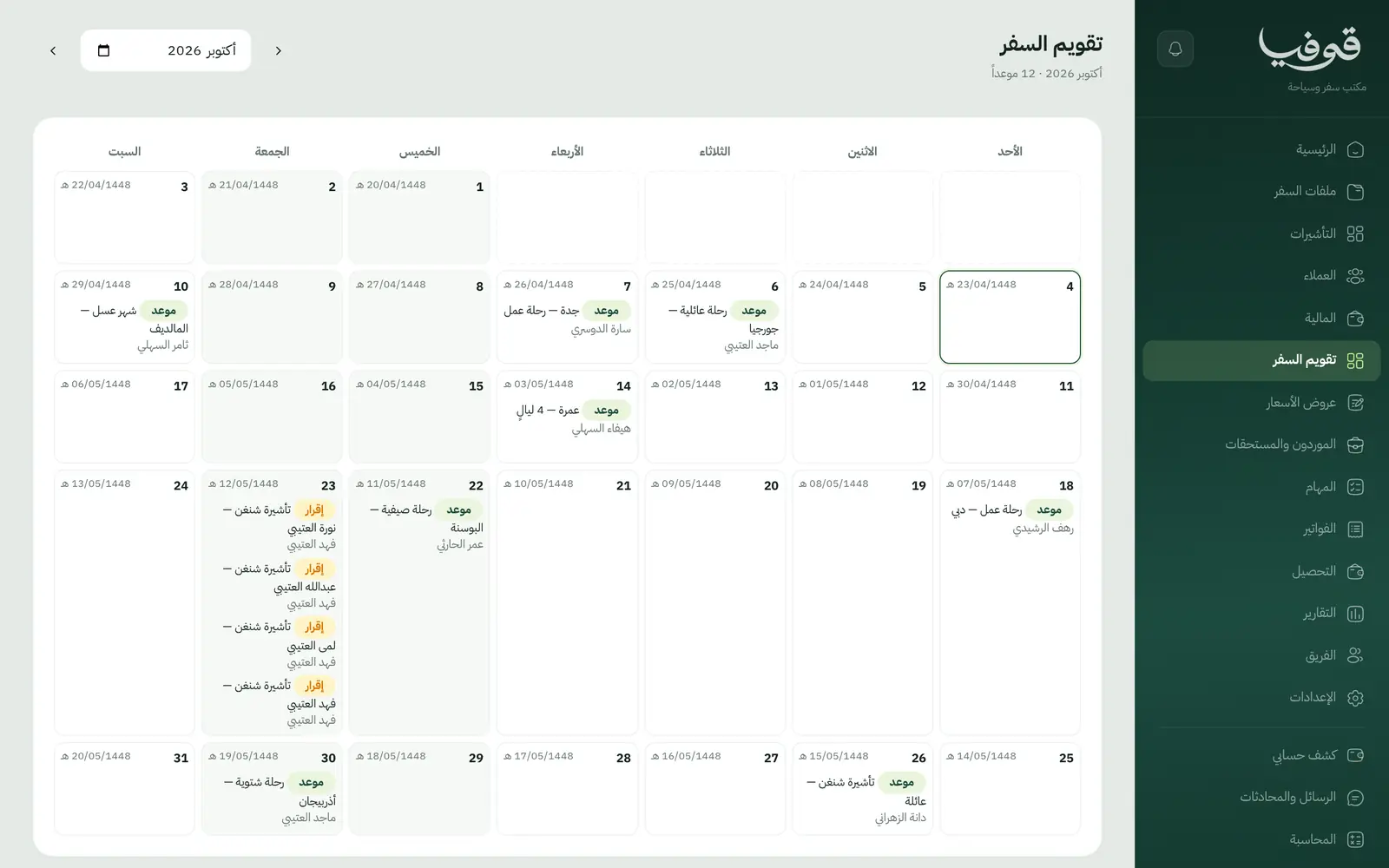
Tickets, hotels and visas per traveller, with tasks dated before departure.
Invoicing
One press gathers the unbilled lines into a single tax invoice, each line in its VAT category.
Travel and return
The file moves to travelling, then returned and closed, with payments and balance clear on the statement.
Why Govia
Invoices your accountant trusts
Every line takes its VAT category from its type, and you can override it when needed.
Your margin on every file
Client price and supplier cost on every line, so you know the file’s margin before the client flies.
A refused visa doesn’t stop the trip
The refused traveller leaves on an itemised credit note, and the file carries on for everyone else.
No surprises at the airport
Passport alerts before issuing, and visas due three weeks before departure.
Arabic first, in your trade’s words
The whole system runs in Arabic, right to left, and names things the way your business does: client, patient, member or tenant.
Automatic WhatsApp messages
Booking confirmations, appointment reminders and verification codes reach your customers on WhatsApp without anyone typing them.
Local payments
Payment links with mada, Apple Pay and cards, plus instalments with Tabby and Tamara through Tap.
Tax invoices with QR
ZATCA-ready tax invoices with QR (generation phase), issued with every payment.
On Riyadh time
Appointments, reports and reminders run on Riyadh time and the Saudi working week, wherever the system is opened.
An assistant that answers and prepares
Ask it about your numbers and screens and it answers, then prepares the action for you to approve with one tap.
Questions before you start
How is VAT worked out on flights and hotels?
Each line takes its category from its type: international flights zero-rated; hotels, transfers and tours outside the Kingdom and visa fees out of scope; your fee and anything inside the Kingdom standard-rated. You can override it by hand.
What if one traveller’s visa is refused?
Only their booking is cancelled and the others travel; you enter the supplier’s cancellation fee, the rest is refunded on one itemised credit note, and the client is told once.
Are the invoices ZATCA-compliant?
Yes. Govia issues ZATCA-ready tax invoices with QR (generation phase), and refunds go out as credit notes rather than edits to an issued invoice.
Can I bring my data over from a notebook or Excel?
Yes. Add customers and trips straight from the screens, our support team helps you move your data when you start, and any list exports to Excel whenever you want.
Do you support mada and Apple Pay?
Yes. Once online payments are switched on in settings, customers pay their invoice from its link with mada, Visa, Mastercard or Apple Pay, and Tabby and Tamara are available through the Tap gateway.
How long is the trial?
You start with a free trial from the sign-up page. Pick your business type and its screens and words are ready; the current trial length is shown on the pricing page.
Related businesses
Try Govia on your business
Book a demo and we will show you Govia on your business, and set it up with you when it launches.