Personal trainer software that counts sessions and tracks progress
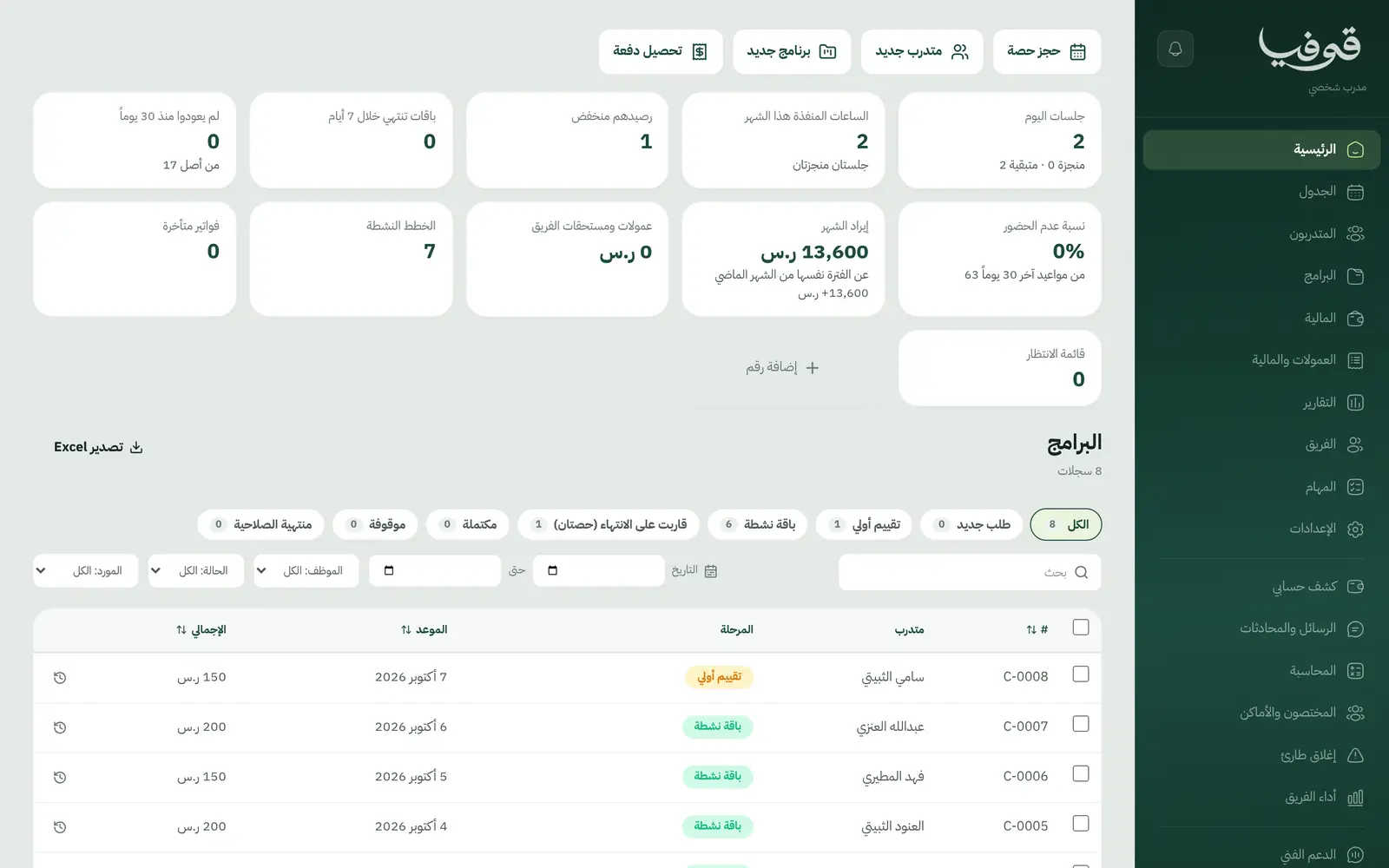
A pack for every client with its session count, an alert at two sessions left so you offer renewal on time, a workout note after each session, and weight and InBody readings over time.
Coming soon — We are building this business's own tools now, and we do not want to hand you a dashboard that does not fit. Book a demo and we will set it up with you.
What wears an owner down every day
How many sessions are left?
The client asks, and the trainer counts in phone notes.
Late renewals
The pack ran out and the client disappeared before renewal was offered.
Progress without numbers
Weight and measurements in scattered messages, so the client never sees what they achieved.
What Govia gives you
Session packs
Packs counted in sessions, with a weekly limit if you want one.
Two sessions left
A pack with two sessions left is flagged so you can offer renewal.
Training programme
A workout note per session on the client's file.
Measurements and progress
Weight and InBody readings over time.
Health
A PAR-Q readiness questionnaire and injuries on the file.
Schedule
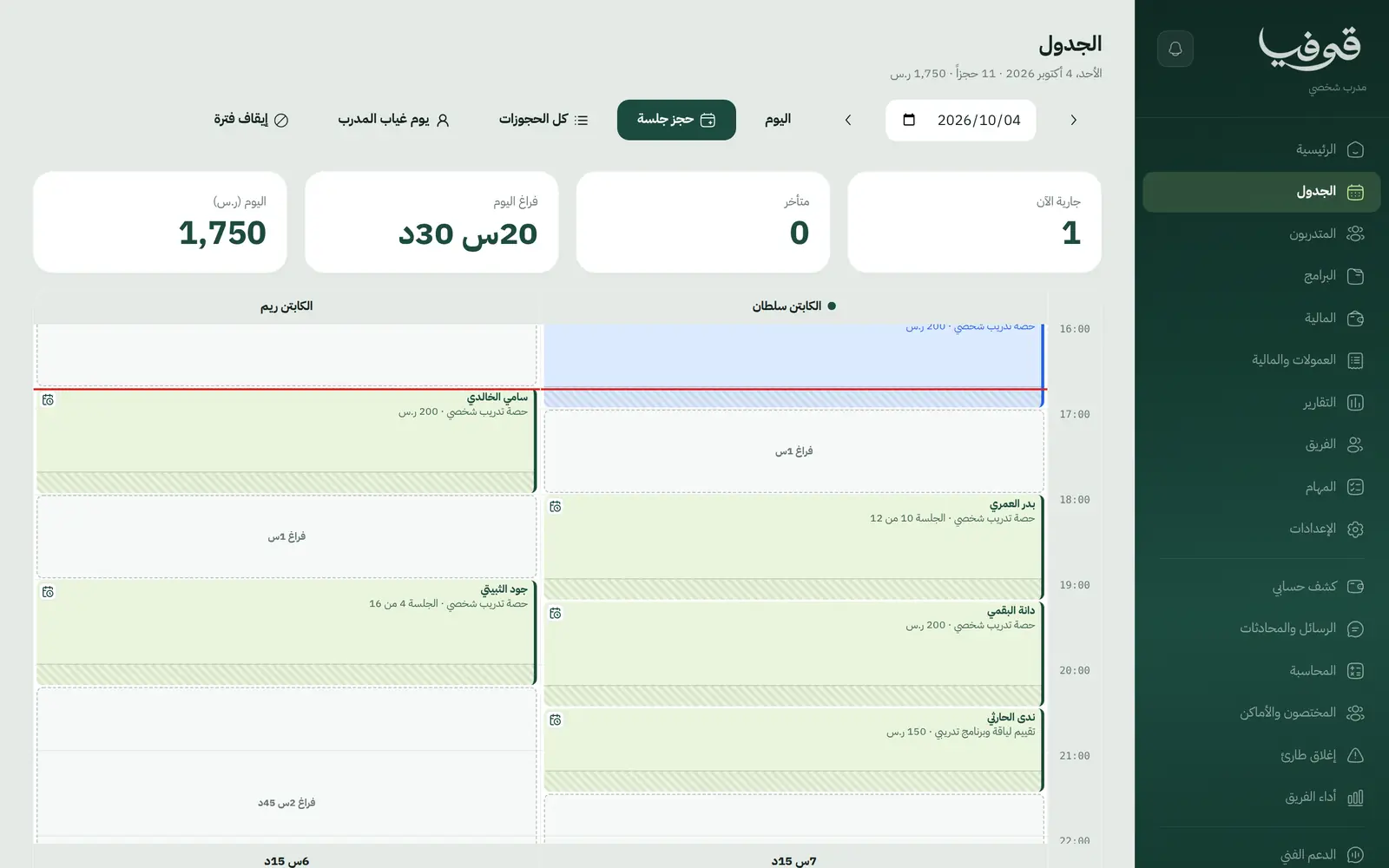
Today's and the week's sessions in each trainer's diary, with a WhatsApp reminder before every session.
Freezes and validity
Freeze a pack while the client travels, and expired packs close by themselves.
Commissions
Each trainer's commission from their sessions, approved and paid from team performance.
Inside the system
How your day runs on Govia
First assessment
Readiness, goal and starting measurements.
Active pack
Sell the pack with a payment link and book sessions.
Every session
Log the workout and update measurements.
Two left
A renewal alert, then complete or expired.
Why Govia
An exact session count
Trainer and client see the same number.
Renewal on time
The alert comes before the pack runs out.
Visible progress
Measurements on one file instead of messages.
Payment from the link
mada and Apple Pay, plus Tabby and Tamara instalments through Tap.
Arabic first, in your trade’s words
The whole system runs in Arabic, right to left, and names things the way your business does: client, patient, member or tenant.
Automatic WhatsApp messages
Booking confirmations, appointment reminders and verification codes reach your customers on WhatsApp without anyone typing them.
Local payments
Payment links with mada, Apple Pay and cards, plus instalments with Tabby and Tamara through Tap.
Tax invoices with QR
ZATCA-ready tax invoices with QR (generation phase), issued with every payment.
On Riyadh time
Appointments, reports and reminders run on Riyadh time and the Saudi working week, wherever the system is opened.
An assistant that answers and prepares
Ask it about your numbers and screens and it answers, then prepares the action for you to approve with one tap.
Questions before you start
Does it alert me before a pack runs out?
Yes. A pack with two sessions left is flagged as nearly finished, and the number of packs running low shows on the home screen.
Can I freeze a travelling client's pack?
Yes. A freeze pauses the pack and extends its validity, and an expired pack closes by itself after its date.
Does it send WhatsApp reminders?
Yes. Automatic WhatsApp messages: a reminder 24 hours before a booking, and a renewal reminder on the days you choose before a membership ends.
Do you support mada and Apple Pay?
Yes. Online payment takes mada, Apple Pay and cards, and with the Tap gateway Tabby and Tamara instalments are available too. At the desk you record cash and card on the drawer.
Are the invoices ZATCA compliant?
Yes. Invoices are ZATCA-ready tax invoices with QR (generation phase), issued automatically with every payment.
Does it need installing?
No. It runs in the browser on phone, tablet and computer, and can be added as an app from our install page with no app store. Updates arrive on their own.
Related businesses
Try Govia on your business
Book a demo and we will show you Govia on your business, and set it up with you when it launches.