A court booking system for padel and five-a-side, from your link
Players book their court online at the price for that hour and day, split the cost with payment links per player, and a weekly fixed slot is booked in one go.
Coming soon — We are building this business's own tools now, and we do not want to hand you a dashboard that does not fit. Book a demo and we will set it up with you.
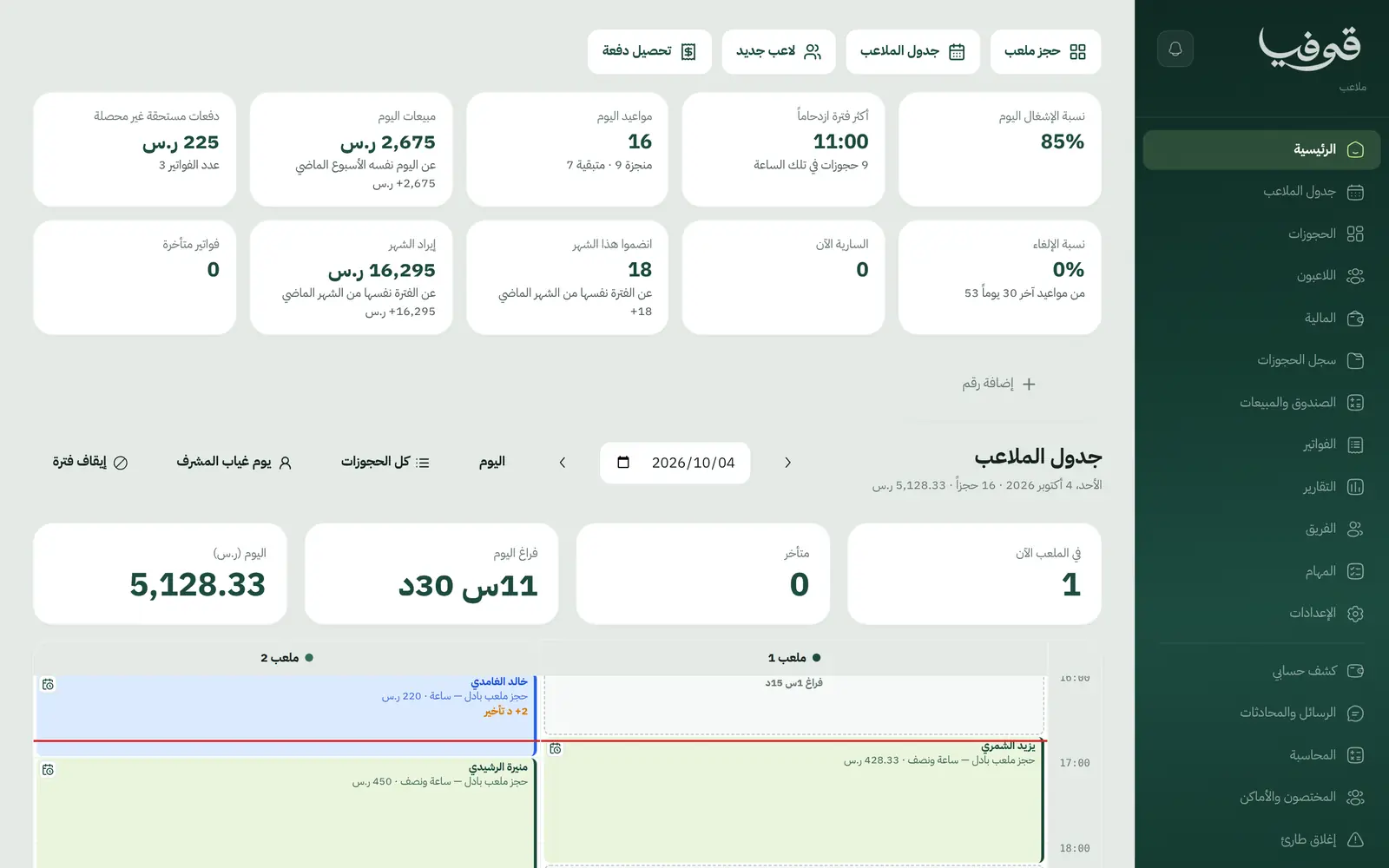
What wears an owner down every day
Booking by phone
The phone never stops, one hour is booked twice and another sits empty.
Collecting from four players
One paid, two promised, and the supervisor chases the rest.
One price for every hour
Peak hours at the midday price, and Friday night like a Sunday.
What Govia gives you
Court grid
Courts by hours with peak times shaded, booked straight from the cell.
Peak pricing
Prices by time window and weekday, applied at the desk and online.
Split bookings
The cost is split between players, each with a payment link for their share.
Fixed weekly bookings
The same court, day and hour every week, booked in full or with the taken week named.
Wallet
Prepaid top-ups with a bonus, and cash-out in cash or by transfer.
Arrived and no-show
On the day board, with each player's no-show count on their file.
Drawer and sales
Takings by payment method and the drawer closed at day end.
Invoices
Simplified tax invoices with QR, booking confirmations and statements.
Inside the system
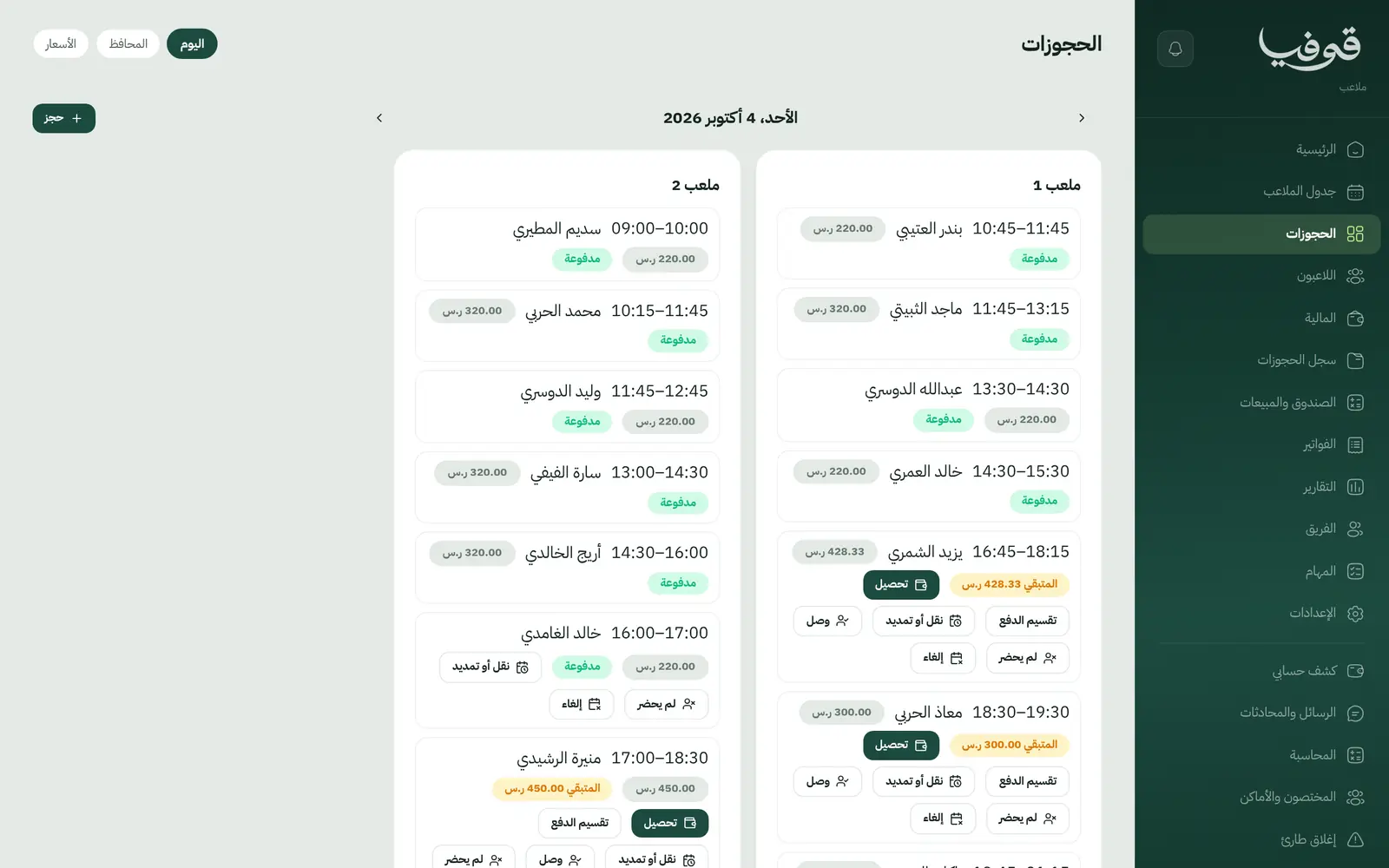
How your day runs on Govia
Booking
The player books from your link or at the desk, priced by the hour.
Splitting
Optionally, each player pays their share by their own link.
Match day
Arrived, on court, finished; or no-show under your cancellation policy.
Changes
Moving a booking re-prices it, and each player's share is adjusted on their link.
Why Govia
No hour sold twice
Courts are held under a lock, so online and desk bookings never clash.
Collect from every player
Share links instead of chasing players.
Prices that follow demand
Peak and weekend rules that are clear to everyone.
A wallet keeps players coming
Prepaid credit with a bonus you set.
Arabic first, in your trade’s words
The whole system runs in Arabic, right to left, and names things the way your business does: client, patient, member or tenant.
Automatic WhatsApp messages
Booking confirmations, appointment reminders and verification codes reach your customers on WhatsApp without anyone typing them.
Local payments
Payment links with mada, Apple Pay and cards, plus instalments with Tabby and Tamara through Tap.
Tax invoices with QR
ZATCA-ready tax invoices with QR (generation phase), issued with every payment.
On Riyadh time
Appointments, reports and reminders run on Riyadh time and the Saudi working week, wherever the system is opened.
An assistant that answers and prepares
Ask it about your numbers and screens and it answers, then prepares the action for you to approve with one tap.
Questions before you start
Can players split a booking?
Yes. Split the cost between players, and each gets an invoice with a payment link for their share. If the booking moves or its price changes, the shares are adjusted.
Does it support peak and weekend prices?
Yes. Price rules by hour and weekday apply at the desk, online and when a booking is moved.
Does it support fixed weekly bookings?
Yes. The same court at the same hour for several weeks, booked in one go; if a week is taken, its date is named.
Do you support mada and Apple Pay?
Yes. Online payment takes mada, Apple Pay and cards, and with the Tap gateway Tabby and Tamara instalments are available too. At the desk you record cash and card on the drawer.
Are the invoices ZATCA compliant?
Yes. Invoices are ZATCA-ready tax invoices with QR (generation phase), issued automatically with every payment.
Does it need installing?
No. It runs in the browser on phone, tablet and computer, and can be added as an app from our install page with no app store. Updates arrive on their own.
Related businesses
Try Govia on your business
Book a demo and we will show you Govia on your business, and set it up with you when it launches.