Clinic management software that follows the patient from desk to till
The patient arrives and joins the reception queue, the nurse records vitals, the doctor writes the diagnosis, prescription and lab order, and the till takes the co-pay while the insurer's share goes to its claim.
Coming soon — We are building this business's own tools now, and we do not want to hand you a dashboard that does not fit. Book a demo and we will set it up with you.
What wears an owner down every day
A waiting room with no order
Patients sit in the hall, reception cannot tell who is with the nurse and who is waiting for the doctor, and wait times are a guess.
Insurance claims in a spreadsheet
The insurer's share is added up by hand at month end, and rejected lines get lost in messages and are never resubmitted.
Appointments nobody shows up for
Bookings taken by phone with no reminder leave empty hours and a doctor waiting.
What Govia gives you
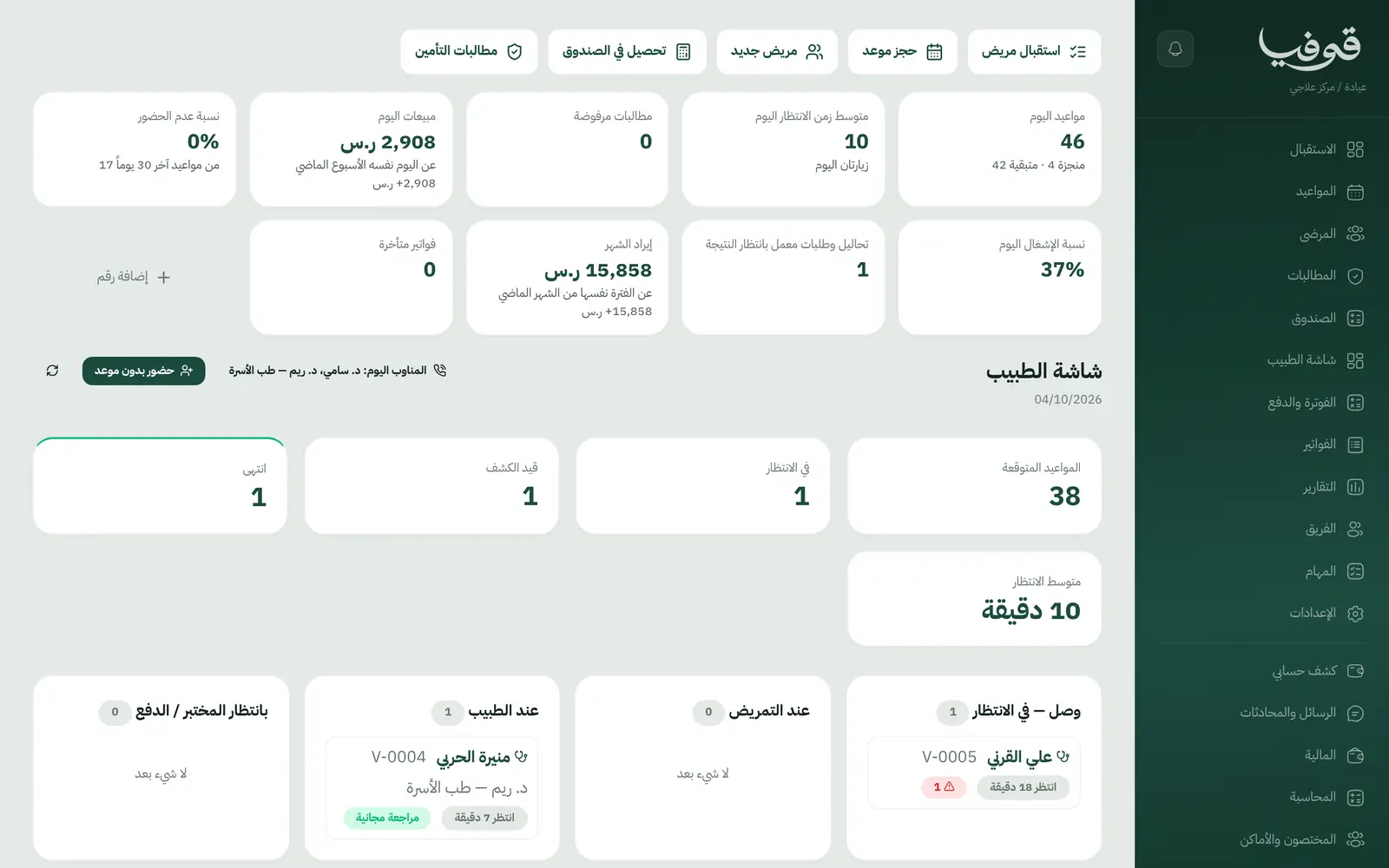
Reception queue
Every patient with a status: arrived and waiting, with the nurse, with the doctor, awaiting lab or payment, plus the average wait.
Doctor's screen
Vitals, the visit note and an ICD-10 coded diagnosis on one screen.
Prescriptions and lab orders
Prescriptions and lab orders are issued from the visit, and lab orders stay visible until their result comes back.
Free follow-up window
Set the free follow-up days per service, so reception can see whether a return visit falls inside it.
Co-pay at the till
Insurer, card number, coverage class and co-pay % sit on the patient file. The patient pays their share and the insurer's share goes to its monthly invoice.
Claims board
Each claim by status: submitted, accepted, part-paid, rejected, paid. A rejection is resubmitted or billed to the patient.
Allergy and chronic alerts
An allergy and chronic-condition column on the patient list, and drug allergies are a required field on the file.
Clinic documents
Medical report, prescription, lab order, referral letter, consent form, and a tax invoice with QR.
Inside the system
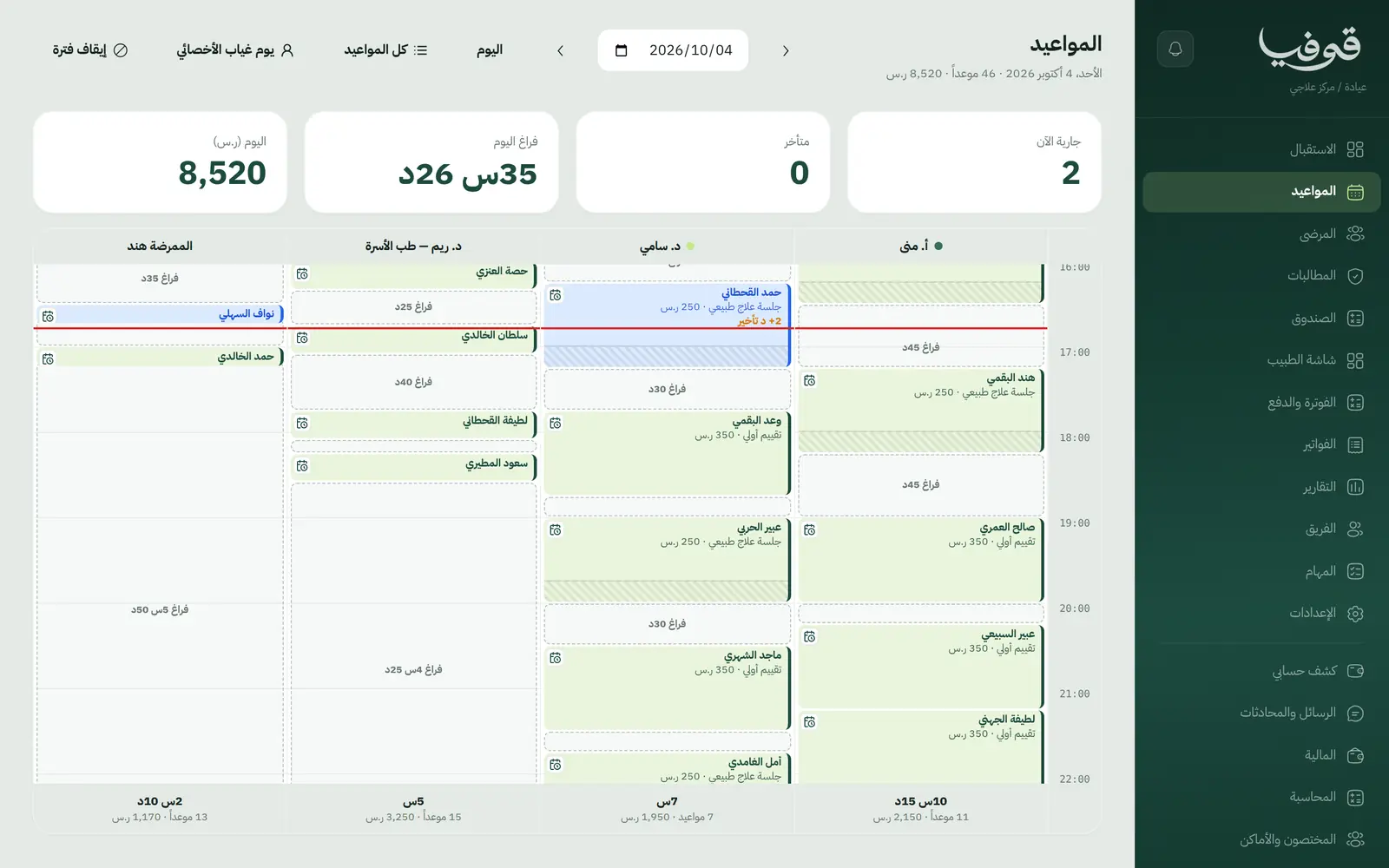
How your day runs on Govia
Patient arrives
Reception opens or creates the file by ID number and mobile and adds the patient to the queue.
With the nurse
Blood pressure, pulse and temperature are recorded, and the patient moves to the doctor.
With the doctor
Diagnosis, prescription and lab order, then the visit waits for the lab or for payment.
At the till
The patient pays the co-pay in cash or by card, the insurer's share joins the month's claim, and the drawer is closed at day end.
Why Govia
Built on a clinic's real day
Visit steps as they happen in your clinic: reception, nurse, doctor, payment. Not a generic appointment list.
Rejections settled in the books
A rejected claim's invoice is settled with a credit note, then resubmitted on a new invoice or billed to the patient.
Permissions per role
Finance sees invoices, not health fields, and each staff member has a permission level per page.
Patient portal
Patients sign in with their mobile number and see their appointments and invoices.
Arabic first, in your trade’s words
The whole system runs in Arabic, right to left, and names things the way your business does: client, patient, member or tenant.
Automatic WhatsApp messages
Booking confirmations, appointment reminders and verification codes reach your customers on WhatsApp without anyone typing them.
Local payments
Payment links with mada, Apple Pay and cards, plus instalments with Tabby and Tamara through Tap.
Tax invoices with QR
ZATCA-ready tax invoices with QR (generation phase), issued with every payment.
On Riyadh time
Appointments, reports and reminders run on Riyadh time and the Saudi working week, wherever the system is opened.
An assistant that answers and prepares
Ask it about your numbers and screens and it answers, then prepares the action for you to approve with one tap.
Questions before you start
Does it send claims electronically to NPHIES?
No. Insurance details are recorded, and the insurer's invoice and claim are produced inside Govia and tracked on the claims board. You submit them to the insurer yourself and type in the reference. Nothing is sent electronically.
Does it support ICD-10 coding?
Yes. The doctor searches the code from the doctor's screen and the diagnosis is saved, coded, in the visit note.
Are the invoices ZATCA compliant?
Yes. Invoices are ZATCA-ready tax invoices with QR (generation phase), issued automatically with every payment.
Does it send WhatsApp reminders?
Yes. An automatic WhatsApp reminder goes out 24 hours before each appointment, and you can switch on a second one a few hours before.
Does it work for more than one branch?
Yes. Add your locations and patients pick one before the time when they book. For branches with separate accounts, we link them into one group you switch between — contact us to set it up.
Does it need installing?
No. It runs in the browser on phone, tablet and computer, and can be added as an app from our install page with no app store. Updates arrive on their own.
Related businesses
Try Govia on your business
Book a demo and we will show you Govia on your business, and set it up with you when it launches.