Laser clinic software that knows the area, the session and the device
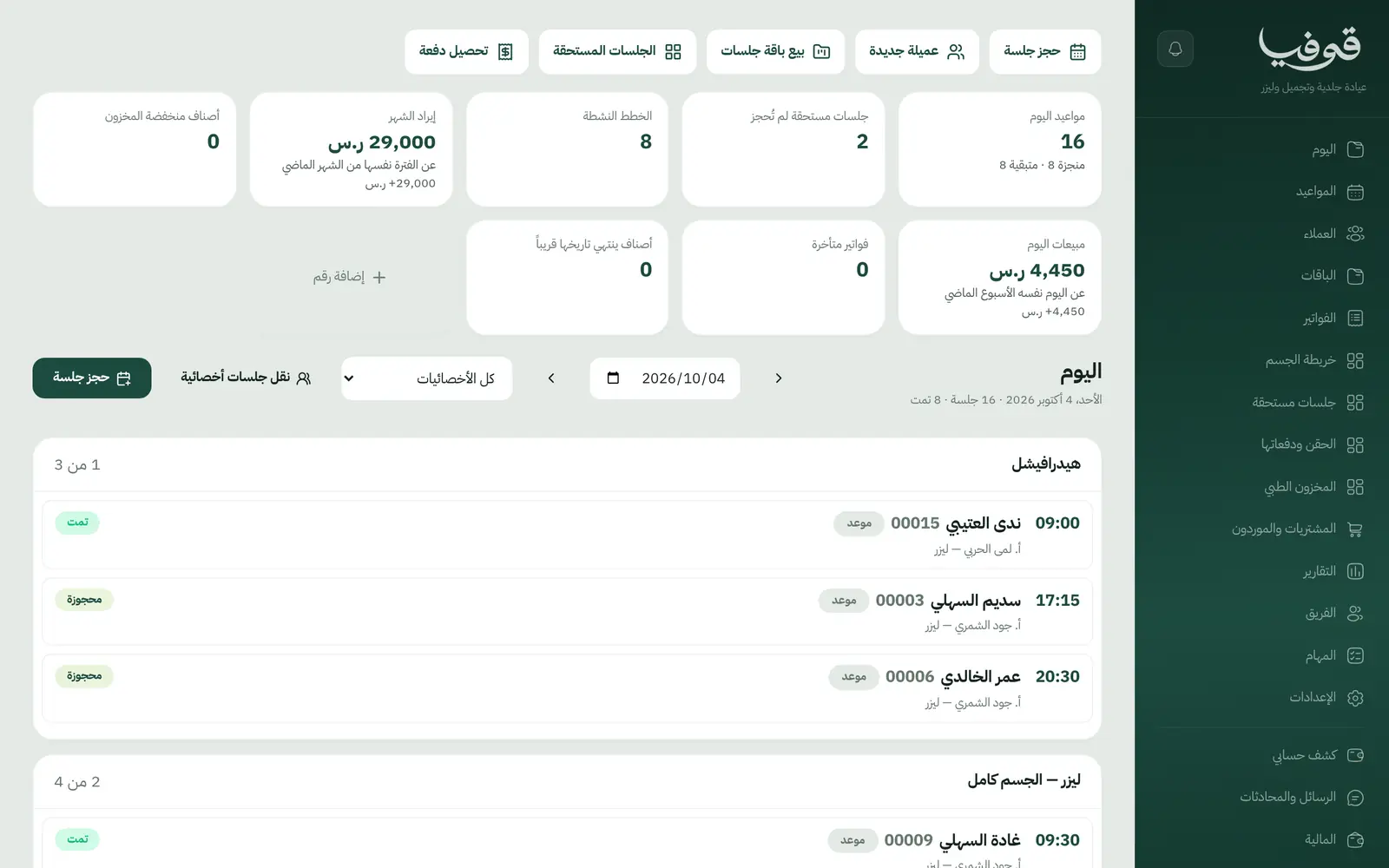
A package per area with its next session date, device settings carried from the last session, injectables drawn from the batch that expires first, and before-and-after photos on the client's file.
Coming soon — We are building this business's own tools now, and we do not want to hand you a dashboard that does not fit. Book a demo and we will set it up with you.
What wears an owner down every day
Laser packages in a notebook
How many underarm sessions does she have left, and when is the next one due? The answer is in a notebook or an old message.
Device settings forgotten
Each specialist starts from scratch because the last session's settings were never written down.
Expired stock in the fridge
Nobody knows which batch expires first, and expired product is found too late.
What Govia gives you
Body map
Every treated area for each client on one map.
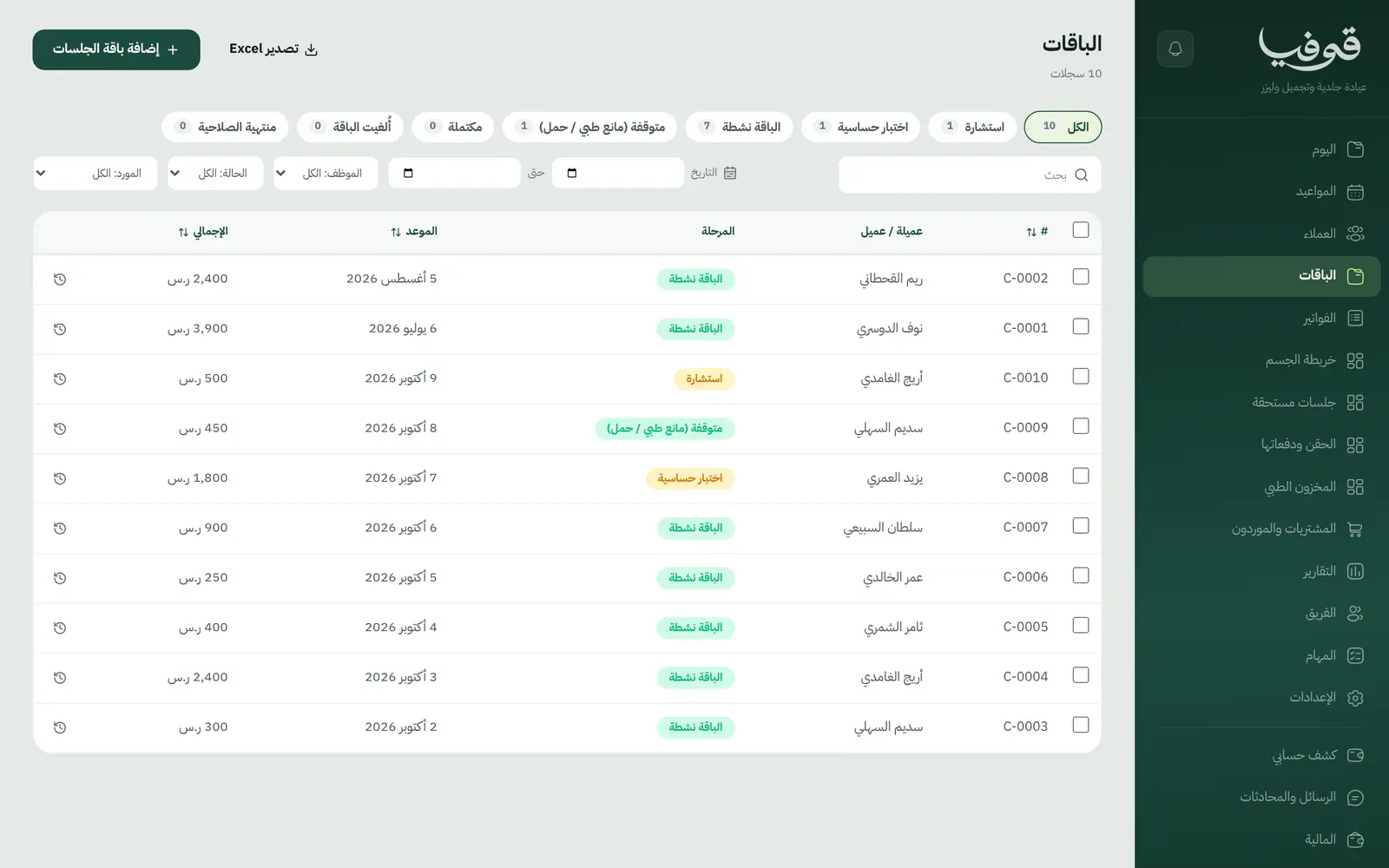
A package per area
Sessions, the interval between them and the next due date, per area.
Sessions due
A list of clients whose next session is due but not yet booked, so you can reach out.
Device settings per session
Recorded with every session, so the next one starts where the last left off.
Injectables by batch
Drawn from the batch that expires first, and an expired batch is refused.
Contraindications before the session
Skin type and contraindications on the file. If a pregnancy is recorded, laser and injectables are refused unless management overrides with a recorded reason.
Before-and-after photos and consents
Each client's photos and signed consent forms on her file.
Medical stock and purchasing
Clinic items and suppliers, with an alert when stock runs low.
Inside the system
How your day runs on Govia
Consultation
Record skin type, contraindications, past procedures and allergies.
Patch test
A laser patch test before the package starts.
Package active
Book sessions per area and record device settings and photos each time.
Follow-up
Sessions due shows who is ready for her next session until the package is complete.
Why Govia
A dermatology clinic's vocabulary
Area, session, device, batch. Not a generic appointment list.
Contraindications before the device
The warning shows at check-in, and only management can override, with a reason.
Stock with its dates
Injectables are drawn in expiry order, and expired product is never drawn.
Deposits at booking
A laser session is booked from your link with a deposit paid by mada or Apple Pay.
Arabic first, in your trade’s words
The whole system runs in Arabic, right to left, and names things the way your business does: client, patient, member or tenant.
Automatic WhatsApp messages
Booking confirmations, appointment reminders and verification codes reach your customers on WhatsApp without anyone typing them.
Local payments
Payment links with mada, Apple Pay and cards, plus instalments with Tabby and Tamara through Tap.
Tax invoices with QR
ZATCA-ready tax invoices with QR (generation phase), issued with every payment.
On Riyadh time
Appointments, reports and reminders run on Riyadh time and the Saudi working week, wherever the system is opened.
An assistant that answers and prepares
Ask it about your numbers and screens and it answers, then prepares the action for you to approve with one tap.
Questions before you start
Does it keep device settings for each session?
Yes. Device settings are recorded on the session and shown at the next session for the same area.
Can I take a deposit on laser bookings?
Yes. Set a deposit percentage on the service, and the client pays it when booking from your link by mada, Apple Pay or card.
Does it track injectable expiry?
Yes. Injectables are logged by batch and expiry date, drawn from the one that expires first, and expired batches are refused.
Does it send WhatsApp reminders?
Yes. An automatic WhatsApp reminder goes out 24 hours before each appointment, and you can switch on a second one a few hours before.
Are the invoices ZATCA compliant?
Yes. Invoices are ZATCA-ready tax invoices with QR (generation phase), issued automatically with every payment.
Does it need installing?
No. It runs in the browser on phone, tablet and computer, and can be added as an app from our install page with no app store. Updates arrive on their own.
Related businesses
Try Govia on your business
Book a demo and we will show you Govia on your business, and set it up with you when it launches.