Physiotherapy clinic software: plans, sessions and insurance
A plan for every patient with its session count, "session 7 of 10" counted from sessions actually delivered, insurer approvals that cap booking, and assessment, progress and discharge reports from the same file.
Coming soon — We are building this business's own tools now, and we do not want to hand you a dashboard that does not fit. Book a demo and we will set it up with you.
What wears an owner down every day
How many sessions are left?
The patient asks, reception counts in a notebook, and a booked session is counted as if it were delivered.
Booking past the approval
Sessions are booked beyond what the insurer approved, and the extra is rejected later.
Scattered notes
Pain scores and range of motion are on paper, so progress is invisible at reassessment.
What Govia gives you
Plans by type
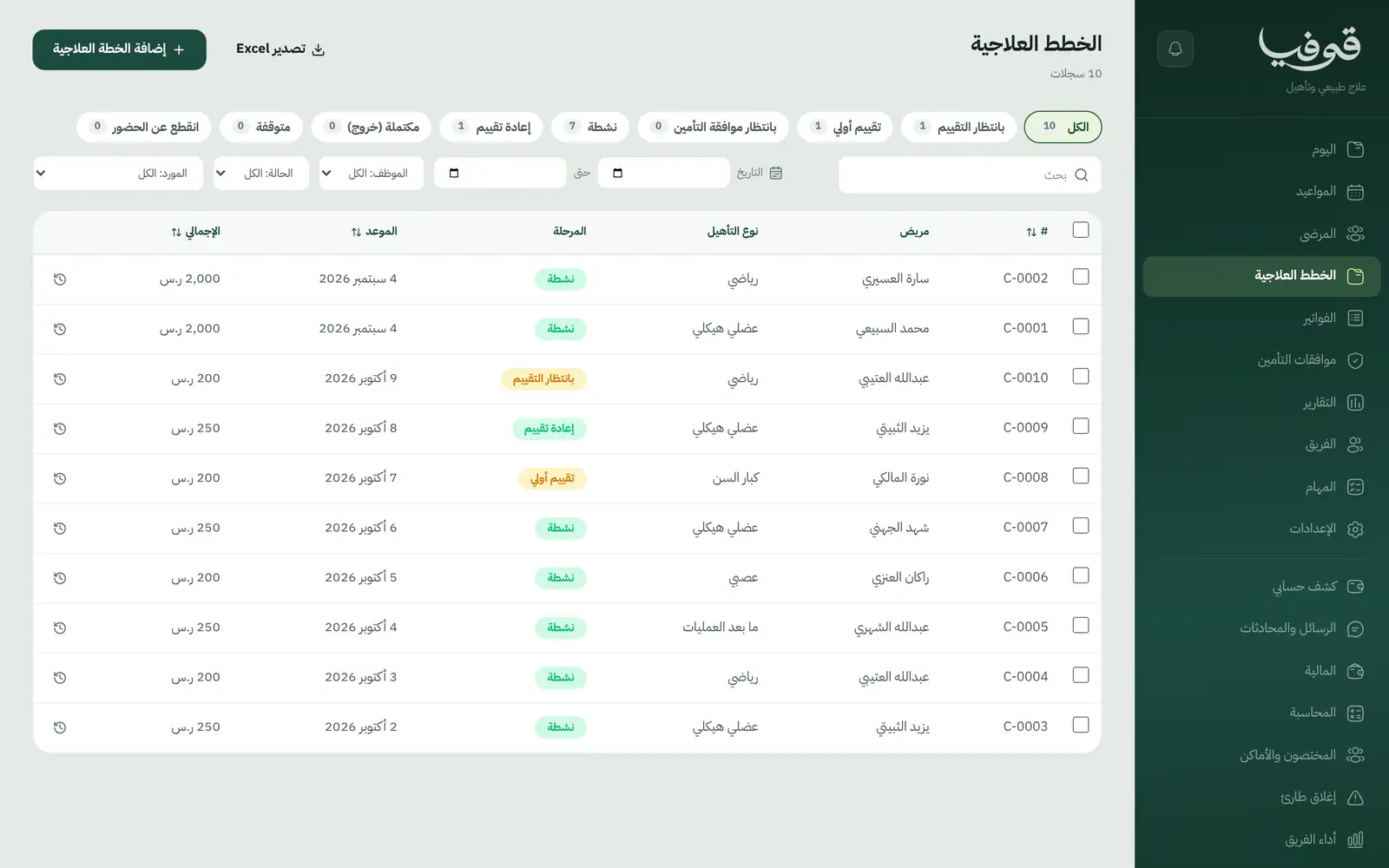
Musculoskeletal, sports, neuro, post-surgery and more, each with a planned session count.
Delivered out of planned
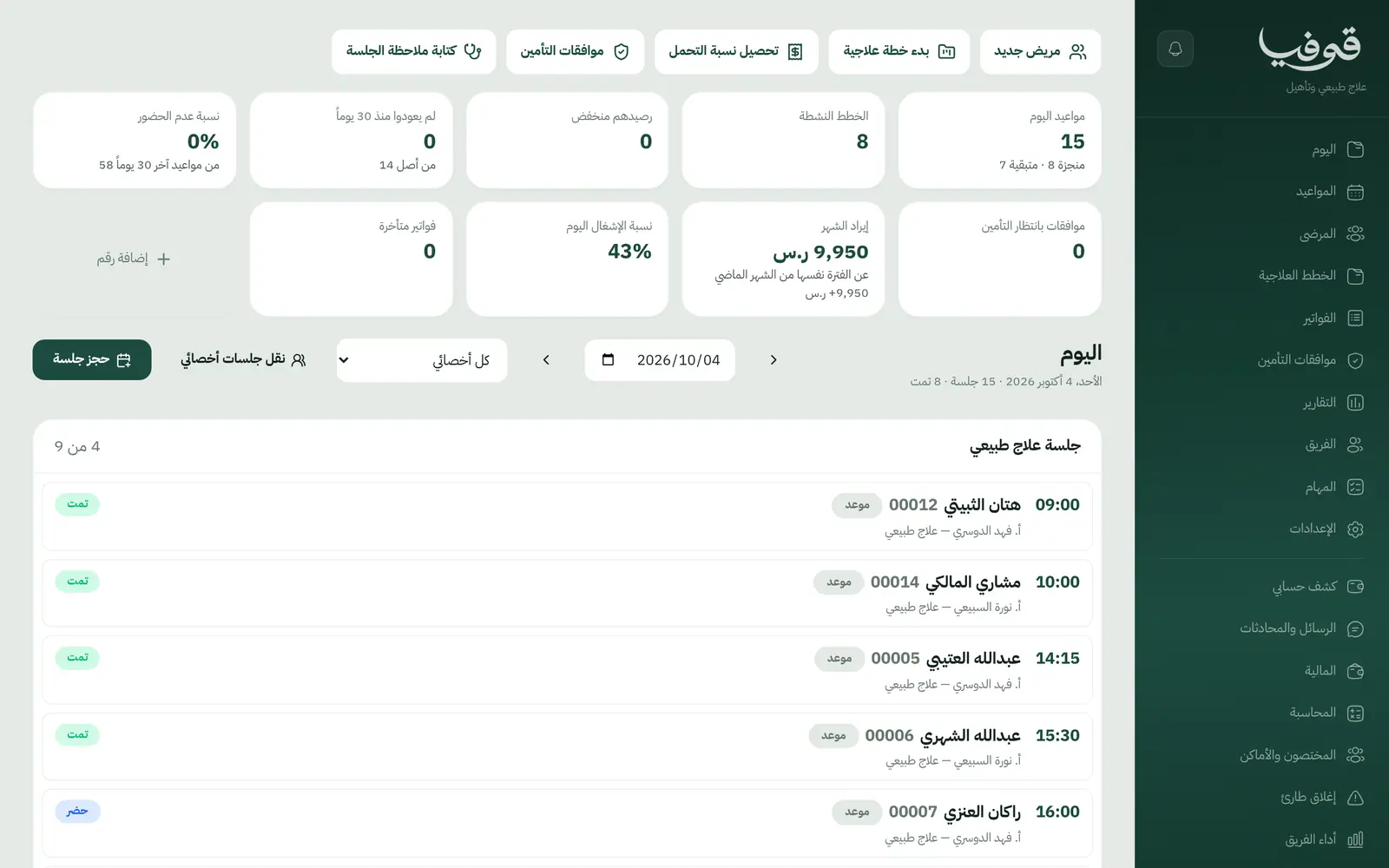
Counted from delivered sessions, not booked ones, on the plan and on the day screen.
Today screen
Today's sessions with the last pain score, the previous note and any alerts.
SOAP notes
A note after every session, with the pain score.
Assessments over time
Pain, range of motion and strength on charts.
Insurer approvals
The approved session count caps booking, and an extra session is refused with the reason.
Weekly series booking
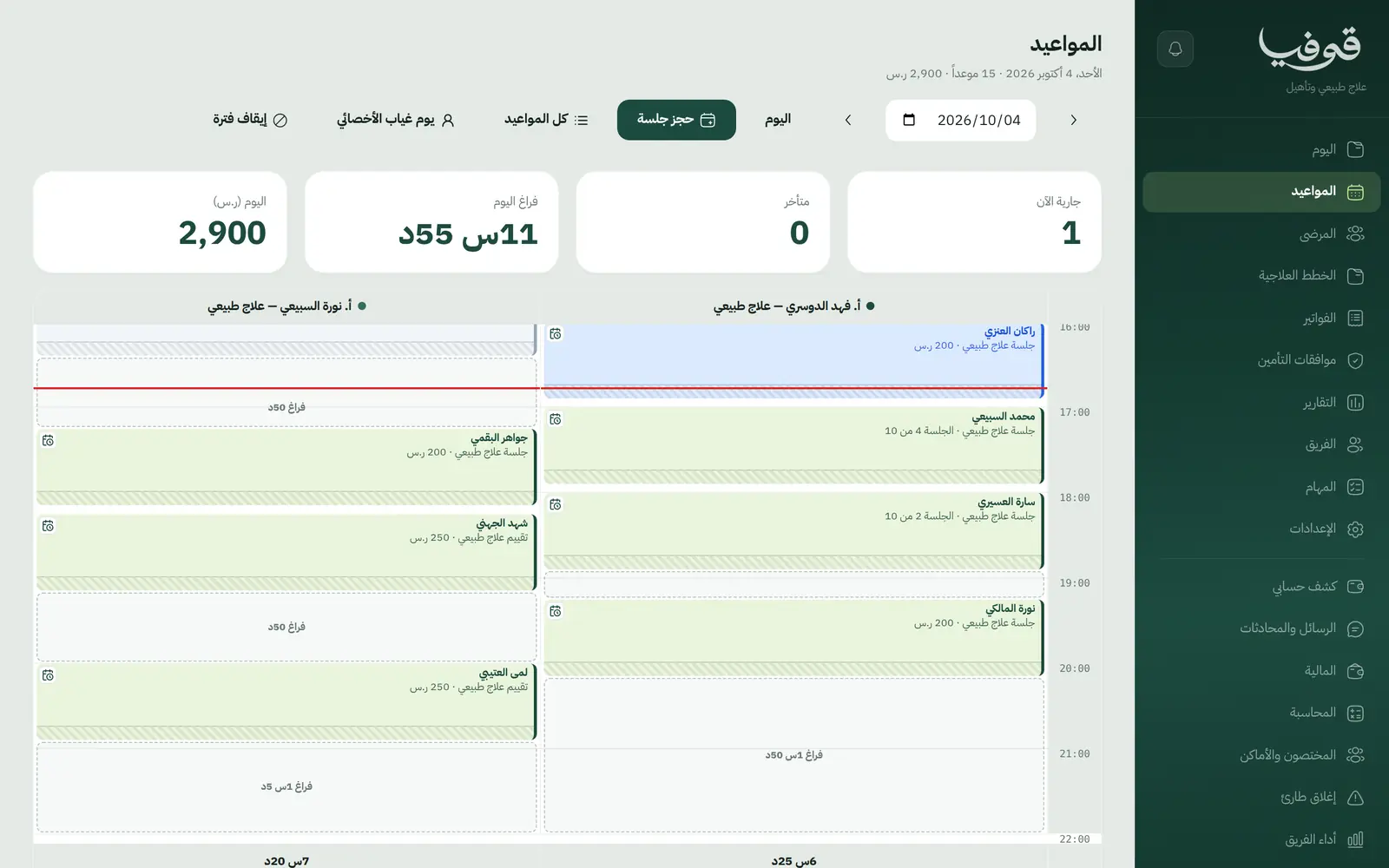
Book a plan's sessions on chosen weekdays in one go, and any day that cannot be booked is named.
Reports and documents
Assessment, progress and discharge reports, home exercise programme, referral letter and tax invoice.
Inside the system
How your day runs on Govia
Initial assessment
Record the diagnosis, injured area, referral source and precautions.
Plan and insurance
A plan with a session count, waiting for insurer approval when the patient is insured.
Sessions
Book from the diary or the plan, with a SOAP note after each session.
Reassess and discharge
Compare measures, then close the plan with its discharge report.
Why Govia
An honest session count
Patient, reception and therapist all see the same number.
Insurance checked at booking
The approval is checked when you book, not after a claim is rejected.
Progress in numbers
Measures on charts, shown at reassessment and in the report.
Flexible billing
Per session, per programme or through insurance, with therapist commission approved on team performance.
Arabic first, in your trade’s words
The whole system runs in Arabic, right to left, and names things the way your business does: client, patient, member or tenant.
Automatic WhatsApp messages
Booking confirmations, appointment reminders and verification codes reach your customers on WhatsApp without anyone typing them.
Local payments
Payment links with mada, Apple Pay and cards, plus instalments with Tabby and Tamara through Tap.
Tax invoices with QR
ZATCA-ready tax invoices with QR (generation phase), issued with every payment.
On Riyadh time
Appointments, reports and reminders run on Riyadh time and the Saudi working week, wherever the system is opened.
An assistant that answers and prepares
Ask it about your numbers and screens and it answers, then prepares the action for you to approve with one tap.
Questions before you start
Does it stop booking beyond the insurer's approval?
Yes. A session past what the insurer approved is refused at booking, with the reason shown.
Can I bill per session or per programme?
Yes. A plan is billed per session, for the whole programme, or through insurance with the co-pay.
Does it send claims electronically to insurers?
No. Insurance details are recorded, and the insurer's invoice and claim are produced inside Govia and tracked on the claims board. You submit them to the insurer yourself and type in the reference. Nothing is sent electronically.
Does it send WhatsApp reminders?
Yes. An automatic WhatsApp reminder goes out 24 hours before each appointment, and you can switch on a second one a few hours before.
Are the invoices ZATCA compliant?
Yes. Invoices are ZATCA-ready tax invoices with QR (generation phase), issued automatically with every payment.
Does it need installing?
No. It runs in the browser on phone, tablet and computer, and can be added as an app from our install page with no app store. Updates arrive on their own.
Related businesses
Try Govia on your business
Book a demo and we will show you Govia on your business, and set it up with you when it launches.