Home nursing software from first request to the last visit
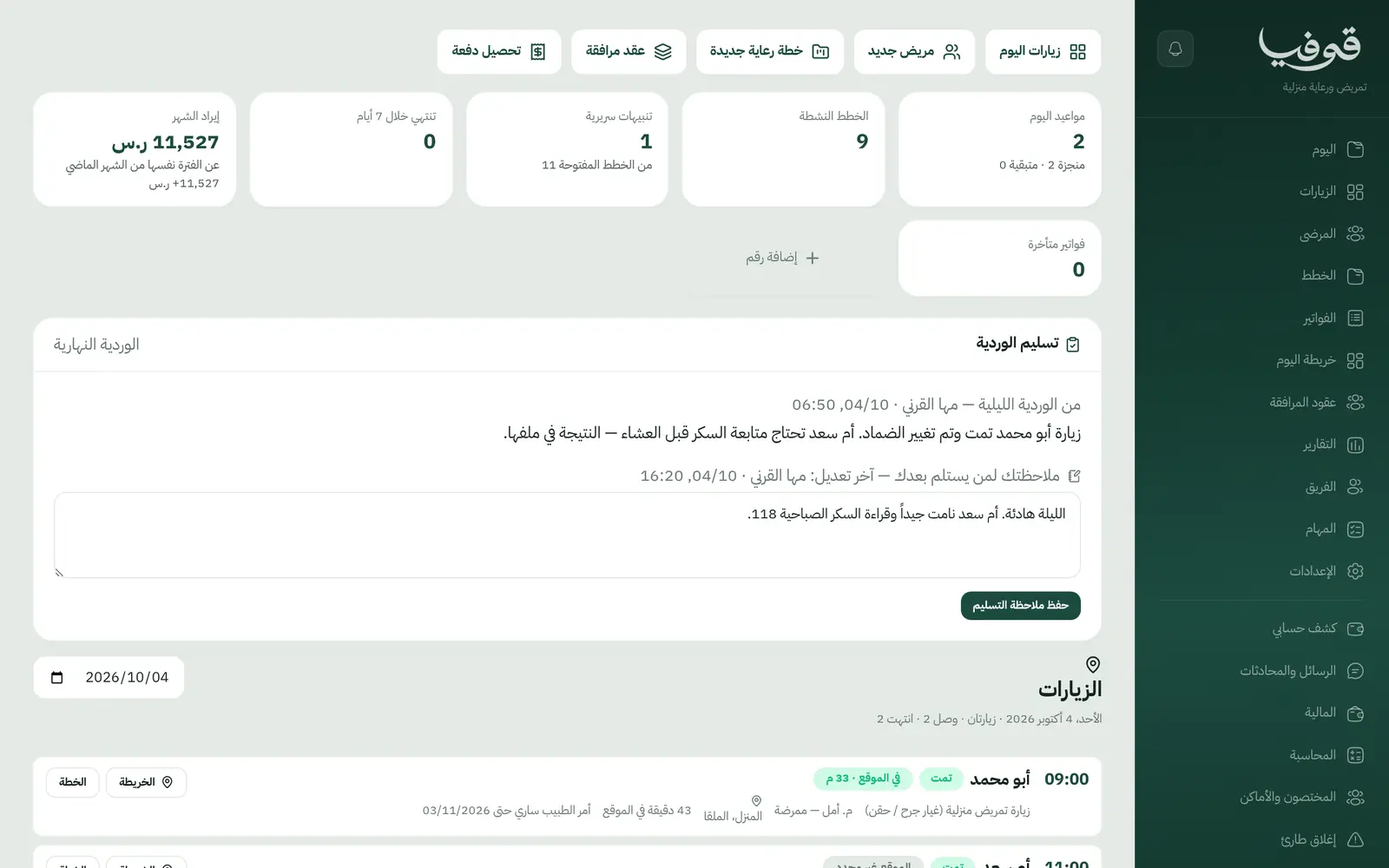
A care plan for every patient with its visit count, a daily run-sheet for nurses with travel time between visits, an on-the-way message to the family, and vitals recorded at the bedside.
Coming soon — We are building this business's own tools now, and we do not want to hand you a dashboard that does not fit. Book a demo and we will set it up with you.
What wears an owner down every day
Families waiting without news
Nobody knows when the nurse will arrive, and the calls keep coming all morning.
An expired physician order
An injection visit goes ahead on an order that has lapsed and nobody notices.
Visits without proof
Did the nurse actually reach the house, and what was recorded there?
What Govia gives you
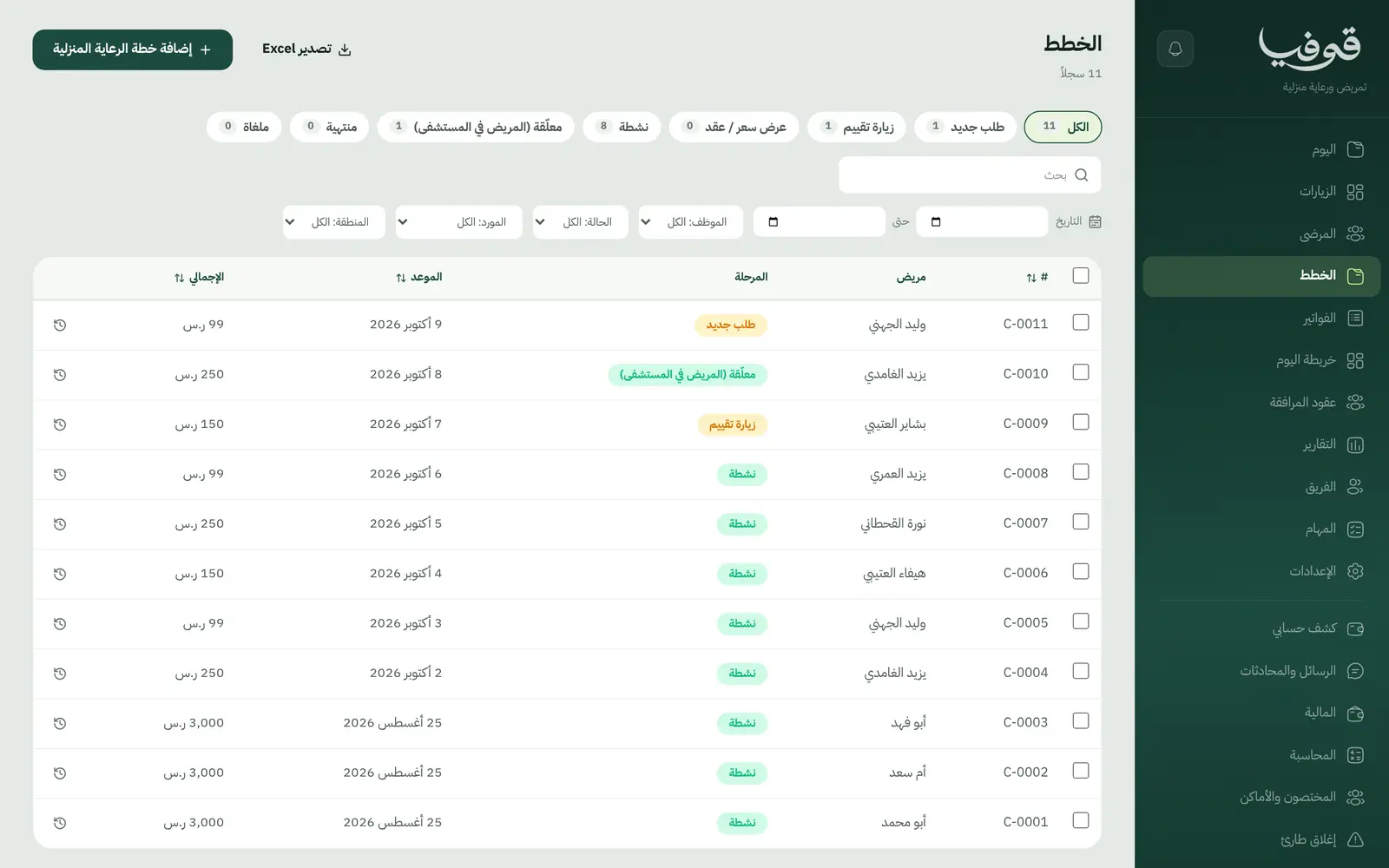
Home care plan
By visit count, with its status from assessment visit to ended.
Visits and today's map
Each nurse's visits in order, with the address and access notes.
On the way
The nurse taps on the way with an estimated arrival time, and the family gets a message.
Arrival check
Check-in is matched against the home location saved on the file.
Physician orders with expiry
An expired order blocks the visit until it is renewed.
Vitals and visit reports
Blood pressure, pulse, temperature, oxygen saturation and glucose at every visit, plus wound notes.
Hold while in hospital
Putting the plan on hold cancels upcoming visits with no fee and tells people; on return the visits are rebooked.
Travel time and address
Travel time is reserved between visits, and online booking asks for the patient's address.
Inside the system
How your day runs on Govia
Request and assessment visit
Record the condition, dependency level, medical equipment at home and the address.
Quote or contract
A care plan by visit count or a companion contract, then active.
Visit day
The nurse taps on the way, arrival is checked by location, and vitals and notes are recorded.
Close and invoice
Complete and bill the visit; the end of the plan issues a progress report.
Why Govia
Built for home visits
Address, location and travel time are part of the booking, not a side note.
Families kept informed
An on-the-way message with arrival time, and a message when a visit is cancelled or held.
Physician orders respected
No visit on an expired order.
Arrival on record
Every check-in is logged with its distance from the home.
Arabic first, in your trade’s words
The whole system runs in Arabic, right to left, and names things the way your business does: client, patient, member or tenant.
Automatic WhatsApp messages
Booking confirmations, appointment reminders and verification codes reach your customers on WhatsApp without anyone typing them.
Local payments
Payment links with mada, Apple Pay and cards, plus instalments with Tabby and Tamara through Tap.
Tax invoices with QR
ZATCA-ready tax invoices with QR (generation phase), issued with every payment.
On Riyadh time
Appointments, reports and reminders run on Riyadh time and the Saudi working week, wherever the system is opened.
An assistant that answers and prepares
Ask it about your numbers and screens and it answers, then prepares the action for you to approve with one tap.
Questions before you start
Does the family get a message when the nurse sets off?
Yes. When the nurse taps on the way and picks an arrival time, the family is messaged.
Does it block a visit when the physician order has expired?
Yes. Orders are logged with their expiry date, and a visit on an expired order is refused until it is renewed.
What if the patient is admitted to hospital?
Put the plan on hold: upcoming visits are cancelled with no fee and the family is told. On return they are rebooked, and any that cannot be becomes a task.
Are the invoices ZATCA compliant?
Yes. Invoices are ZATCA-ready tax invoices with QR (generation phase), issued automatically with every payment.
Do you support mada and Apple Pay?
Yes. A booking made from your link takes its deposit by mada, Apple Pay or card, and the balance is collected in cash or online.
Does it need installing?
No. It runs in the browser on phone, tablet and computer, and can be added as an app from our install page with no app store. Updates arrive on their own.
Related businesses
Try Govia on your business
Book a demo and we will show you Govia on your business, and set it up with you when it launches.