Nutrition clinic software for weight, measurements and follow-ups
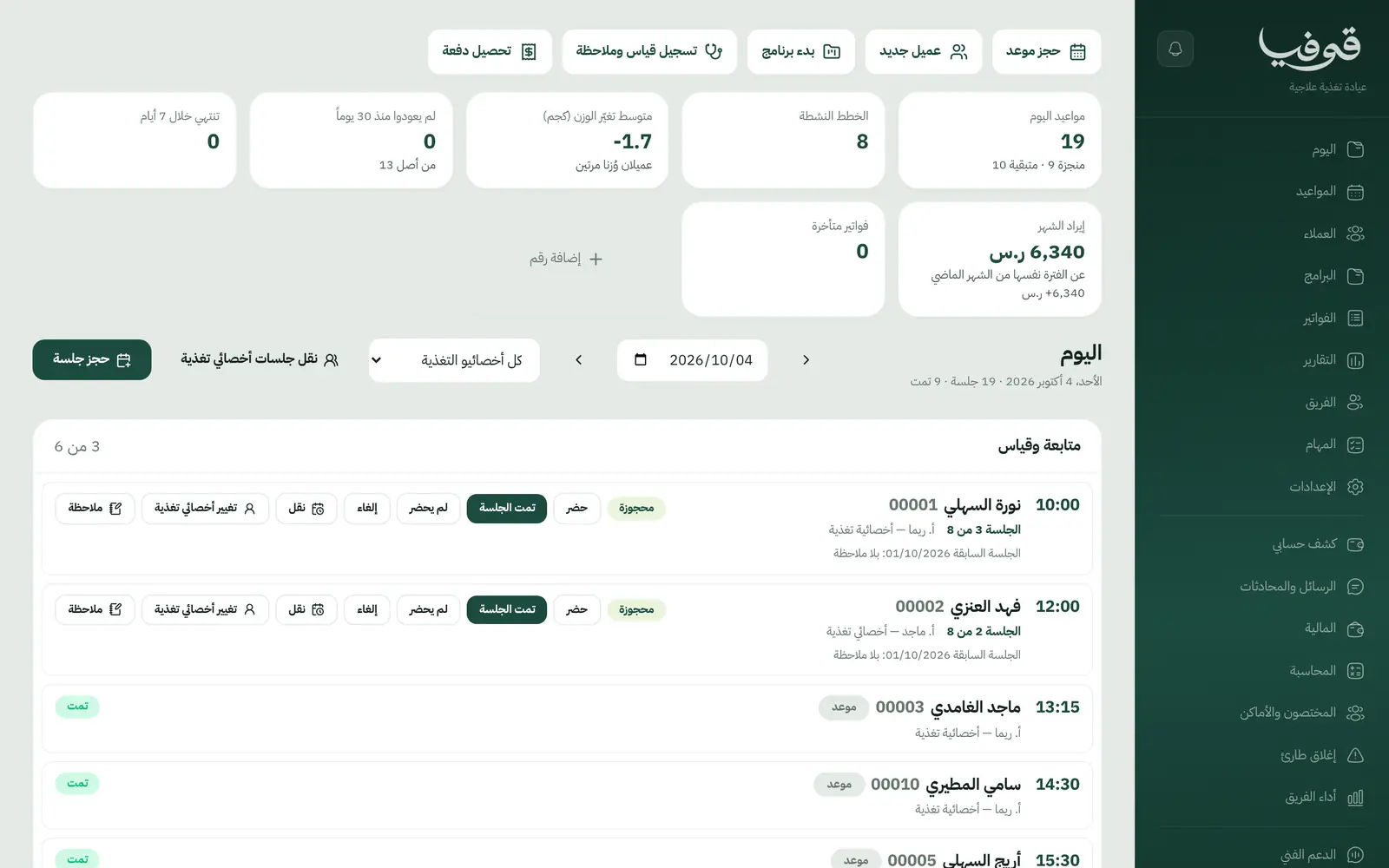
A diet programme with its follow-up count, weight and InBody readings at every visit, the distance to goal on the client list, and a WhatsApp reminder ahead of each follow-up.
Coming soon — We are building this business's own tools now, and we do not want to hand you a dashboard that does not fit. Book a demo and we will set it up with you.
What wears an owner down every day
Measurements in a notebook
Weight and body fat from every visit on paper, so neither the client nor the dietitian sees the trend.
Follow-ups that lapse
A client misses two weeks and nobody notices the programme has stalled.
Packages with no clear end
An 8-visit package has run past its validity and nobody knows how many visits are left.
What Govia gives you
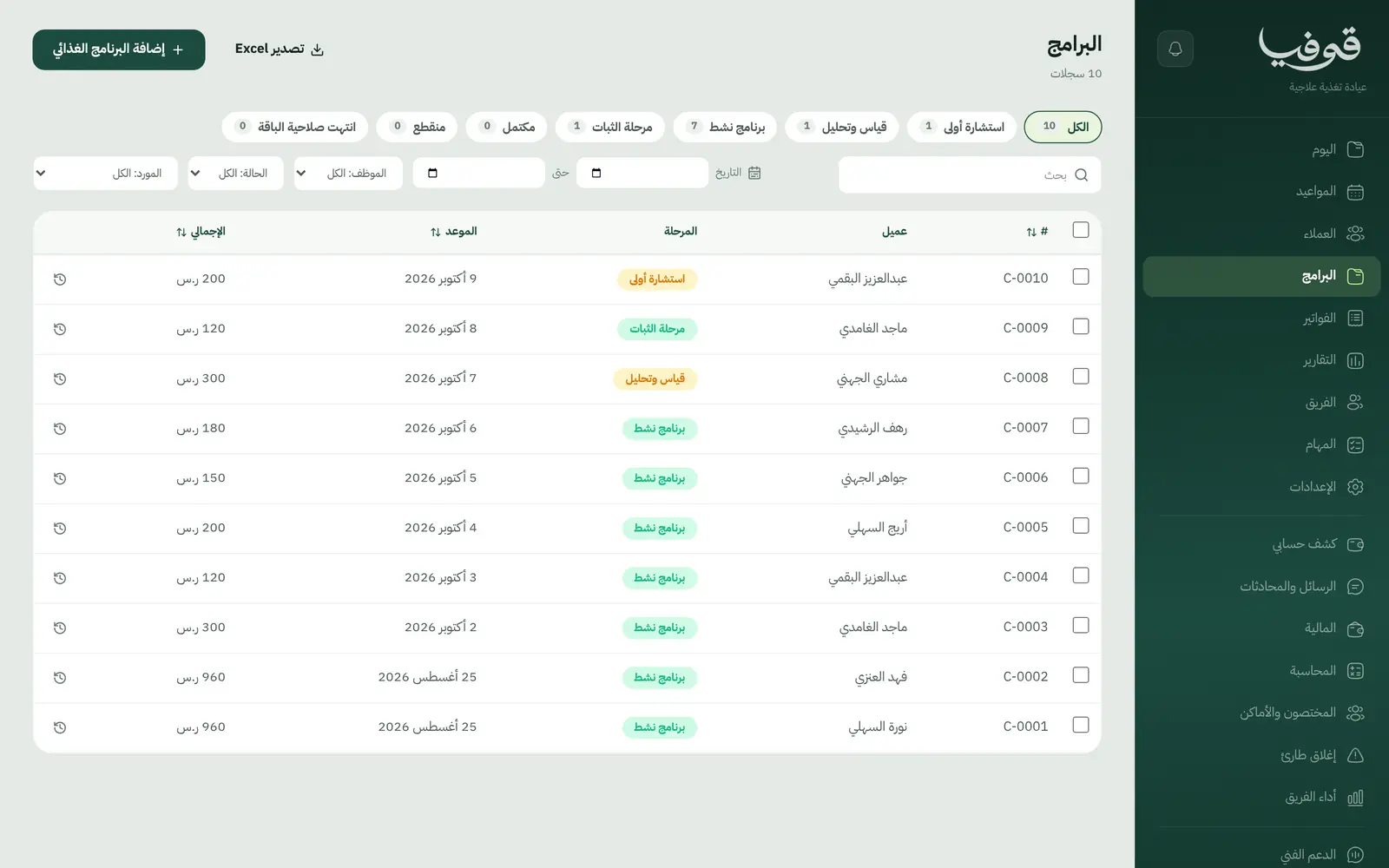
Diet programme
A programme with its consultation and follow-up count, from first consultation to complete.
Summary and measurements
Weight, BMI, body fat and muscle from InBody over time.
Diet plans
Each client's diet-plan notes on their file.
Distance to goal
The goal and how far is left, shown on the client list.
Average weight change
A home-screen figure for clients' average weight change.
Bill per programme or session
The whole programme up front, or each follow-up on its own invoice.
Package validity
An expired package closes by itself.
Progress report
Progress report, home programme, referral letter and a tax invoice with QR.
Inside the system
How your day runs on Govia
First consultation
Record the goal, health history and lab results on the file.
Measure and analyse
InBody reading and weight, then the diet plan.
Active programme
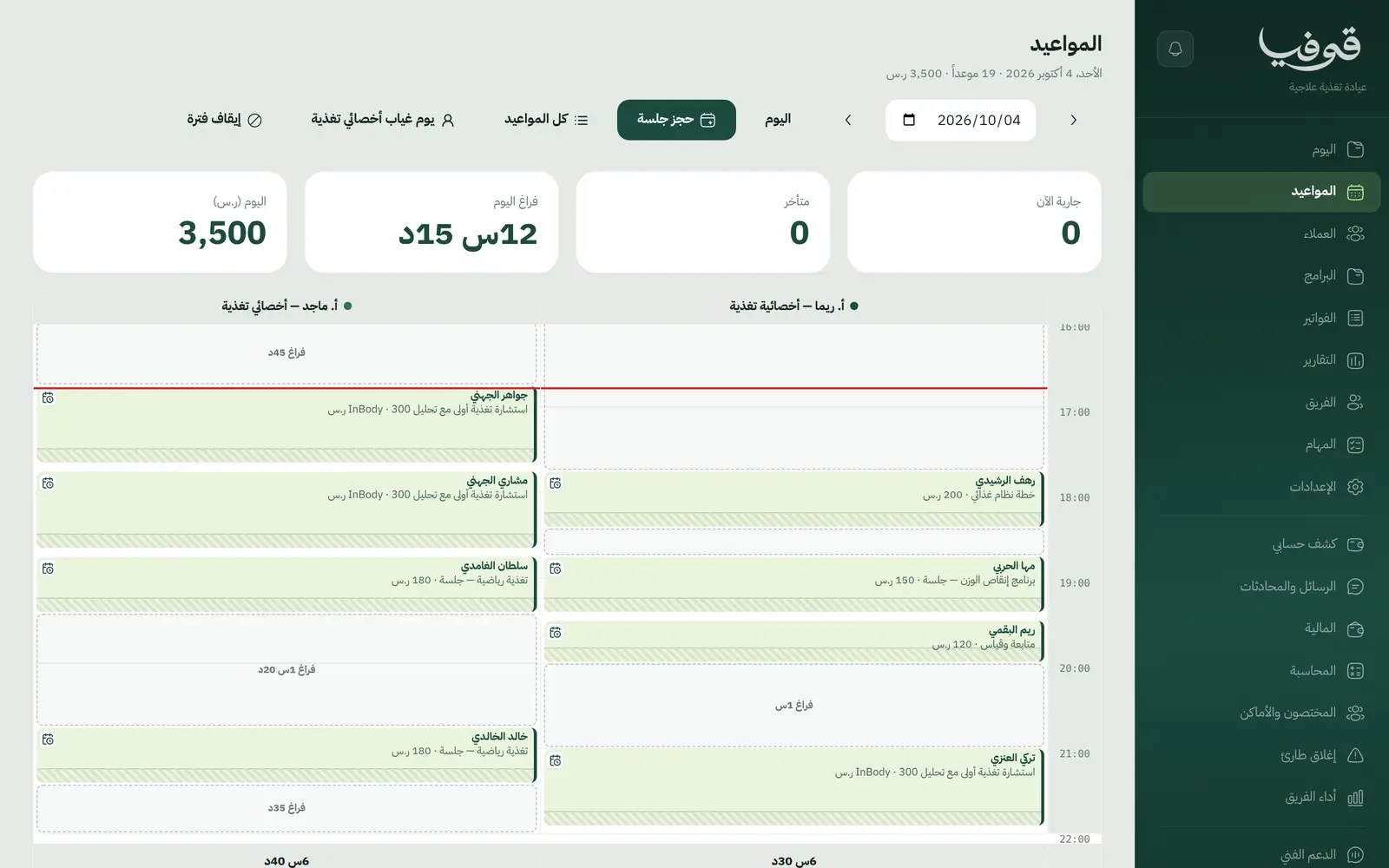
Book follow-ups and update measurements and notes at every visit.
Maintenance phase
Lighter follow-up until complete, then the progress report.
Why Govia
Progress in numbers
Measurements over time, in front of both dietitian and client.
No lost follow-ups
Lapsed clients show on the list, and a reminder goes out before every visit.
Clear packages
What is left and how long it is valid are visible, and closing is automatic.
Book and pay from your link
Clients book their consultation from your link and pay by mada or Apple Pay.
Arabic first, in your trade’s words
The whole system runs in Arabic, right to left, and names things the way your business does: client, patient, member or tenant.
Automatic WhatsApp messages
Booking confirmations, appointment reminders and verification codes reach your customers on WhatsApp without anyone typing them.
Local payments
Payment links with mada, Apple Pay and cards, plus instalments with Tabby and Tamara through Tap.
Tax invoices with QR
ZATCA-ready tax invoices with QR (generation phase), issued with every payment.
On Riyadh time
Appointments, reports and reminders run on Riyadh time and the Saudi working week, wherever the system is opened.
An assistant that answers and prepares
Ask it about your numbers and screens and it answers, then prepares the action for you to approve with one tap.
Questions before you start
Does it record InBody readings?
Yes. Weight, BMI, body fat and muscle are recorded at each visit and charted over time.
Can I sell a follow-up package?
Yes. A programme is billed in full or per session, and a package closes by itself when it expires.
Does it send WhatsApp reminders?
Yes. An automatic WhatsApp reminder goes out 24 hours before each appointment, and you can switch on a second one a few hours before.
Are the invoices ZATCA compliant?
Yes. Invoices are ZATCA-ready tax invoices with QR (generation phase), issued automatically with every payment.
Can I move my clients from a notebook or Excel?
You add clients from the clients screen, a file is created with each first booking from your link, and setup prepares your services and prices. There is no automatic Excel import today.
Does it need installing?
No. It runs in the browser on phone, tablet and computer, and can be added as an app from our install page with no app store. Updates arrive on their own.
Related businesses
Try Govia on your business
Book a demo and we will show you Govia on your business, and set it up with you when it launches.