Dental clinic software that starts at the tooth chart
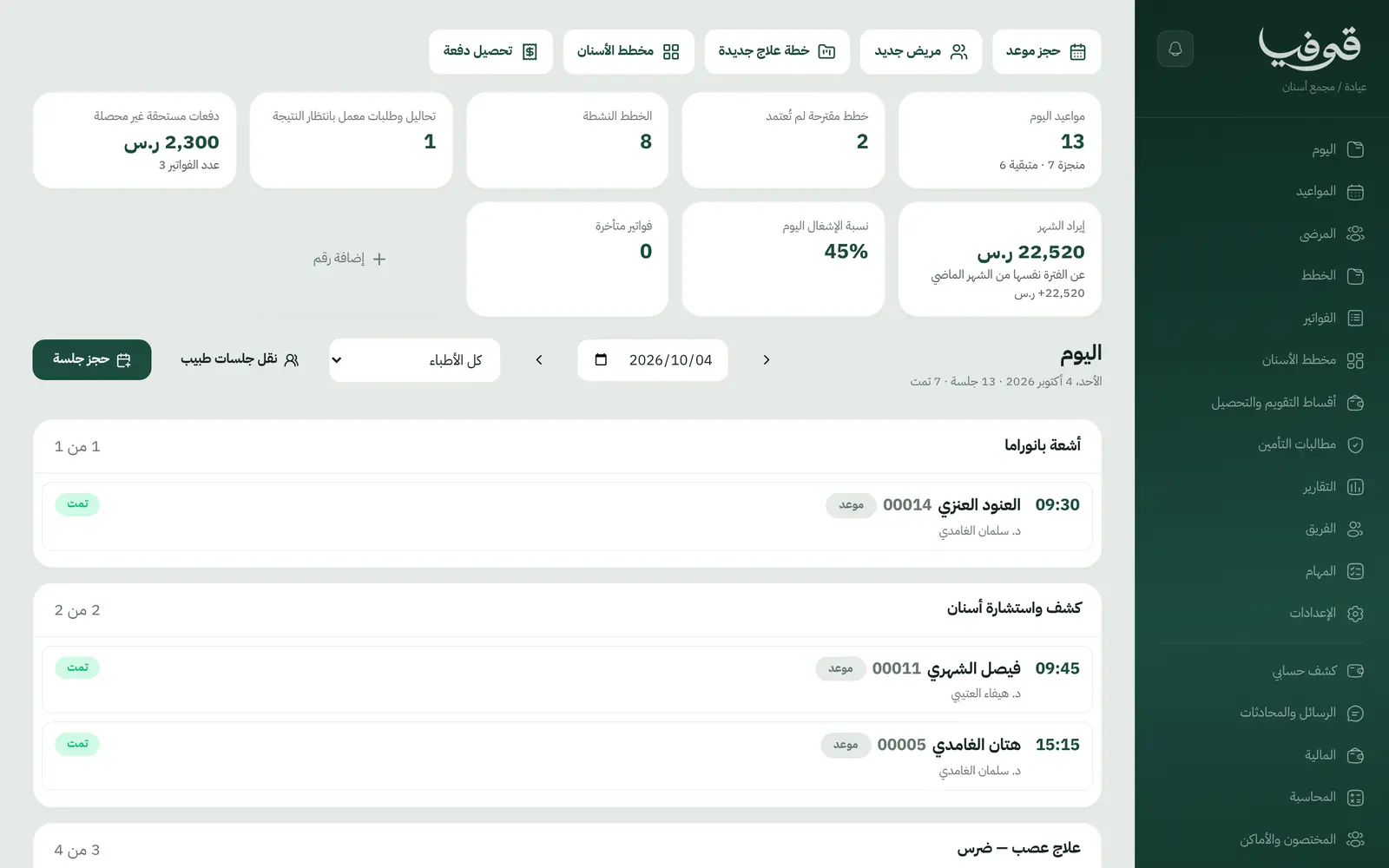
Record every tooth, propose a treatment plan by procedure, see what is done and what is left, and follow ortho instalments and lab work, all from the patient's own file.
Coming soon — We are building this business's own tools now, and we do not want to hand you a dashboard that does not fit. Book a demo and we will set it up with you.
What wears an owner down every day
Treatment plans on paper
The patient agrees to a crown and a root canal, then nobody knows what was done, what is left or when the next visit is.
Ortho instalments slip
Monthly payments are tracked from memory, and patients come in for adjustments with instalments still unpaid.
Lab work with no follow-up
The crown is at the lab, the patient calls to ask, and the clinic cannot tell whether it is back.
What Govia gives you
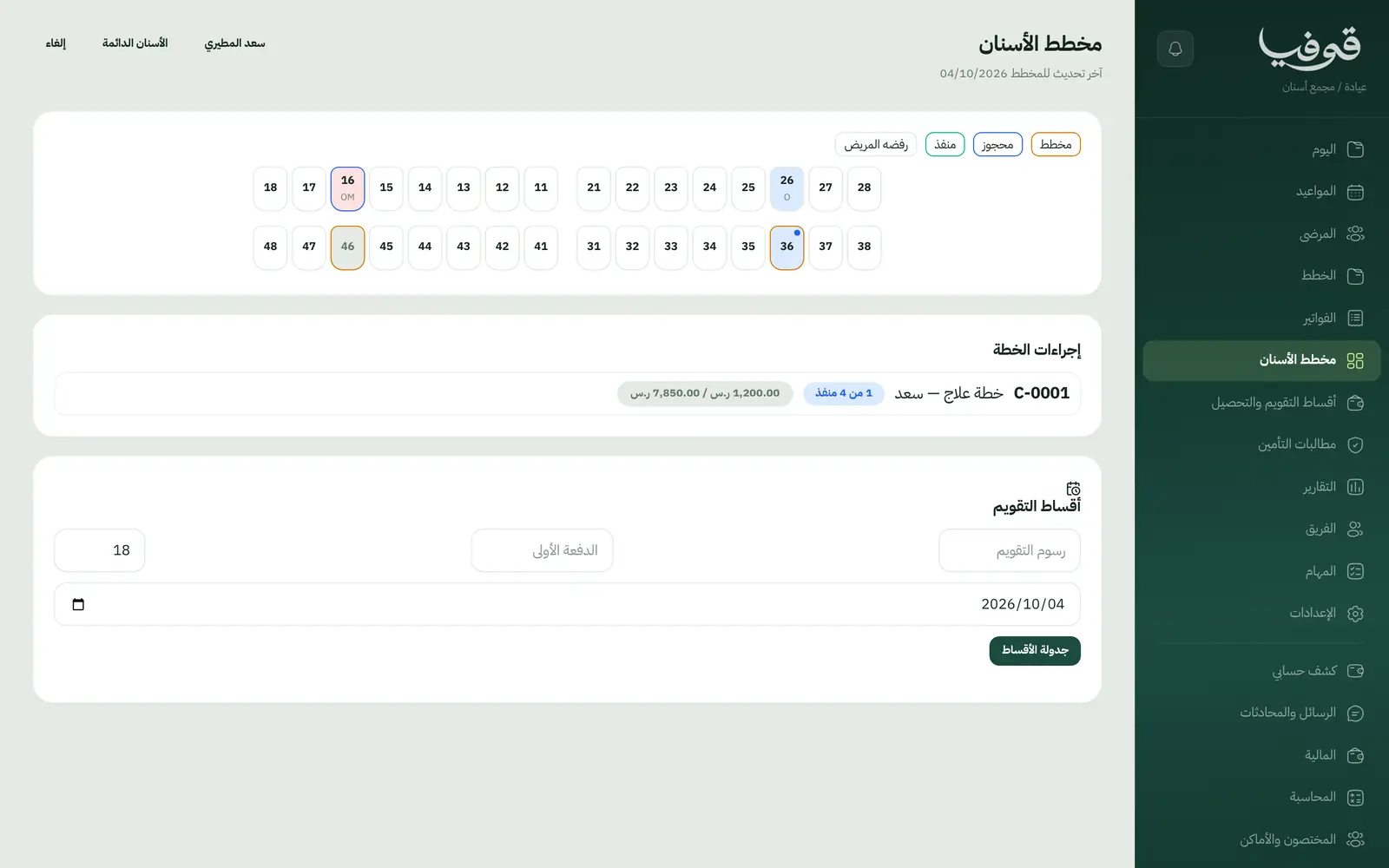
Tooth chart
The state of every tooth is saved on the file, opened at each visit and updated after each procedure.
Per-tooth, per-surface plans
Plan procedures are tied to the tooth and surface, and the patient approves the plan before work starts.
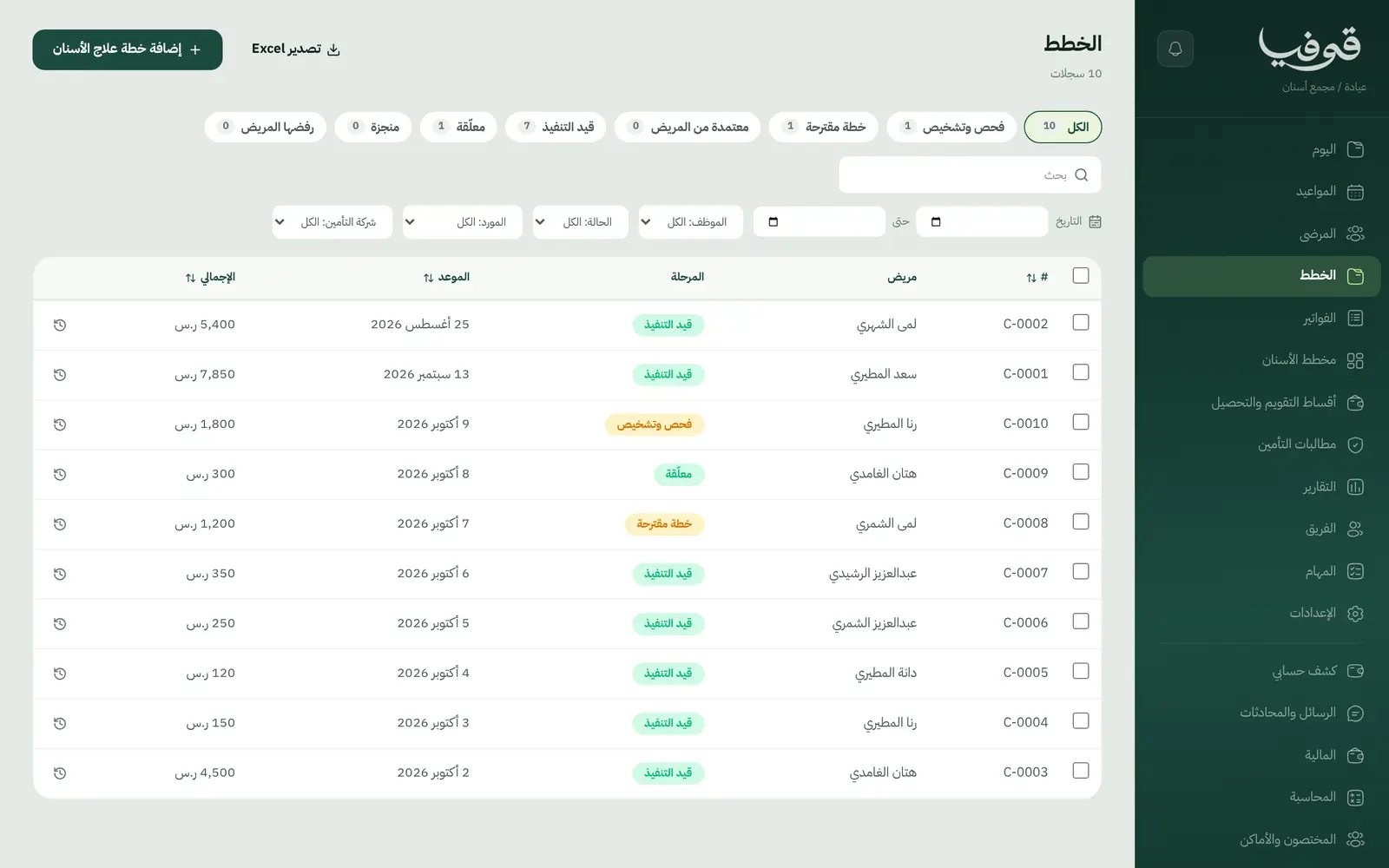
Planned, booked, done
Every procedure carries its status, so you see what is done, what is booked and what still needs a slot.
Lab orders
Dental lab orders are followed from prescriptions and lab orders until the work comes back.
Ortho instalments and collections
A down payment and monthly instalments, with a collections screen that shows what is overdue.
Insurance and annual limit
The annual dental limit, the amount used and the co-pay sit on the file, with claims on their board.
When a patient declines part of a plan
Record the decline in one step. The amount owed back is worked out exactly and a task is raised to return it.
Clinic documents
Treatment plan, consent form, prescription, medical report, lab order, and a tax invoice with QR.
Inside the system
How your day runs on Govia
Exam and diagnosis
Chart the teeth and keep X-rays and photos on the file.
Proposed plan
Procedures per tooth with prices. Once the patient approves, the plan is marked approved.
In treatment
Book procedures into the dentist's diary and mark each one done.
Lab and payment
Send and receive lab work, and collect payments or ortho instalments until the plan is complete.
Why Govia
A dentist's vocabulary
Tooth, surface, procedure and dentist, not generic sessions.
Collections that do not slip
Ortho instalments and overdue payments on one screen.
Declined plans without manual sums
What is owed back is calculated from what was actually paid and logged as owed, with a task.
A reminder before every visit
An automatic WhatsApp message 24 hours before reminds the patient of their appointment.
Arabic first, in your trade’s words
The whole system runs in Arabic, right to left, and names things the way your business does: client, patient, member or tenant.
Automatic WhatsApp messages
Booking confirmations, appointment reminders and verification codes reach your customers on WhatsApp without anyone typing them.
Local payments
Payment links with mada, Apple Pay and cards, plus instalments with Tabby and Tamara through Tap.
Tax invoices with QR
ZATCA-ready tax invoices with QR (generation phase), issued with every payment.
On Riyadh time
Appointments, reports and reminders run on Riyadh time and the Saudi working week, wherever the system is opened.
An assistant that answers and prepares
Ask it about your numbers and screens and it answers, then prepares the action for you to approve with one tap.
Questions before you start
Can I track orthodontic instalments?
Yes. Ortho is sold with a down payment and monthly instalments, and the collections screen shows what is due and what is overdue.
Does it handle the annual insurance limit?
Yes. The annual dental limit, the amount used and the co-pay are on the patient file. Claims are produced in Govia and submitted to the insurer by you; there is no electronic connection.
Does it send WhatsApp reminders?
Yes. An automatic WhatsApp reminder goes out 24 hours before each appointment, and you can switch on a second one a few hours before.
Are the invoices ZATCA compliant?
Yes. Invoices are ZATCA-ready tax invoices with QR (generation phase), issued automatically with every payment.
Does it suit a dental group with several branches?
Yes. Add your locations and patients pick one before the time when they book. For branches with separate accounts, we link them into one group you switch between — contact us to set it up.
Does it need installing?
No. It runs in the browser on phone, tablet and computer, and can be added as an app from our install page with no app store. Updates arrive on their own.
Related businesses
Try Govia on your business
Book a demo and we will show you Govia on your business, and set it up with you when it launches.